
The Nokia E5 Review: A Cheaper E72
- Posted in
- Smartphones
- Nokia
- E5
- Mobile
There were a couple of other areas where the user experience was rather iffy. Why one has to download the Ovi Store app instead of it being preinstalled is something I really don’t understand. But navigating the store itself is not the most fluid experience either. For reasons I can't explain, the app got stuck at the end of the Ovi Store registration process thrice in a row.
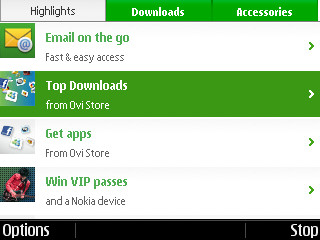
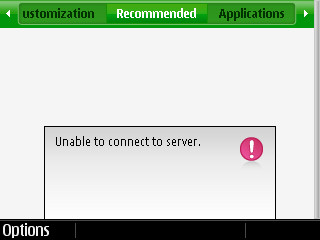
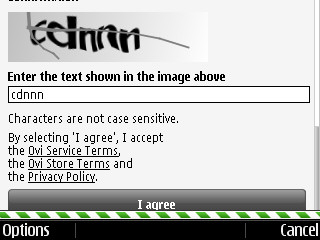
The Ovi Store (left), intermittent issues I had while trying to download apps (center, right)
Only restarting the phone solved this issue. Speaking of restarts, the E5 goes from zero to usable in less than a minute, compared to most smartphones today that easily take a good 3-5 minutes to do the same.
But it’s not all so gloomy on the software side; using Ovi Maps was one of the best navigation experiences I’ve had on any device, not just on smartphones. So much so that during the course of the 2 weeks I spent with the E5, I used it as my primary navigation device on multiple occasions. It was comparable to my dedicated TomTom GPS unit.
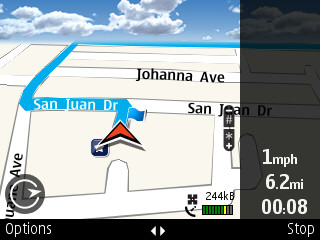
The Nokia E5 makes a very good navigation device
Honestly, if the screen was bigger and of higher resolution, I would have no qualms in using this as my only navigation unit. And unlike its closest rival in Google Maps Navigation, Ovi Maps does not require a data connection to function, which is a huge plus. Plus, the app itself is very responsive and quick to recalculate a route.

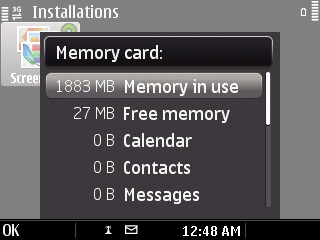
But because the maps are stored on the microSD card and Nokia just packs in a 2GB card (really Nokia?), the E5 comes out of the box with just 27MB free on the memory card. If I found any issue with the maps app itself, it was that I needed to “stop” navigation if I wanted to access any of the settings (Voices, routing etc.). This can get quite annoying but then again, not a lot of these options are to be modified regularly once set initially.
I also want to briefly mention the default ‘Gallery’ app for viewing pictures that comes on the E5. It seems like the only piece of UI on the E5 that is not a decade old. The animations are reasonably smooth and the interface looks slick and modern. In fact, it feels completely out of place on the E5.
Next we have the raison d'être for the Nokia E5: the Messaging sub-system. Here, the E5 does what it’s built to do fairly well without any major complaints. Setting up multiple email accounts is a straightforward process and you’re up and running within a few minutes. You can set up accounts for most popular email services such as Gmail, Hotmail, Yahoo and also Exchange and Lotus Notes, apart from Nokia’s own Ovi Mail service. You can also define and set up a custom account if you don’t use any of the above email services. Strangely, you have to download an app from Nokia’s website to enable push-email support, just like the Ovi Store app.
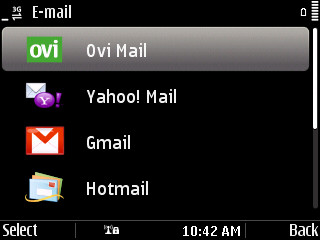
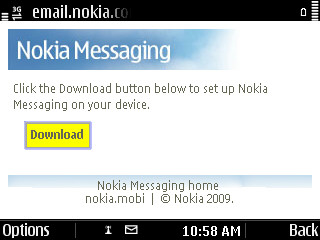
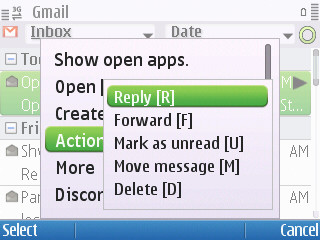
The messaging platform works well. Why doesn’t Nokia include the push-email app by default?
But once you have the Nokia Email Service app installed on the phone, and have set up a Nokia Messaging account (apparently, for which you need a subscription…which comes with the E5), there’s nothing much you need to do. I was actually quite confused by this initially because after installing the app, I didn’t get any notification of anything having happened and neither could I find any options to set up push email. But searching through FAQ’s I found out that once the app is installed, it automatically configures your supported email accounts for push functionality. You can log into the Nokia Messaging portal to set up IMAP folder syncing and other specifics.
Apart from very good email management, the E5 comes with a bunch of business-oriented apps pre-installed (Bloomberg, Quickoffice, Traveler, Active Notes etc.) and Ovi Chat, which is a multi-protocol IM client that supports Google Talk, Windows Messenger, Yahoo Messenger and Ovi Chat. Again, setting the accounts up and using the app is fairly easy and quick.
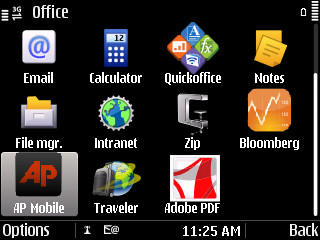
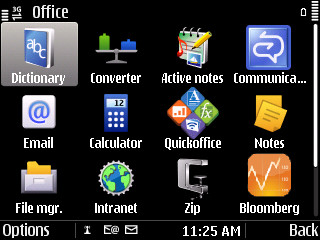
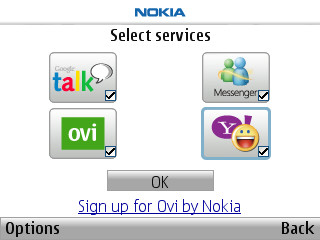
Business-oriented apps that come pre-installed on the E5 (left, center), Ovi Chat app (right)
Interestingly, the E5 also comes with a Microsoft Communicator app pre-installed. For those who don’t know about this, it is the Windows Messenger equivalent for Microsoft’s Exchange Messaging Service and has specific features targeted at business users. Since I didn’t have an Exchange account to test this with, I can’t really talk more about it, but going by Nokia’s implementation of other messaging apps, it should be fairly straightforward to setup and use.
I did however notice a few issues with the E5’s messaging platform. Firstly, after setting up my Gmail account, the E5 refused to sync my inbox. All other folders were sync’d perfectly except the inbox and trying to sync manually didn’t help either. Secondly, an odd behavior I noticed the first 2-3 days of using the phone was that after some time (a couple of hours), the E5 would just stop syncing emails altogether. The solution for both these problems was a simple restart of the phone and I did not see this problem after the first 3 days with any of the other accounts I tried setting up later. I even asked a friend to setup her Gmail account on the phone, who could do so with no issues to report. I haven’t been able to recreate this problem or find any obvious patterns after searching online either, so I’m going to chalk this as more of an anomaly than an actual issue with the device. If anyone else is facing the same issue, let me know and I’ll update the review accordingly.
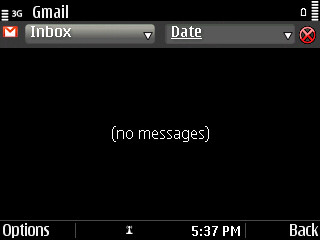
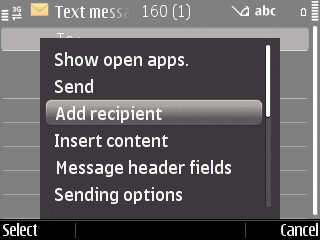
The email app refused to sync my inbox initially (left); you need to explicitly add text recipients instead of just typing their names (right)
The one other idiosyncratic move on Nokia's part was to not allow entering contacts by name in the texting application. In this day and age, having to remember and enter a contact's number instead of just typing their name with the phone suggesting contacts as you type is laughable. There is a way to “Add Recipient(s)” via the menu, but this is a smartphone, and it’s not the year 2000. Come on guys, get it together.
Originally published at https://www.anandtech.com/show/4026/the-nokia-e5-review-a-cheaper-e72 (Wayback Machine).