
ASUS U35Jc: Jogging in Place
The Slightly Improved Screen
We gripe constantly about modern notebook screens and with good reason: they're generally terrible. Poor screen quality is something we've often picked on ASUS for in particular, and with each new iteration of their notebooks they proceed to not change the panel. Once again we find ourselves with a similar dilemma.
In Jarred's review of the U30Jc, he cited the screen as being pretty middling, yet with the U35Jc we have the exact same panel type and model on hand. It's neither terrible nor exciting: the glossy 1366x768 panel gets the job done, but it could do the job better.
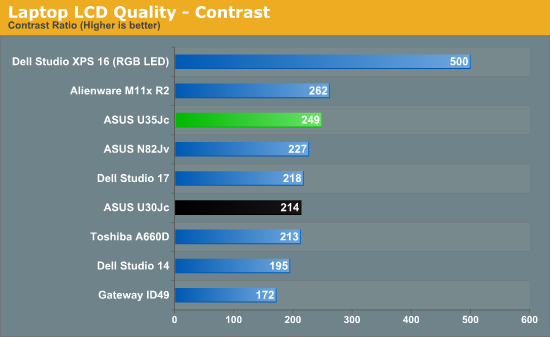
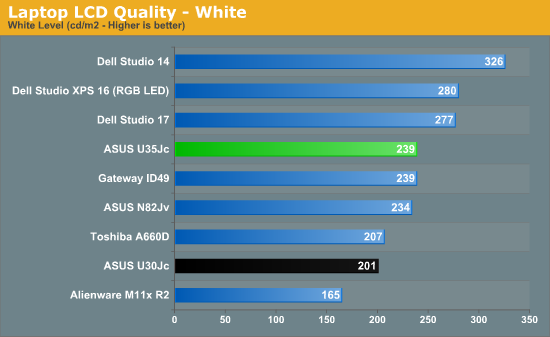
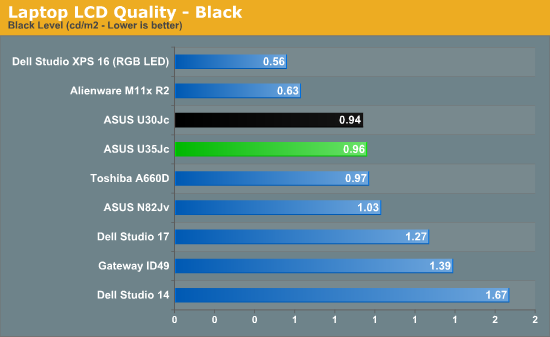
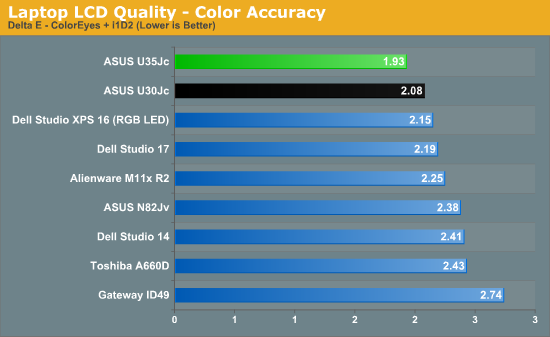
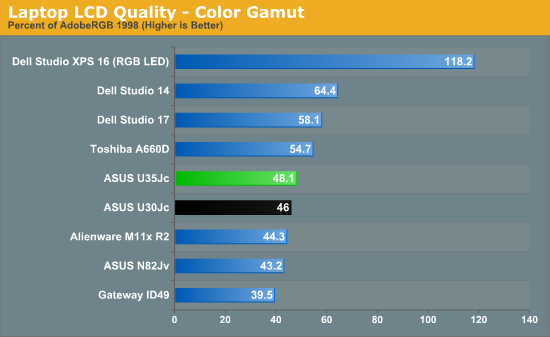
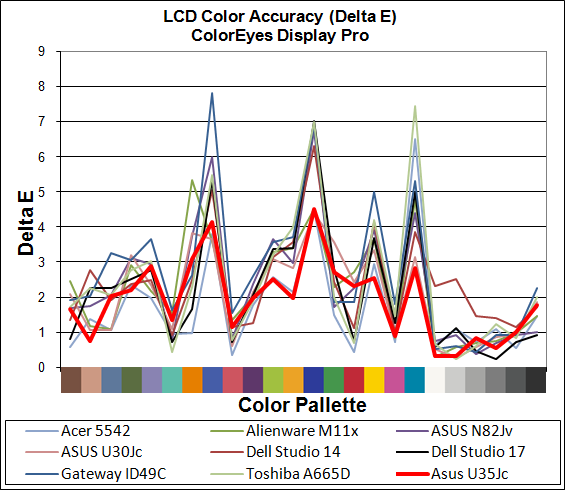
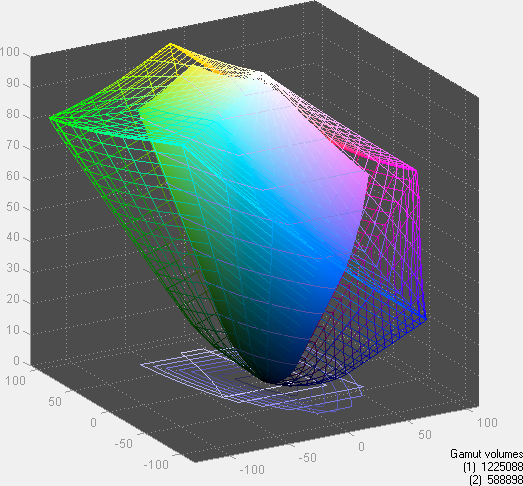
Whatever ASUS changed behind the scenes, at least it improved the quality of this otherwise stunningly mediocre panel somewhat. (The same applies to the U33Jc LCD, incidentally, though delta E wasn't quite so low.) The backlighting of the U35Jc appears to be a bit stronger, allowing the panel to boast a substantially higher—but still not that great—contrast ratio. What's more impressive to us is that several of the spikes we routinely see on all TN laptop panels are noticeably lower. Perhaps it's just the normal variance in inexpensive panels from the LCD manufacturers, but our test U35Jc panel is clearly better than the U30Jc we looked at.


What do we do with this information, though? We've been asking ASUS to use better quality screens for a while now, and in the U35Jc they use the same old screen but at least improve the backlighting and colors a bit. Should we be happy with baby steps? On a 13.3" screen, the 1366x768 resolution is reasonable at least, so we can't cite that as an issue. But the vertical viewing angles shown above are still poor, and color gamut (but not accuracy) appears to be way behind the panels that Dell is using. The U35Jc's screen winds up being a wash (so to speak.)
Originally published at https://www.anandtech.com/show/3948/asus-u35jc-jogging-in-place (Wayback Machine).