
Motorola Droid 2 Review: Rebooting the Droid
Cellular and WiFi—Continued
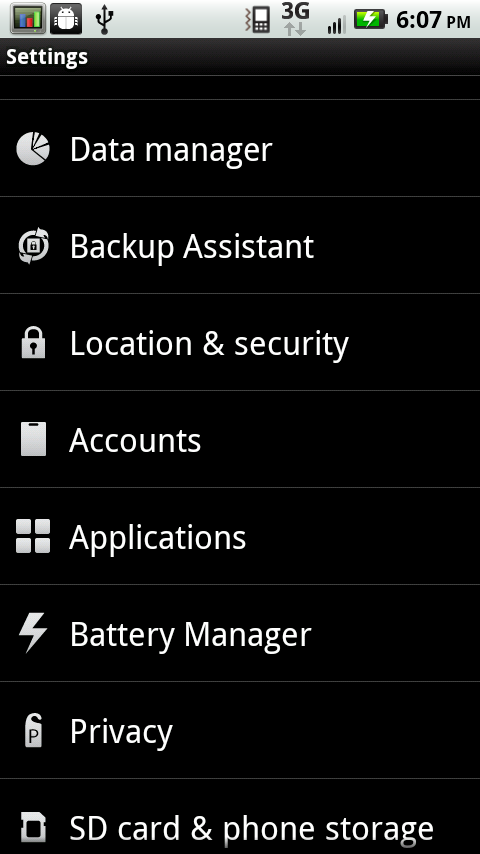
But there’s something else too I believe led to confusion. Motorola has built on the power saving menus and extras they bundled with the Droid X, and the shipping configuration is much more conservative. There’s an extra entry in the settings menu named Battery Manager:
|
Battery Manager—Settings, Views, and Profiles
|
||||||||||
 |
 |
 |
||||||||
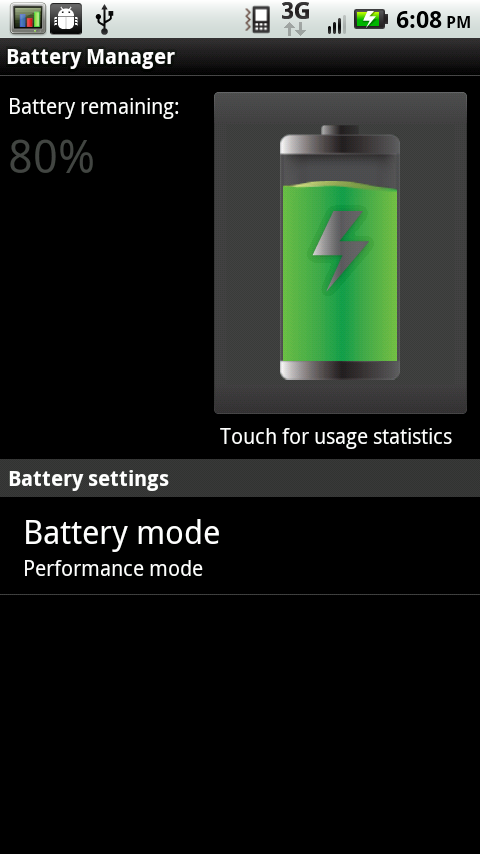
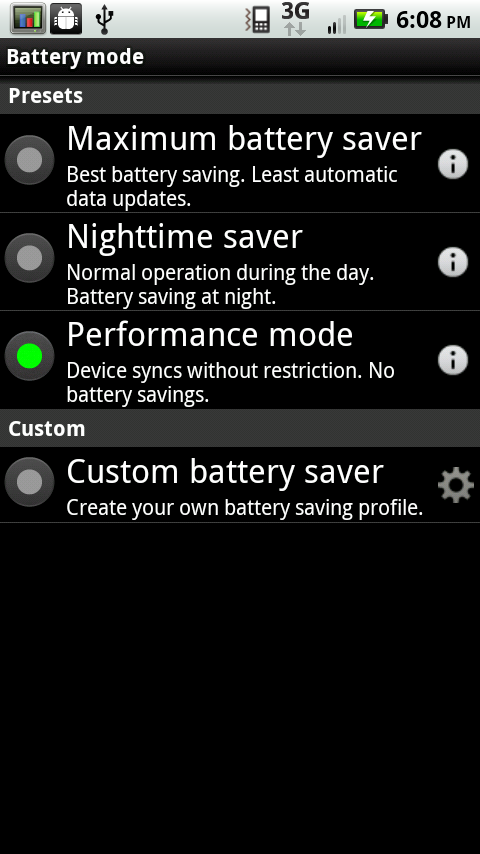
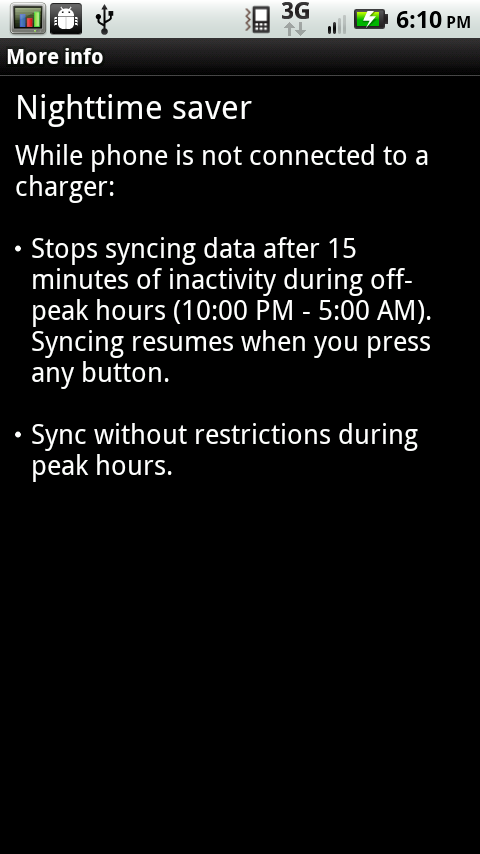
Go inside, and you’ll get a big battery indicator, percentage, a shortcut to see the battery use display Android provides, and something else. Down below is ‘Battery mode’. By default, there are three configurations, and Nighttime saver is selected. Let’s see what it does:
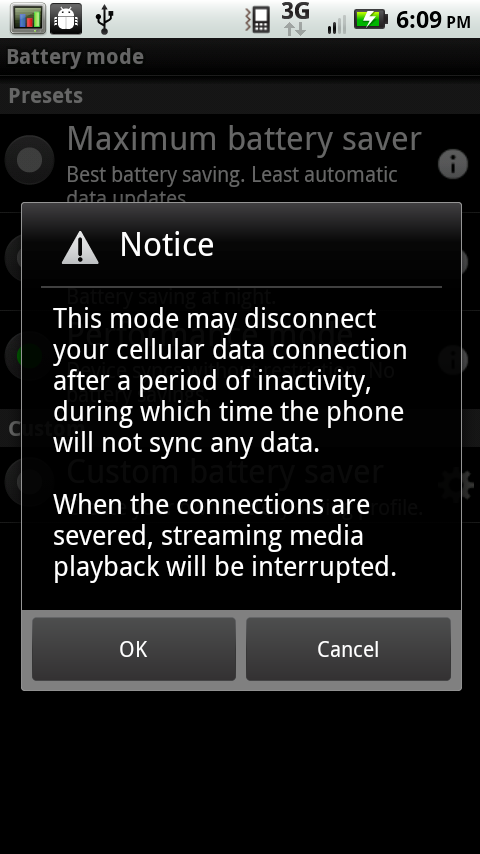
Motorola is basically opting to let you set a schedule for when it should use battery to keep data connections alive. Generally they’re always active, and ready to be used. However, chances are good—if you have a normal sleep cycle—that you won’t use data between sundown and sunrise. Honestly, 10 PM is a bit early for me, as is 5 AM. I won’t even say what hours I’d probably put in here, but basically nothing data is going to happen between these hours by default. Even during setup, there’s a prompt that basically states this has been selected.
|
Battery Manager—Notice, Default Setting, Custom
|
||||||||||
 |
 |
 |
||||||||
You can define your own under custom as well. However if you want the Droid 2 to behave like any other smartphone, select ‘performance mode.’ These titles are somewhat misleading, as none of the three settings appear to actually change system performance—I can still make the Droid 2 run at 1 GHz with load. That behavior remains unchanged. What does is whether the Droid 2 will initiate a data session or sync your accounts.
There’s some benefit to turning data off at night, but only if you don’t regularly plug your phone in before bed. If you’re a smartphone user, you’re probably already in that routine.
I think the introduction of this feature created the primary source of confusion, specifically allegations that data isn’t working as it should be on the Droid 2. I ran just over 100 speedtests on the Droid 2 and averaged 0.715 megabits/s down, and 0.620 megabits/s up on Verizon’s 3G network. The maximum I saw was 2.373 megabits/s down and 1.318 megabits/s up standing about 100 meters with line of sight to a VZW cell tower.
A Lukewarm Hotspot
I didn’t ever have problems with data accessed on the Droid 2 itself. Where I did have massive problems was with tethering on the Droid 2’s built in 3G Mobile Hotspot. Like the Droid X, the Droid 2 has pretty much the same icon and application. In fact, as appearances go, the thing is exactly the same. The difference is that on the Droid X, it worked.
On the Droid 2, my experience was all over the place. I’ve struggled with the Droid 2 hotspot constantly. The problem is that it will just stop working entirely. The hotspot service will pop up with “3G data connection lost”—and the entire hotspot will turn off. It's maddening, every time I was on the go and trying to use the hotspot, I either lacked a USB cable or wasn't quick enough to capture the "3G connection lost" error. It happens so randomly that predicting when the connection is going to drop is nearly impossible.
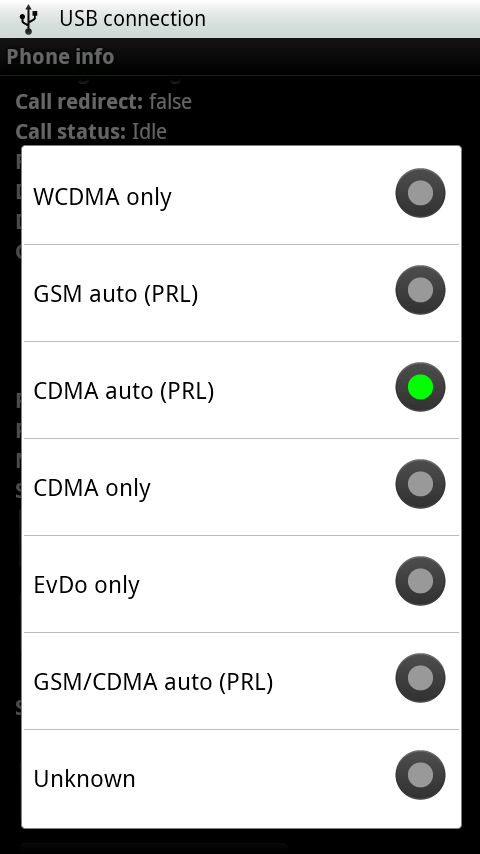
What’s strange is how sporadic the behavior is. Sometimes the connection will last a solid hour, and be just fine, other times it’ll barely work for 5 minutes. I tested in excellent signal areas, poor signal areas, and with the Droid 2 forced on EV-DO data (no polling of 1x) and forced 1x (slow 2G data) through the *#*#4636#*#* engineering menu—it still drops randomly. I tried all of my laptops and mobile devices, and even swapped through no fewer than three miniPCI-E wireless NICs—it still drops.
This feature is basically broken on the Droid 2. There’s just no other way to state it. If you’re getting the Droid 2 for the built in 3G hotspot feature, reconsider until Verizon and Motorola address it with an OTA update. Or use one of a number solutions from the market, or root. Either way, this was disappointing for me.
Typical WiFi Performance
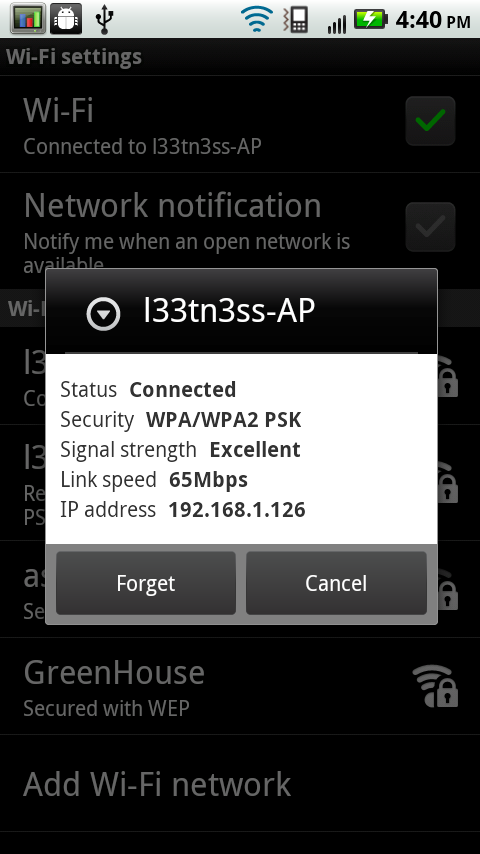
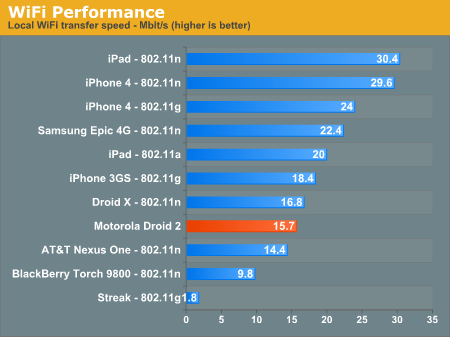
WiFi performance on the Droid 2 is unsurprisingly on par with the Droid X, as it should be. I saw the Droid 2 negotiate a 65 megabit/s link with a 2x2 802.11b/g/a/n router of mine, which is common for smartphones as we’re starting to see.
GPS is also something a lot of people mentioned regarding the first Droid. When I played with one, I never had fixes take very long, but others did have problems. The Droid 2 thankfully had no issues while testing.
Cold fixes were always speedy as expected. I don’t think anyone will complain about the Droid 2’s GPS performance in all honesty. As always, having WiFi turned on will help get an initial location and speed up the fix, and do a much better job locating you indoors.
Originally published at https://www.anandtech.com/show/3908/motorola-droid-2-review-rebooting-the-droid (Wayback Machine).