
Motorola Droid 2 Review: Rebooting the Droid
Tons of Keyboard Options
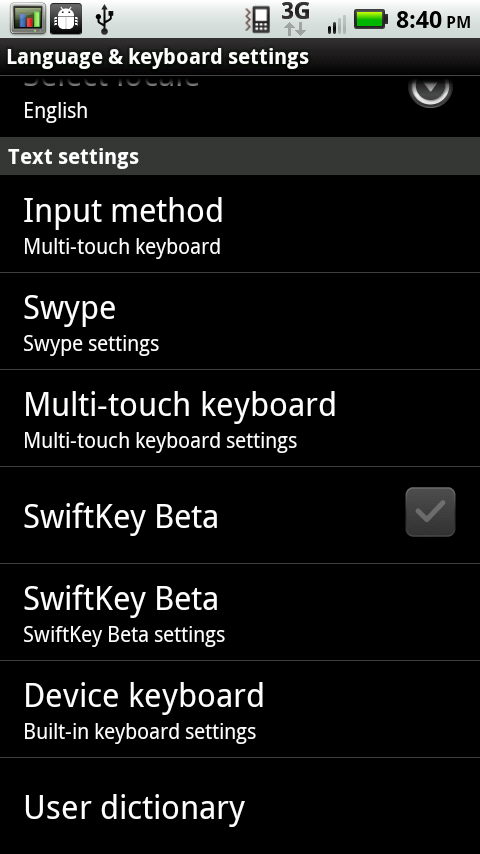
There’s also a suite of input options on the Droid 2. Like the X, it comes with Swype preinstalled, along with the custom Motorola multitouch keyboard, the landscape hardware keyboard, and one more—SwiftKey. The SwiftKey install is still beta, so it ships turned off, but I like SwiftKey on the whole. It’s got a bit more word prediction intelligence, as it analyzes what words you use in the messaging app to get a bit more of a feel for your speaking habits.
|
Swiftkey—Shipped Disabled
|
||||
 |
|
|||
The center box at the top is the word SwiftKey thinks you meant to type and will replace whatever you’ve typed with. The box at the right is its next best guess, and the box on the right tells SwiftKey that what you’ve typed is a new word, and not to correct it. Sometimes the suggestions are a bit frustrating, but as you use it and let it learn your, erm, vernacular, it gets better. I’m ashamed how predictable my SMS habits are.
But what about when you're typing a message with the hardware keyboard? Well, a minor frustration in the text messaging app in landscape is just how much space is wasted on extraneous information up at the top. You’ve got the status bar which is important, but down below it is a huge avatar space, name, and number.

Look at it, it’s 105 pixels tall! By comparison, the space you’ve got to actually read the conversation is 256 pixels tall. That’s nearly 30% of the space, absolutely wasted on information you already ostensibly know. An OTA update just a few days after I got the Droid 2 added the scroll assist bar on the right, which is welcome, but honestly there just isn’t enough space to read your average conversation. It can be a huge frustration.
I’m not being unfair to Motorola here either, folks. Look at the default landscape text messaging application organization on a Nexus One running 2.2:

The name and number are 37 pixels tall, the compose area is 316 pixels tall. That’s just over 10%. Of course, the tradeoff that Google has made is that they choose to show you the person’s avatar each message entry, just like some IM clients.
I know you can choose from a number of SMS applications from the market, but this is precisely the kind of thing that makes people hate UI skins. Moreover, it’s precisely the reason it won’t be allowed to happen in Gingerbread.
I’ve also continually encountered slowdowns with the SMS stack on Android devices (CDMA and GSM family alike across every device I’ve touched), and a number of my close friends have noted and complained to me about similar behavior. I’m not yet to the bottom of why this happens, but the Droid 2 seems fast enough that it doesn’t slow down nearly as often as I remember. I had three of my friends bombard me with SMSes all at once—in all, just north of 1,000 messages in a little over an hour—and the Droid 2 didn’t slow down. I suspect that Google hasn’t quite gotten vacuuming and defragmentation of the Android platform’s SMS SQLite database down perfectly.
Originally published at https://www.anandtech.com/show/3908/motorola-droid-2-review-rebooting-the-droid (Wayback Machine).