
Anand's Google Nexus One Review
- Posted in
- Smartphones
- Mobile
Barcodes & Goggles - Making Science Fiction Reality
The best way I can put this is that the Nexus One likes to do math on things. If anything it’s a testament to Moore’s Law and the fact that we can do more in the palm of our hands today than we could do on our desks a decade ago.
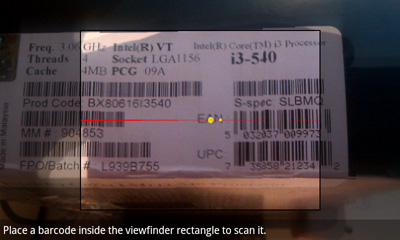
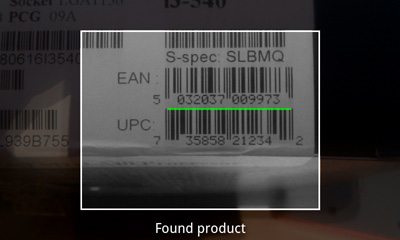
Android has a built in barcode processing library that it can use alongside the Nexus One’s integrated camera to act as a fancy barcode scanner. The combination has two major implications:
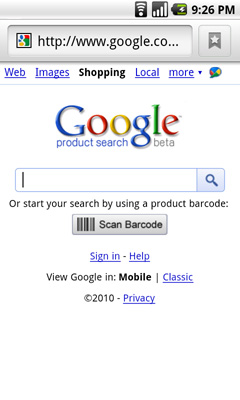
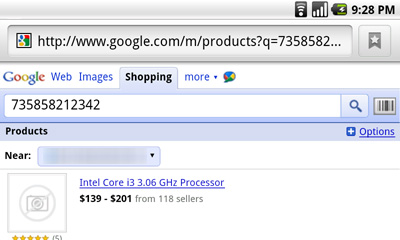
1) There are many applications that allow you to scan any barcode (e.g. off a book at a bookstore or an Xbox 360 at Walmart) and return pricing results. Google’s own shopping website when browsed with an Android phone has a scan barcode button that will activate your phone’s camera and return Google Product Search results. This doesn’t bode well for brick and mortar retailers, but it’s great for walking into Best Buy and quickly finding out if something you want is cheaper online.
2) You can also use the barcode scanner to download apps from the Android Marketplace. You may have seen QR codes before:

Open any barcode scanner application and point the camera at the QR code and your phone will automatically take you to that application in the marketplace.
While the iPhone does have barcode scanning abilities, the infrastructure doesn’t appear to be as well built as what’s in Android. That being said, I thought I’d be using this feature a lot more than I ended up doing.
Such interwoven barcode scanning is super neat at first. I found myself scanning everything physically possible.
Price comparisons in stores are nice, but I rarely shop in brick and mortar stores. If I do, I usually need whatever it is I’m shopping for right then and there so any mobile price comparison doesn’t help. I suspect that for a slightly more mainstream user, this feature has more value.
In downloading Android apps, I find it faster to simply use the marketplace. The exception being if I see a news post about an app I’d like to try out, usually there’s a barcode I can scan in the newspost. The capture and scan of the barcode usually takes long enough (gotta hold your hand still) to make it no faster than just using the marketplace app though. In this case, the Nexus One gets more points on paper but not as many in real world usage.
Google also ships the Goggles app on the Nexus One’s Android build. Similar to the barcode app, Goggles performs a rudimentary image search for anything you point the camera at. It works really well for things like logos right now, but it’s not powerful enough to do much more.
Ultimately the strength in these two apps comes in their ultimate end goal: the ability to point your smartphone camera at anything and find out exactly who or what it is. See a funny looking animal walking around? Point, search, ah-ha results! Does that person look familiar to you? Point, scan, done. We’re not quite there yet but given Google’s data mining origins, it makes sense that its start begins with Android.
Originally published at https://www.anandtech.com/show/3632/anands-google-nexus-one-review (Wayback Machine).