
Anand's Google Nexus One Review
- Posted in
- Smartphones
- Mobile
Android's Gmail app is also pretty straight forward. By default it checks the Google account you setup when you first turned on the phone, but you can add more accounts as necessary.
Both the Gmail and Email apps work fairly similarly, although only the former supports full text search putting it at an unfortunate disadvantage to the iPhone.
The Gmail app does support push, making it perfect for anyone who does rely on Gmail as their primary email provider. As I mentioned before, it's only because Google's web apps don't actually suck that this works out. This is one of few times where total integration makes sense.
The Gmail/Email UI isn't as gesture heavy as it is on the iPhone. Swipe up/down to scroll but to delete you have to check boxes next to messages and hit the delete button that comes up. It's quicker than the iPhone for batch deleting, but slower for removing just one message. On the plus side, it's more difficult to accidentally delete a message because of this.
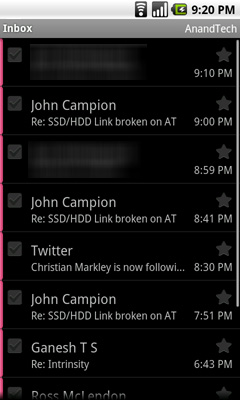
Messages are automatically downloaded from the server as you reach the end of a screen of messages. All in all, it works pretty well.
Some have complained about how many taps it takes to switch between accounts on Android. Personally it's not a huge deal since I don't maintain that many different email accounts, but you do get a combined inbox if you'd like. I do agree that since you don't swipe to delete, you should be able to swipe to switch inboxes in message view mode.
Despite the high resolution screen, responding to an email is cluttered with UI elements that take up far too much real estate. Quoted text is always off screen.
Syncing
The concept of syncing is quickly changing. On the Nexus One your contacts and calendar are synced over the air using your Google account. Windows, OS X and Linux all have routes to sync your existing contacts with your Google account, so the import process isn’t painful at all.
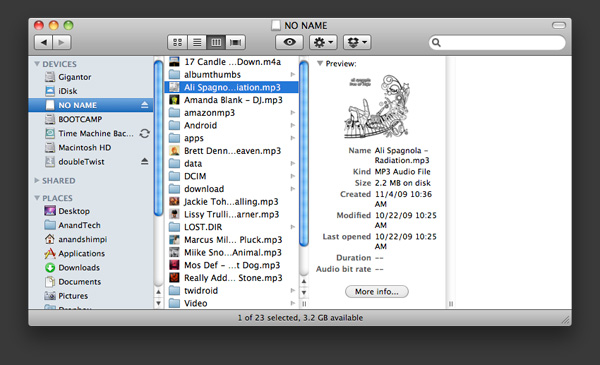
You can put the Nexus One in USB storage mode, in which case it’ll appear as a USB storage device where you can quickly copy files to the SD card you have installed in the device.
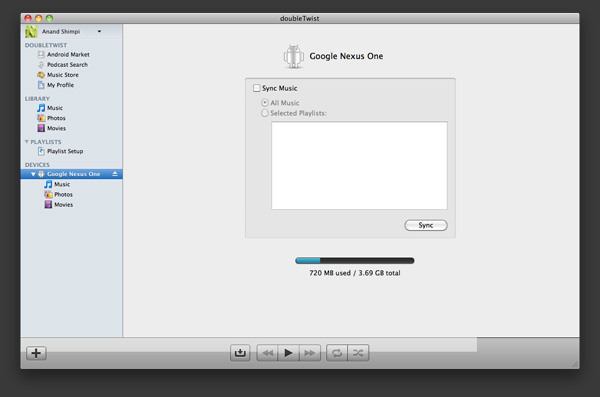
There are other third party apps you can use that perform more traditional syncing options (e.g. The Missing Sync, doubleTwist) if you miss them.
Originally published at https://www.anandtech.com/show/3632/anands-google-nexus-one-review (Wayback Machine).