
Windows Phone 7: The AnandTech Guide
- Posted in
- Smartphones
- Windows Phone 7
- Mobile
No Maps, Just Search
I browsed to Bing.com in the browser, and saw its relatively spartan mobile version:
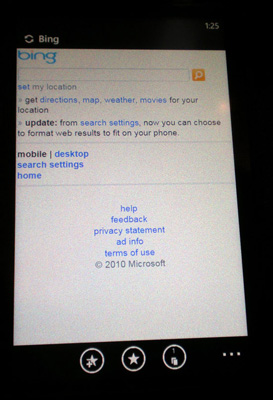
Even Microsoft acknowledged that their mobile version of Bing needs work.
We moved on to the first-party Bing search application. You'll notice there's no maps tile on the home screen; this is because Microsoft really wants you to use search as your portal for finding everything. I'm told the search context includes everything on your phone, maps, and on the web. I'm told that search will include the scope of local SMS/MMS, and email as well. Microsoft wants you to use Bing search on the phone so much that they've mandated a hardware button dedicated for launching it.
Bing does its best to guess what kind of results are most relevant based on the search. The most common example was the difference between searching something like "sushi," (which should return locations of sushi restaurants first), and something destined for the web, like a website. To try that, I first tried searching AnandTech:
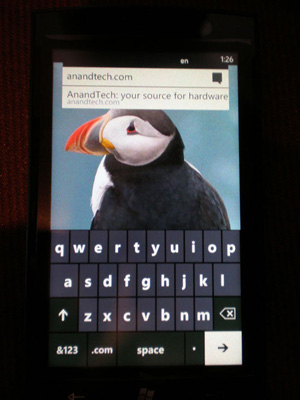
Bing Search Page

Search pivoted to the Web results category first, and returned us at the top of the list.
I then searched "Mexican Restaurant" in the hopes that it would return contextual, location-augmented results first. Search successfully pivoted to local first. Note again that in this video there are a places where images and maps should have appeared, but didn't because of the slow network. I'm also confident that I saw Bing maps on the platform, including the blue circle for our present location. Textures just didn't load in time due to the slow network.
Contextual search at launch will work for a wide variety of subjects including movies, celebrities, flights, and everything else that works through Bing search through the web.
Integration here was everything you'd expect it to be. Search results appear under a variety of categories: Web, Local, and News. Tapping on an entry under local then pivots to the relevant results about the location entity, in this case reviews and information about the location.
What I really noticed here is how easy it was to navigate between three separate applications (maps, Internet Explorer, and Bing search) without being constrained. You'll notice that although this isn't multitasking, we're able to use the back button to transition from, say, the browser seamlessly back to search results. Or from a relevant location entry in the search results, to its location on the map, and back. These are discrete "applications" but manifest themselves seamlessly atop each other.
Originally published at https://www.anandtech.com/show/2969/windows-phone-7-series-the-anandtech-guide (Wayback Machine).