
Intel DH57JG “Jet Geyser” - Intel's First Mini-ITX H57
- Posted in
- Motherboards
Board Layout
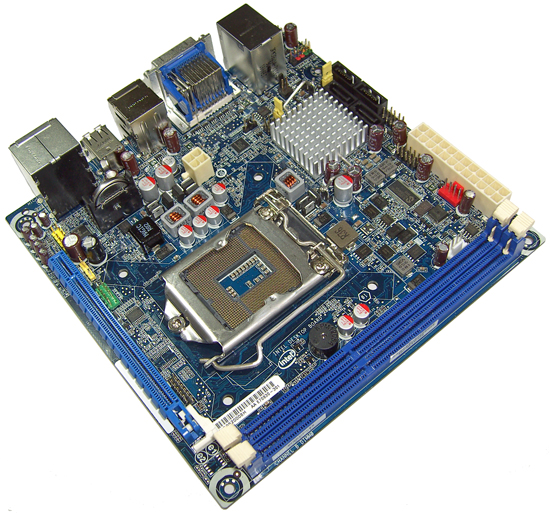
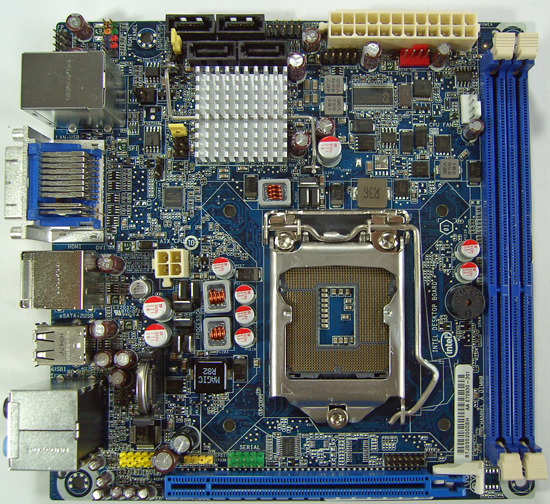
Most of what you need is accessible, although you’ll need a case that has long leads for front panel switches as the front panel connector is placed in the top left corner of the board. BIOS jumper access gets a bit tricky once you plug in a few SATA cables and plug leads into surrounding connectors, the ideal place for the BIOS jumper would have been on the rear I/O panel.
Tall heatsinks are out because the CPU socket is placed very close to the DIMM slots and PCIe connector. That’s not a huge kicker though; CPU Vcore is supplied by a 3 phase circuit using small vertically mounted FETs, shattering any dreams of super-duper overclocks.
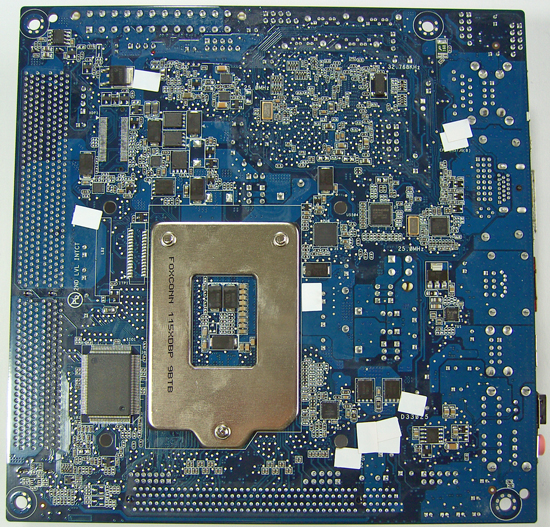
Moving over to the back, the CPU socket area is crowded with components. Intel definitely have stock heatsinks in mind as there’s no clearance for coolers that need backplates.
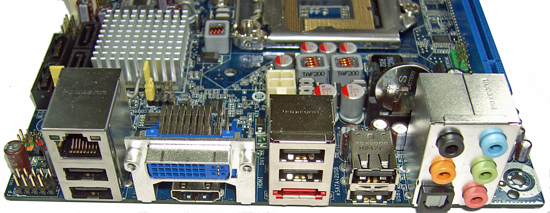
Zotac managed to cram 10 USB ports onto the rear I/O panel of their H55 board, Intel only supply six (the remaining six are available via onboard headers only). There are no PS/2 and VGA out ports either; space could certainly have been utilized better. As we mentioned above, the BIOS jumper should have been placed here for easy access.
Originally published at https://www.anandtech.com/show/2949 (Wayback Machine).