
Loyd's New Year - A Trio of Problem Systems
- Posted in
- Systems
The Constantly Crashing P7P55D
Now let’s consider a different problem, also with an Asus motherboard at its core.
I’d built a system running a Core i7 860 and the Asus P7P55D. The GPU installed was an AMD Radeon HD 4890. The system booted normally, and Windows 7 installed with no hiccups.
Periodically, the system would go into sleep mode – this was normal – but would then lock up. This was decidedly not normal. Occasionally, the system would lock up during multiplayer gaming sessions, too. Updating the BIOS didn’t fix the problem.
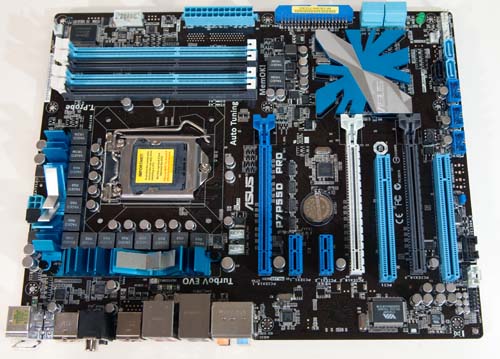
Then I came across several posts on several forums suggesting an incompatibility that was specific to the Radeon HD 4890. So I swapped in an eVGA 260 GTX Core 216 SSC.
Lockups still occurred, with the same frequency and symptoms. So the problem had nothing to do with graphics cards. Finally, I removed the memory – some early Corsair DDR3-1600 (though it was only running at 1333MHz) and swapped in some OCZ DDR3-1600 (also running at 1333MHz.)
The system has now been running smooth as silk over multiple gaming sessions.
These particular Corsair memory modules had actually given me fits in a number of different Intel-based motherboards, including P45, X48 and now a P55 motherboard. The Corsair memory is a 4GB kit, labeled CMS3X2048-1600C7DHX. What’s interesting about these modules is that when you drop them in an AMD AM3 based motherboard, the system seems to run perfectly fine. It’s quite a mystery, but illustrates how complex the issue of compatibility between components can be.
Lesson learned: nothing in particular, except to maybe to not trust forum posts, even multiple posts that may agree with each other. The graphics card wasn’t the problem here – once again, it was DRAM.
One other thought: despite rapidly falling DDR3 memory prices (or maybe because of rapidly falling prices), the state of the art in DDR3 modules seems to be evolving rapidly. This seems to create incompatibilities between specific motherboards and specific modules. I’ve had Kingston modules run great in Gigabyte motherboards and behave in a crashtastic manner in Asus boards. I’ve had OCZ memory behave badly in Intel boards, while running like a champ in eVGA X58 boards. Whether I adjusted timings, or ran in default modes, didn’t seem to matter.
How anyone can keep track of which modules run well on which motherboards at this point in time is a mystery. So the lesson here, I suppose is: if you don’t have a large supply of different modules and motherboards on hand – and most people don’t – make sure you buy your components from a reseller with a robust return and exchange policy.
Originally published at https://www.anandtech.com/show/2891 (Wayback Machine).