
Loyd's New Year - A Trio of Problem Systems
- Posted in
- Systems
I should have known better. I’d read enough online posts to know that the in-place upgrade from XP to Vista can be problematic, particularly if your XP system registry has grown to huge proportions. My own personal experience with a Vista upgrade had been moderately successful, but even that system was eventually nuked and a clean Vista install performed.
So here was a PC, with lots of fairly useless (from my perspective), but fun (from her perspective) background tasks running under XP. In goes the Vista upgrade.
Did I mention that this system had 2GB of system RAM?
Within two weeks, her system had pretty much become unusable. I scanned it with several malware detectors, and other than complaints about a couple of adware items, there were no Trojans or viruses found. So the problem really came down to an already overloaded Windows XP system that had developed massive registry and hard drive bloat after the Vista in-place upgrade. So I decided to nuke and start over.
One of the cardinal rules of troubleshooting is: change only one variable at a time.
Unfortunately in my hubris, I ignored that rule. I put her system on the bench, swapped out 2GB of Kingston DDR3 RAM for a pair of Corsair 2GB DDR3 modules. I then swapped out the QX6850 for an E8500 3.16GHz dual core CPU.
When I powered the system up, I got no POST, but the fans spun up. Also, the PC beeper didn’t beep. This is, as anyone who has built systems will tell you, one of the most ambiguous and frustrating types of errors.
So I popped her old CPU back in and rebooted.
Same thing.
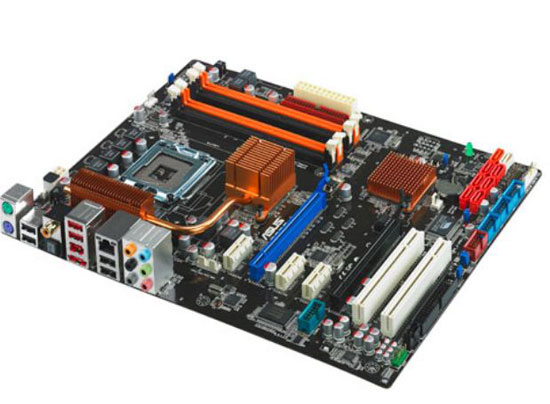
So I put the old memory back in, and the system POSTed properly. I checked her BIOS on the P5Q3 motherboard, and found out it was still running the 0704 BIOS. That BIOS predated Intel’s 45nm CPUs. On top of that, if you read the summaries of the various BIOS updates, you also see a number of them with text that reads “enchances compatibility with certain memory.”
Lessons (re)learned:
- Before upgrading CPUs or memory, check the BIOS version
- Never change more than one item of hardware at a time without testing it.
Originally published at https://www.anandtech.com/show/2891 (Wayback Machine).