
Home Servers, Network Storage and the Case House
- Posted in
- Cases/Cooling/PSUs
Postmortem: Nothing’s Perfect
For the time being, I’m planning on running the old ReadyNAS alongside the WHS box for a few weeks. Then I’ll switch over to the Windows Home Server box. After using WHS for a couple of weeks now, it seems much more flexible and, well, shiny, than the old NAS.
That said, no solution is perfect. There are a few gotchas about this particular system I built that I might do a little differently.
There’s the cost issue. Here’s the bill of materials, if you go out and buy all the components:
| Component | Model | Price |
| Case | Chenbro ES32067 | $120 |
| Motherboard | Intel DG41MJ | $80 |
| CPU | Intel E5200 | $64 |
| Memory | 2GB Kingston Value RAMD DDR2-800 | $41 |
| Storage | 2 x WD2002FYPS | $290 each; $580 total |
| Memory | 2GB Kingston Value RAMD DDR2-800 | $41 |
| Operating System | Windows Home Server OEM (SP1) | $85 |
| Total | $970 |
Just the $580 cost of the pair of WD2002FYPS drives could buy you a modest 2TB NAS system. The total cost of $970 is $150 - $300 more than similarly configured, off-the-shelf WHS systems, though many of those are Atom-based. So building your own WHS from scratch may not be a cost effective way to go.
Then there are the technical limitations I encountered.
Take the motherboard, for example. The BIOS setup is pretty limited, even by Intel motherboard standards. One thing I wanted to do was to undervolt and underclock the CPU slightly, to use even less power. But the BIOS doesn’t allow that, even if you enable the infamous “BIOS configuration jumper.”
After I built the system, I discovered that Chenbro actually builds the ES34069 mini-ITX server box with four cold swappable drive bays. That might be more flexible, but it’s also bulkier. The unit also uses an external 120W or 180W PSU brick, rather than a self-contained PSU.
So far, though, the case has been a winner. It’s actually seems quieter than the ReadyNAS, though I haven’t taken SPL measurements. It also fits nicely into the space that was taken up by the ReadyNAS.
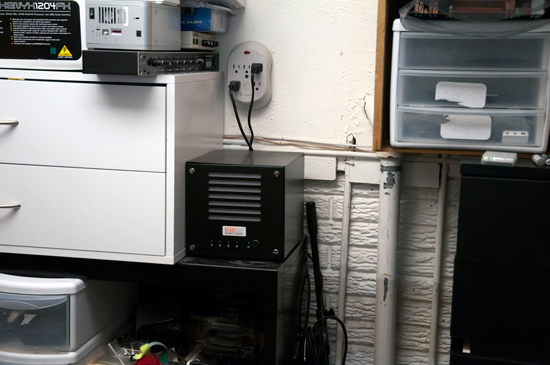
Here’s the ReadyNAS in the storage area off the basement lab.
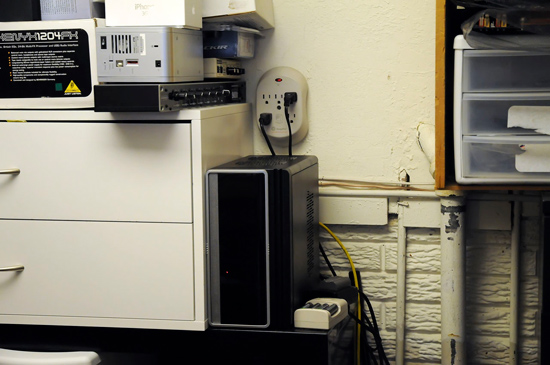
And here’s the Chenbro-based WHS system running. It’s a little taller, but not as wide, as the ReadyNAS, so fits very nicely. If anything, it’s a slightly more efficient use of the available space.
For most users who have modest home networks and simple backup needs, Windows Home Server may be overkill. I’m personally looking forward to the additional flexibility of an actual server, plus I’m also looking forward to experimenting with the various add-ins. So for my purposes, which are not the same as most users by any means, it’s all good.
Originally published at https://www.anandtech.com/show/2882 (Wayback Machine).