
Home Servers, Network Storage and the Case House
- Posted in
- Cases/Cooling/PSUs
Some Assembly Required
Once in hand, I had to decide on other parts.
The processor was a conundrum. Given that I was building a Windows Home Server, which has all manner of intriguing add-ins, I wanted some degree of CPU power. On the other hand, dropping $200 or more for a socket 775 Xeon seemed like overkill. So in the end, I picked up a Pentium Dual Core E5200, built on the 45nm Wolfdale die and running at 2.5GHz, for about $64.
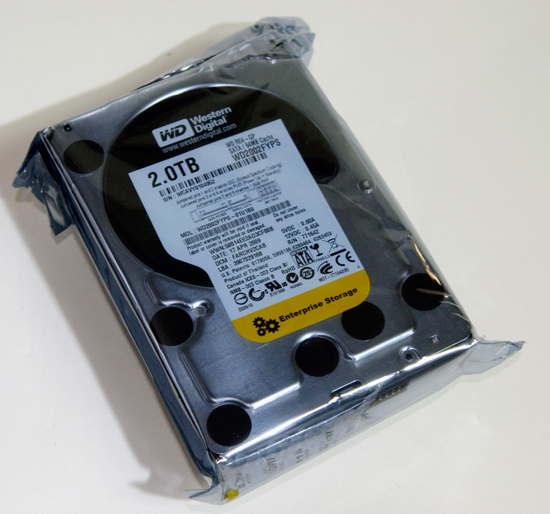
Memory was no problem – I had a healthy supply of DDR 800 modules in house, so tossed a pair of 1GB Kingston Value RAM modules into the mix. Storage was a bit more problematic – I’d gotten used to having 2TB on hand. I also wanted to stay within a modest power and thermal envelope. I also happened to have in the lab a pair of WD2002FYPS – the enterprise versions of Western Digitals GreenPower 2TB drives. So in went two of those.
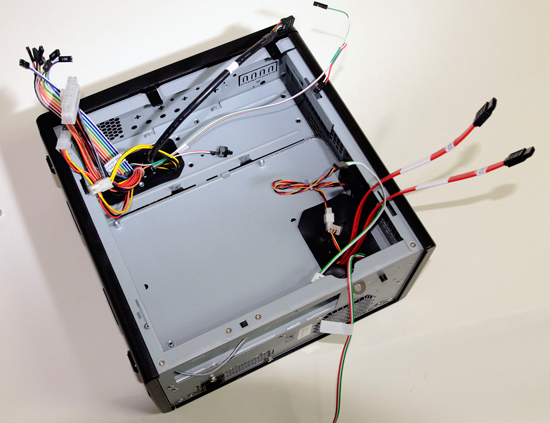
Assembling all the parts into the Chenbro case proved quite straightforward. It’s divided into top and bottom sections, with the motherboard tray in the upper half, and the drive bays and PSU in the bottom half.
The drives screw into trays, which then slide easily into the drive bays.
Next Up: Software
Installing Windows Home Server requires either a CD drive or bootable USB key. I have a Samsung USB optical drive, so used that to install WHS. If you’ve ever installed Windows XP, the installation process for WHS is pretty straightforward.
All the systems in the basement lab are now running Windows 7 x64-bit versions – most running Home Premium, although I’m running Windows 7 Pro x64 on my production box and Windows 7 Ultimate x64 on the graphics test system.
The Windows Home Server connector software runs fine on Windows 7 (even 64-bit), provided you’ve got at least WHS Power Pack 1 installed. Power Pack 1 also solves the pesky data corruption issue that plagued the release version of WHS.
Later this year, Microsoft will ship Power Pack 3, which will enable better integration with Windows 7, including integration with Windows 7 libraries, better power management settings (such as wake up during backups, or LAN access) and better reliability.
I’ve been running the beta of Power Pack 3 over the past few days, and it’s been working without any issues, but most users should just wait for the final version to ship before installing it.
Originally published at https://www.anandtech.com/show/2882 (Wayback Machine).