
Biostar TPower i55 – Super Middle Weight Contender
- Posted in
- Motherboards
Today’s test subject is the Biostar TPower i55 that can be purchased for around $180 at various e-tailors.
TPower i55 Feature Set
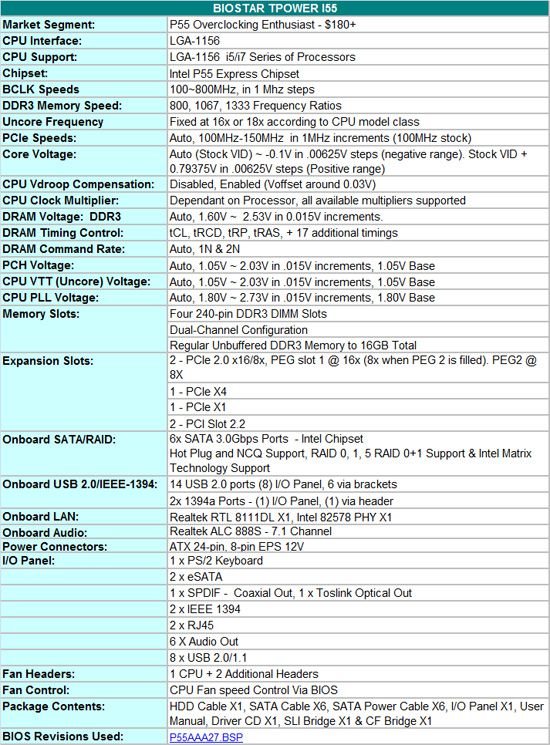
BIOSTAR includes a full featured set of components like the Realtek ALC 888 HD audio codec, dual LAN (Realtek RTL 8111DL & Intel 82578), LSI FW322 IEEE-1394a, JMicron JMB363 eSATA , and full support for the Core i7/i5 S1156 processor series.
Bundled in the box, you get the standard rear I/O panel cover along with 1 x IDE cable, 6 x SATA cables, 6 x SATA power cables, SLI and CF bridges, an informative manual, and a software/driver CD.
TPower Software
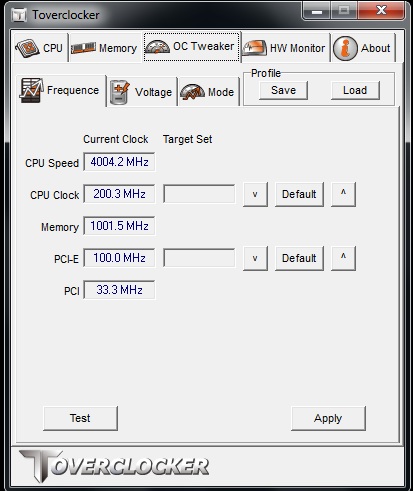
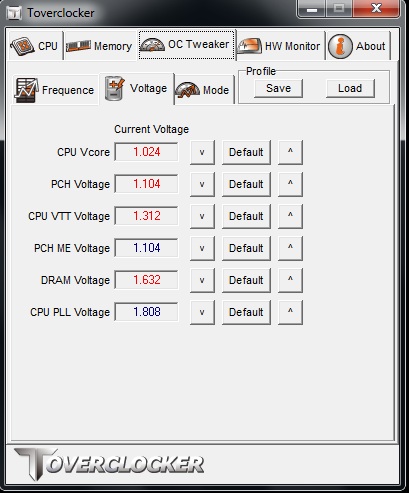
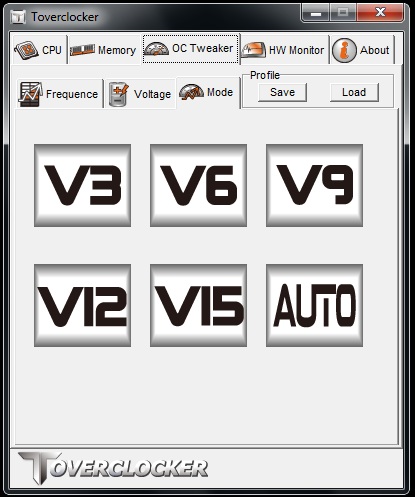
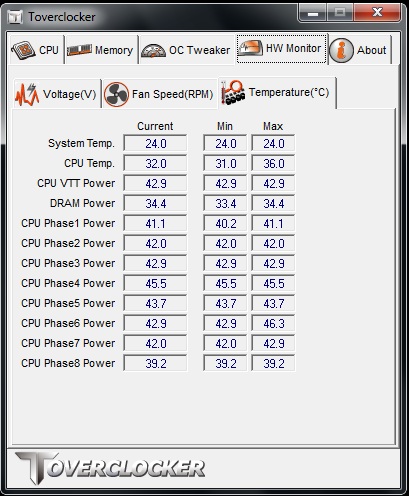
Two overclocking tools are bundled on the supplied CD; TPower & TOVERCLOCK. Both allow on-the-fly control of rail voltages and BCLK easily enough. Other features include, voltage/temperature monitoring, profile save/load and quick touch overclocking for those who prefer automated overclocking methods. The system runs a quick stability test, ramps bus frequencies and repeats this process until the system crashes. Upon reboot and relaunch of the TOVERCLOCKER utility the highest stable frequency is automatically selected and applied. We found this worked fairly well, although manual overclocking is always the best route. TPOWER software also includes VGA clock adjustment (for BIOSTAR VR8xxx series cards), mother board BIOS flashing and eHot-Line which allows collects system information and relays it back to BIOSTAR tech support in the event of a user support query.
One thing we did not like about TOVERCLOCKER, is that if you save a manual profile and then reload it, the software will attempt to reload the profile any time you reopen TOVERCLOCKER at a later date. This causes problems in situations where the profile overclock is considerably higher than the normal operating frequency, the system will crash before you can make any changes. The only way to rectify this is to either delete the saved profile manually, or reinstall the TOVERCLOCKER application. A better choice would be allow users to manually load the profile after the application launches. Overall, TOVERCLOCKER is a fairly well rounded utility, although we still prefer the outright simplicity and power of EVGA’s E-LEET utility for overclocking.
BIOS
The BIOS layout is very good and offers a significant amount of settings for overclocking.
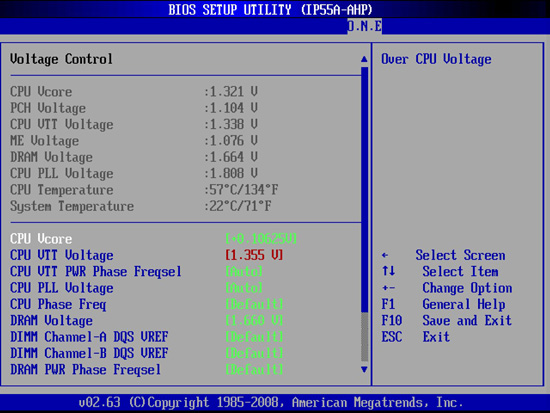
BIOSTAR’s O.N.E menu (Overclocking Navigator Engine) is where all the action takes place with a wide variety of adjustments including the CPU Core, PLL, VTT, PCH, VDimm and VRef voltages. Clock generator output voltage and skew adjustments are also available for maximum BCLK overclocking.
Overclocking profiles can be saved, loaded and individually named in one of the available 10 slots. A built in BIOS flashing function is available, allowing users to save and flash BIOS from a USB or floppy drive easily.
Fan control is only offered for the CPU fan header (via BIOS/TOVERCLOCKER/TPower), offering full temperature range and speed control which is great. Unfortunately the SYS fans cannot be controlled at all.


Let’s move on to the general layout and features...
Originally published at https://www.anandtech.com/show/2880 (Wayback Machine).