
Zotac's Ion: The Follow Up
- Posted in
- Motherboards
Cooling the Zotac Ion
I made it a point to talk about the fanless design of the Zotac Ion in my original review. For most of my tests I had a fan connected (just so I could tell when my otherwise silent machine was on), but I did test the system without a fan connected.
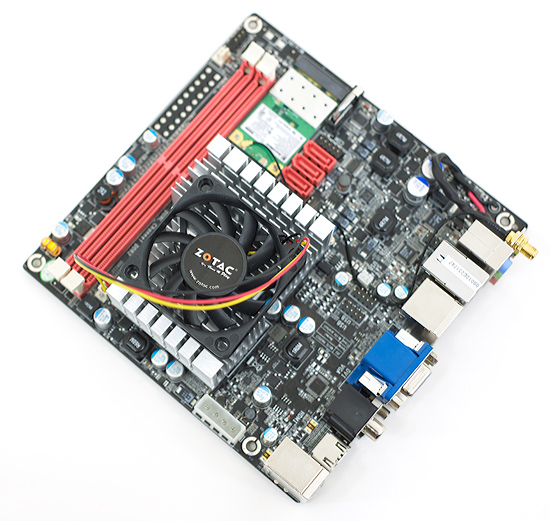
On a table with no active airflow over the heatsink, the latest version of CoreTemp showed temperatures in the 80 - 97C range - which are extremely high. Earlier versions of CoreTemp showed the CPU temperature at 60 - 70C, so it’s possible that neither value is correct. One of my first experiences with the Atom processor was it running Unreal Tournament 2004 without a heatsink or fan, I could actually touch the CPU core itself and it wasn’t hot at all. I’m guessing that the majority of thermal output here is from the GeForce 9300 or Ion chipset. Keep in mind that Intel’s own Atom mini-ITX boards have an extremely tiny heatsink on the CPU.
Without a fan the Zotac heatsink does get hot, but I haven’t had the machine crash on me without a fan running. I’m guessing that in a case with a single, slow spinning fan you should be fine. Given that a single hard drive can put out nearly as much heat as the Atom CPU, if you don’t have a solid state drive in your machine I might suggest mounting the optional fan.
With the fan running I saw temperatures below 30C as reported by CoreTemp and the heatsink was cool to the touch.
NVIDIA’s own ESA utility was not able to tell me the temperature of the GPU, but I’m fairly certain that’s where the heat is coming from. Since it shares a heatsink with the CPU, that’s most likely what’s responsible for the very high core temperatures.
Originally published at https://www.anandtech.com/show/2769 (Wayback Machine).