
Gateway P-7808u: to Quad or Not to Quad?
- Posted in
- Laptops
Display Quality
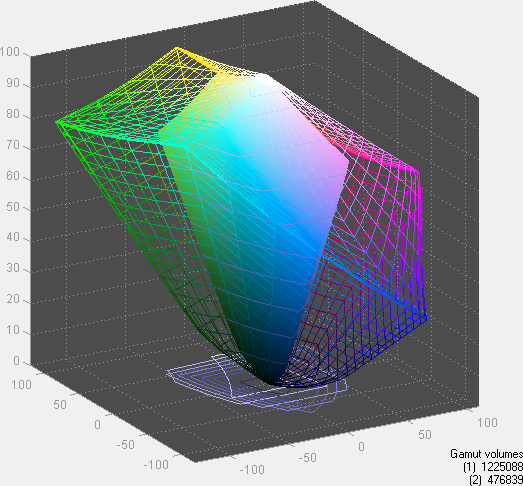
The last area we want to test is the display quality. We test color accuracy using ColorEyes Display Pro, and we test with two different colorimeters, a DTP-94 and an i1 Display2. We test the laptops with both colorimeters using ColorEyes Display Pro, generating both LUT and Matrix color profiles. The reason we do this is that some displays respond better to LUT profiling while others work better with Matrix profiling (although in laptop testing, Matrix profiling has been better in every case so far). We select the best result out of the four tests for our color accuracy charts. Besides the color accuracy, the generated profiles allow us to determine color gamut, using GamutVision. We use the matrix color profiles for gamut, as they usually have ~10% higher gamut volume. We will also report the maximum LCD brightness and contrast ratio.
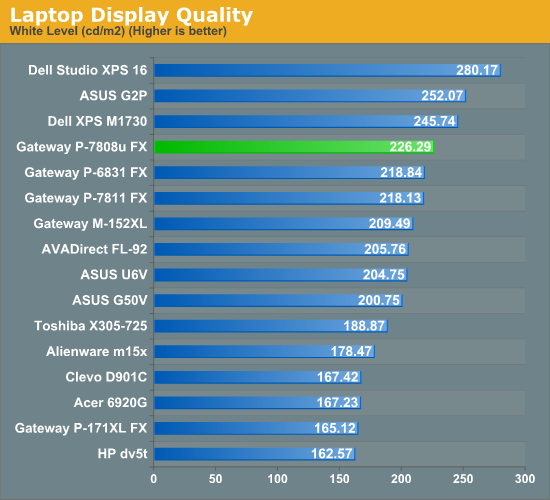
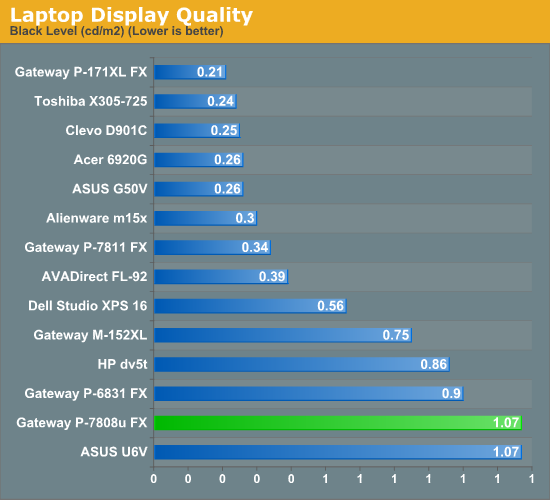
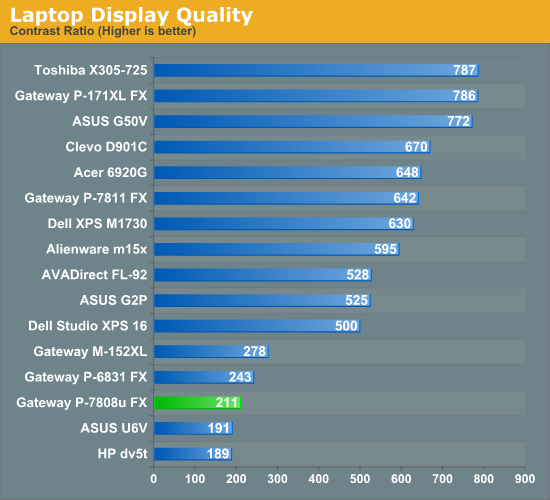
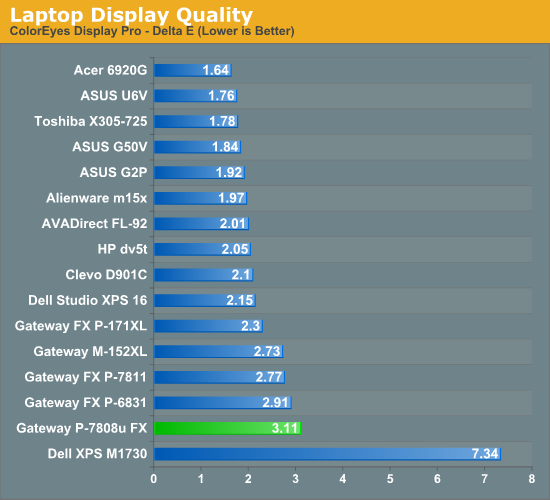
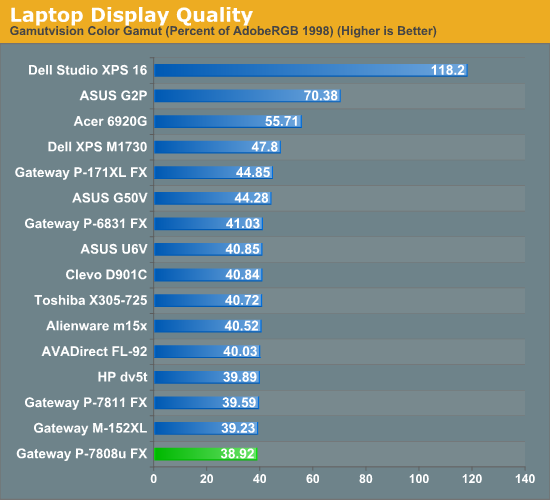
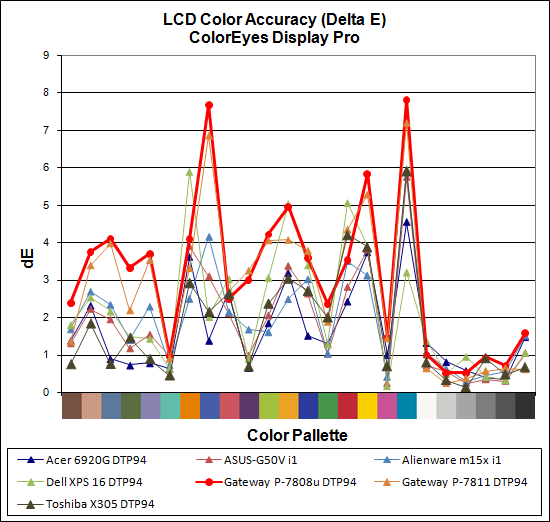
As we mentioned earlier, the change in LCDs from the P-7811 is definitely noticeable. We have no real problem with the 1440x900 resolution - certainly, some users will prefer that over a higher DPI 1920x1200 display. Unfortunately, the contrast ratio is horrible, ranking near the bottom of the charts, and the same goes for color accuracy and color gamut. There is a huge, extremely noticeable difference between the 200:1 contrast ratio LCDs and those that can achieve closer to 500:1; anything more than that may not matter as much, but lower contrast ratios almost always mean very poor black/dark color reproduction. Most inexpensive laptops will have a similar quality display, but for a $1700+ notebook we expect more. Again, Gateway either needs to bring back the WUXGA display, or they need to find a substantially better WXGA+ offering.
Originally published at https://www.anandtech.com/show/2748 (Wayback Machine).