
Rosewill RHUB-310 - Seven USB 2.0 Ports to Go
- Posted in
- Peripherals
Considering the vast amount of USB peripherals available and the seemingly limited number of USB ports on today's notebooks and budget desktop systems, a USB hub seems to be the perfect solution for those who are port challenged. With that in mind, Rosewill is offering an inexpensive and compact solution for those needing to expand their port capabilities without breaking the bank. How well can a cheap USB hub perform compared to a built-in motherboard port, and are there any other concerns? That's what we'll find out today.
The Design
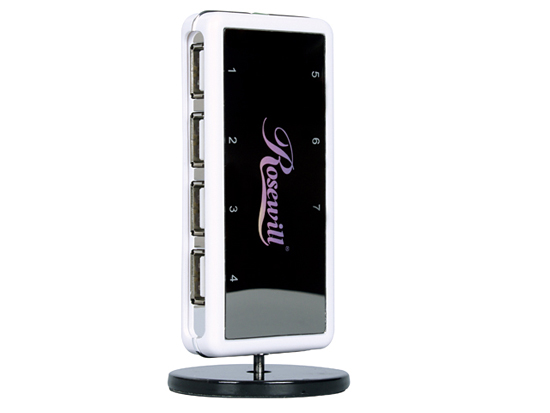
The RHUB-310 Hub is rather unique in its design. Featuring a mirrored faceplate embossed with the manufacturer's name and port numbers, the unit measures just 94.5mm x 45.5mm x 15.5mm without the removable stand. The stand itself is rather heavy and ensures the unit stays in the vertical position with most cable configurations. We did find that removing the stand and laying the unit flat was the best way to go with all seven ports populated. However, there are not any rubber feet to keep the unit from sliding around on the desk in this configuration.
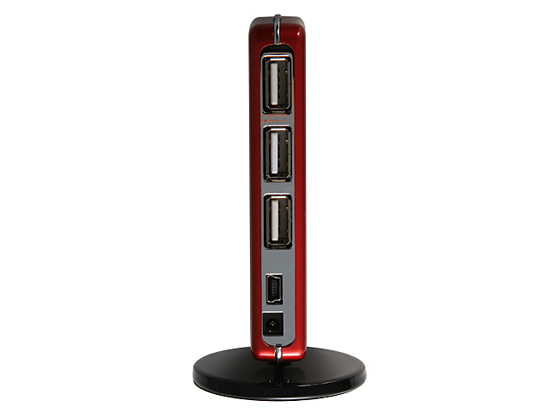
The unit features four USB 2.0 capable downstream ports on the front side and three on the rear section of the unit. The rear section also features the upstream port with a mini B-type cable connection and a DC adapter plug. The top of the unit features a power-on LED, but the port numbers on the faceplate do not light up. Rosewill offers the unit in white, red, and black at this time. The plastic is high quality and defies the $24.99 price tag.
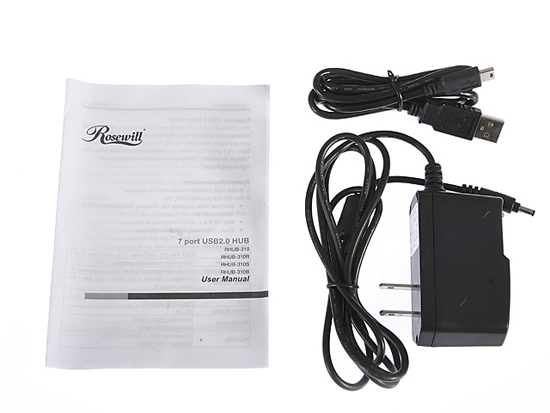
Rosewill includes a short manual, mini B-type cable, and power adapter with the kit. Really, the only design issue we could find here is the mirrored faceplate that attracts and keeps fingerprints - something that may be useful for a CSI team, but we found it annoying as keeping it clean became a priority with us. [Ed: So what if Gary's a bit OCD?]
Let's take a quick look at the performance of this budget wonder hub.
Originally published at https://www.anandtech.com/show/2524 (Wayback Machine).