
Overclocking Intel's New 45nm QX9650: The Rules Have Changed
- Posted in
- CPUs
Tuning Memory Subsystem Performance
Earlier, we talked about the importance of first testing your motherboard's memory subsystem before moving to the CPU. When you think about it, the reason is clear. Encountering an error while testing blindly provides absolutely no helpful information as to the source of the problem. Since both the CPU and memory stability are dependent on the FSB it only makes sense that we remove them from the equation and first tune our motherboard at our target FSB. This is accomplished by setting the target FSB (we recommend you start at 400 MHz) in the BIOS, making certain to select a CPU multiplier which places the final processor frequency at or below the default value. Next, loosen up all primary memory timings and set the memory voltage to the modules' maximum rated value. Assuming the system is in good working order, we can now attribute all observed errors to discrepancies in the MCH settings and nothing else.
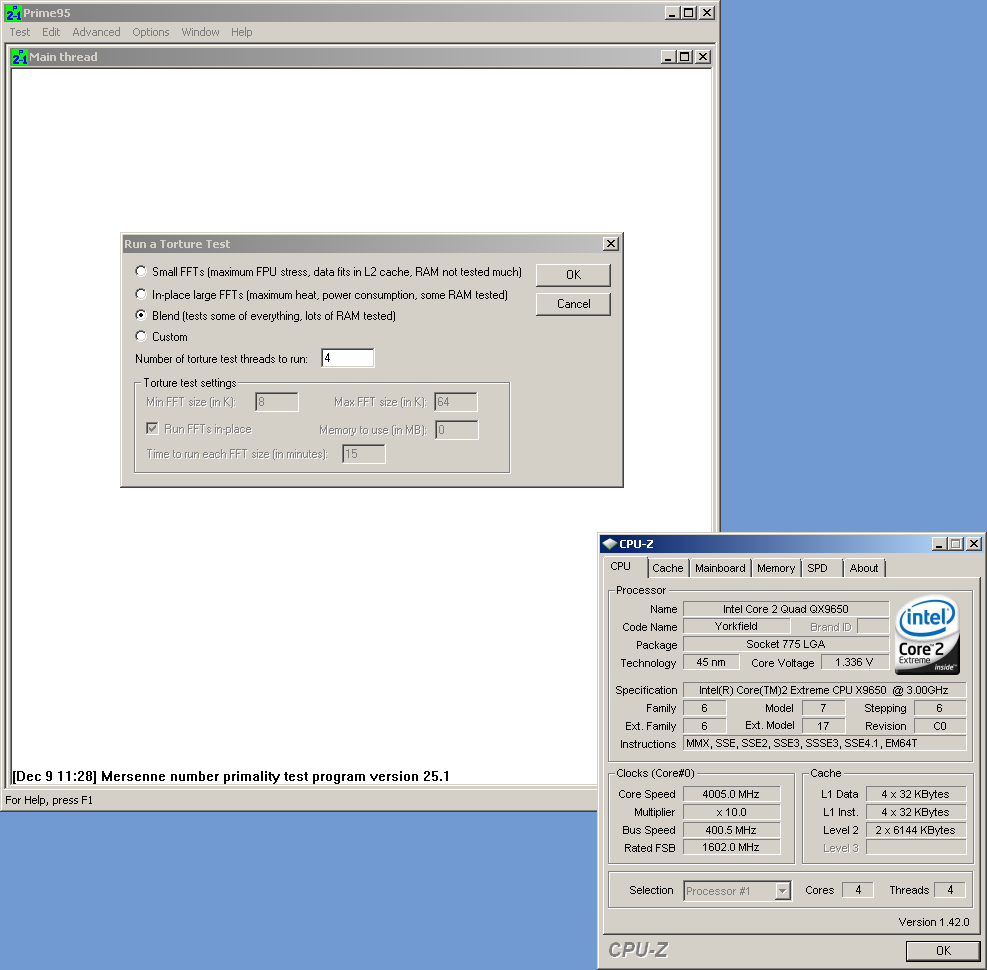 Preparing to run Prime95's blend test for the first time |
Boot the system in Windows and launch an instance of Prime95. From the menu select "Options" then "Torture Test…" and highlight the option to run the blend test (default). Now click "OK" to start the test. The blend test mode runs larger FFT values, meaning the processor must rely heavily on the memory subsystem when saving and retrieving intermediate calculation results. Although a true test of system stability would require many hours of consecutive testing, in the interest of time let the program execute for a minimum of 30 minutes.
If you encounter no errors (and the system is indeed still running), you can consider the memory subsystem "stable" at this point. If this is not the case, exit Windows, enter the BIOS, and try slightly increasing the MCH voltage. Repeat this process until you find you can complete (at least) a 30 minute run with no errors. If for some reason you find that increasing the MCH, voltage continues to have no effect on stability, or you have reached your allowable MCH voltage limit, you may be attempting to run the MCH higher than what is achievable under stable conditions. Setting Command Rate 2N - if available in the BIOS - loosening tRD, or removing two DIMMs (if you are running four) may help. If you find modifications to those items allows for completion of an initial Prime95 test, be sure to continue the testing by reducing the MCH voltage until you find the minimum stable value before moving on.
On the other hand, if you find that you can comfortably complete testing with additional MCH voltage margin to spare then you are in a good position to dial in some extra performance. Whether or not you wish to depends on your overall overclocking goal. Generally, more performance requires more voltage; this means more heat, higher temperatures, and increased operating costs. If efficiency is your focus, you may wish to stop here and move on to the next phase in tuning. Otherwise, if performance is your only concern, decreasing tRD is a great way of improving memory bandwidth, albeit usually at the expense of a higher MCH voltage.
In the end, as long as the system is stable, you are ready to move on to the next step. The insight necessary to determine just what to change and the effect if will have on stability and performance is something that comes only with experience. We cannot teach you this and experimenting further at a later time will help you sharpen these skills.
Originally published at https://www.anandtech.com/show/2404 (Wayback Machine).