
Shuttle SG33G5: Black Beauty or Black Sheep?
- Posted in
- Systems
Setup and Test Configuration
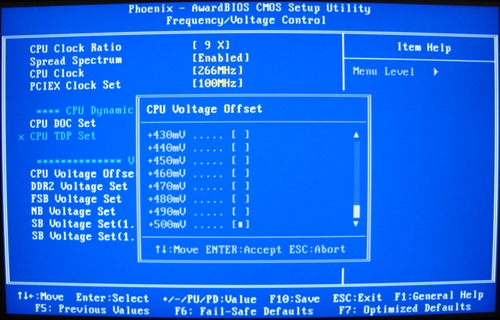
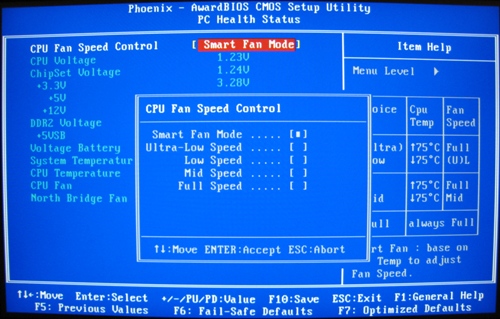
The BIOS is a streamlined Phoenix version. FSB speeds are adjustable from 200MHz to 600MHz (though you won't come anywhere near 600MHz in practice), and you can adjust voltages on the CPU, RAM, Northbridge, etc. However, it is not possible to set the memory divider in the same menu (Frequency/Voltage Control). Instead, the "System Memory Frequency" option is found in the "Advanced Chipset Features" menu, and can only be set to "By SPD", or in manual modes to 667 or 800.
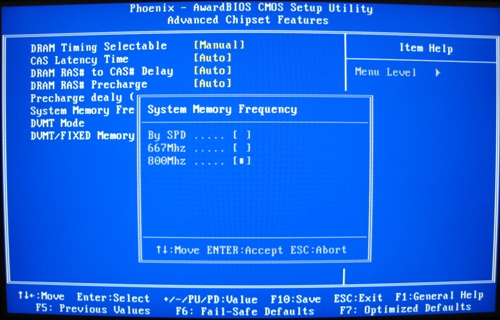
With the Corsair XMS2 RAM used, "By SPD" and 667 both correspond to a 4:5 divider, while the 800 setting corresponds to a 2:3 divider. Needless to say, the lack of precise settings, and particularly a 1:1 ratio, is limiting if trying to push the performance as high as possible. We will discuss this further in the overclocking section.
System Configuration
| System Test Bed | |
| Processor | Intel Core 2 Quad Q6600 |
| RAM | 2x1GB Corsair XMS2 |
| Hard Drive | Seagate 7200.10 320GB |
| Optical Drive | Lite-On 16X DVD |
| Video Cards | GMA
3100 (integrated) NVIDIA 8800GT 512MB |
| Drivers | ForceWare 169.02 |
| Operating System | Windows Vista Ultimate 32-bit |
Originally published at https://www.anandtech.com/show/2397 (Wayback Machine).