
Shuttle SG33G5: Black Beauty or Black Sheep?
- Posted in
- Systems
Power Supply
The SFF includes a 250W power supply (Model PC40). The specs on the specific rails are as follows:
- +12V 16 A, +5VSB 2A, -12V
0.3A, +3.3V 18A, +5V 19A
- Total combined output of 3.3V and 5V is 105W (max)
16A on the 12V rail is common for SFFs and should be adequate given there's limited room for expansion. However, if you opt to use a PCI-E graphics card, it could quickly become an issue. We will discuss this further in the power and overclocking sections.
Build
The interior of the case is fairly accessible given the size, and features like the removable drive cage (remove two screws, then lift it out) help. In a barebones system like this, most of the work is done for you: the SATA, IDE, and floppy (gasp) cables are pre-routed, while the power cables require just a little work to tuck them neatly out of the way. The included quick guide is useful and well-written, and has a pictorial illustration of each step. There are just a couple items to note apart from the norm.
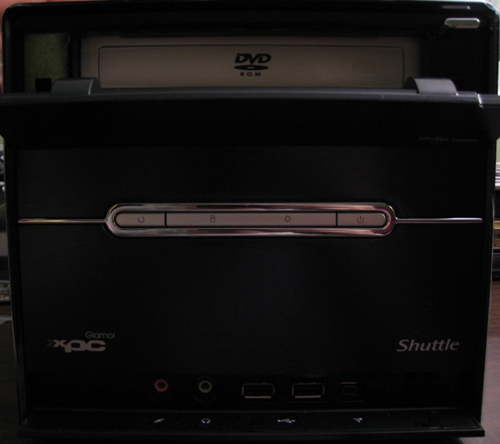
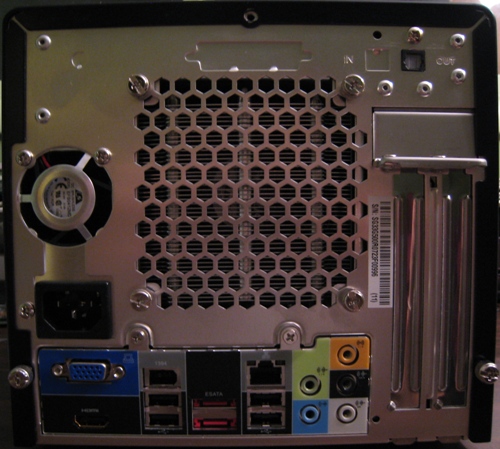
First, the top panel hides the DVD drive. Pushing the button on the upper right of the case depresses the drive button on the interior, and the door slides down as the tray opens. At least, that's what it's supposed to do. On the first attempt, we lined up and secured the drive properly, but the button would not work. A slight realignment to the drive fixed the problem.
Second, adding in a PCI-E card had a couple of minor quirks. In order to change the display from the onboard HDMI output to the PCI-E slot, a jumper change is required on the motherboard. Yes, that's right - an actual physical jumper change. In this case, it's actually two banks of six jumpers each. This is a slight annoyance, representing a throwback to older motherboard designs; the idea these days is to avoid jumpers as much as possible.
Removal of the bracket on the rear panel is also required before you can insert a card. To accomplish this, you must first remove both screws on the expansion slots. Finally, if you need to power the card, this supply lacks a 6-pin PCI-E power cable. An adapter will be required, which eats up two of the three available 4-pin Molex connectors. If you have S-ATA drives or only one IDE drive, this configuration still works without any splitters, but clearly Shuttle is not targeting users that want high-end GPUs with this particular model.
Originally published at https://www.anandtech.com/show/2397 (Wayback Machine).