
Getting the Most Out Of Your Hardware: Video Card Utility Roundup
- Posted in
- GPUs
BIOS Flashing
As the riskiest but most possibly most rewarding way to adjust a video card, we save BIOS flashing for last. Unlike with motherboards BIOS flashing still isn't a technique widely supported by manufacturers, so this is one of the many ways to void your warranty on a piece of hardware that can cost two to five times as much as a motherboard; caution is a must. On the positive side, recovering from a bad BIOS flash is easier with a video card than a motherboard as it's simply a matter of using another video card to view things, either via a PCI slot or a second PCIe slot for the many boards these days that offer 2+ x16 slots.
Generally BIOS flashing should be avoided whenever possible but for GeForce 8000 series owners looking for advanced overclocking options it's effectively inevitable. Flashing the BIOS is the only way to adjust the shader clock independent of the core clock along with being able to adjust some voltages. For this reason BIOS flashing is required where previously software tools would suffice.
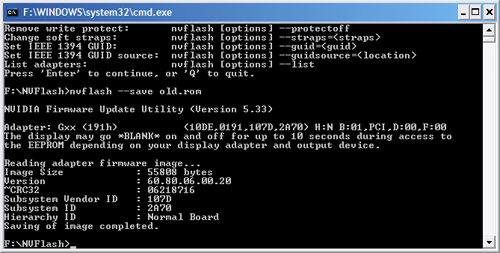
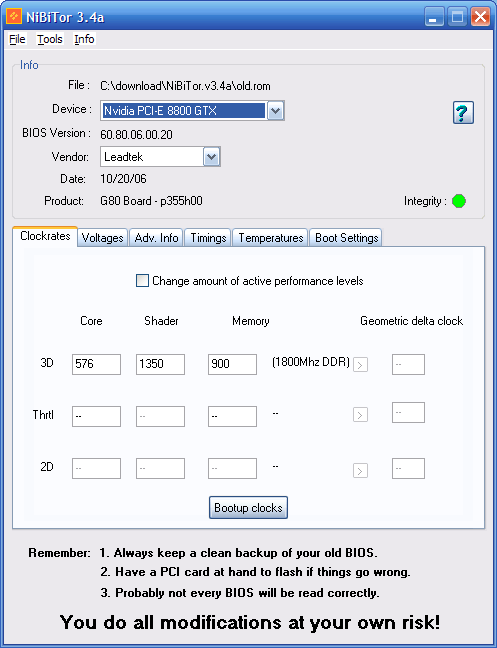
For most other cards BIOS flashing does not offer a notable difference that software cannot provide. The few advantages here are limited to being able to program the BIOS to use its overclocked settings without software intervention (useful for Windows Vista x64 in particular), adjusting memory timings for better overclocks, and some older cards can have disabled features reenabled this way.
Originally published at https://www.anandtech.com/show/2257 (Wayback Machine).