
Getting the Most Out Of Your Hardware: Video Card Utility Roundup
- Posted in
- GPUs
RivaTuner
RivaTuner is to the NVIDIA utility set what ATI Tray Tools is to the Catalyst Control Center: a more features, less bloat option. It should be noted that in spite of the name RivaTuner works on ATI's cards too, but this is a later development and said support is not as substantial as it is for NVIDIA's cards.
As the NVIDIA utility set isn't as feature-deprived as the Catalyst Control Center, RivaTuner doesn't have as much to set itself apart from other utilities. As expected, it features enhanced overclocking controls for both the memory and core, and fan controls. However it doesn't feature any voltage controls so serious overclocking will require either BIOS modifications or using another tool such as ATITool. Hardware monitoring is also present, but only for the video card and a small number of motherboards.
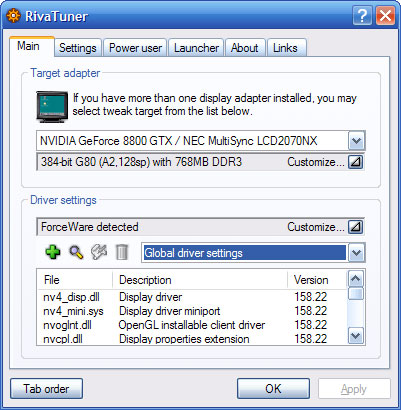
In spite of NVIDIA's drivers already offering profile support, RivaTuner also offers profile support through its own system. This bypasses the two-profile problem with NVIDIA's utilities and allows one profile to control both 3D settings and overclocking settings sans fan control. RivaTuner's UI keeps profile support from being as easy as it could be though.
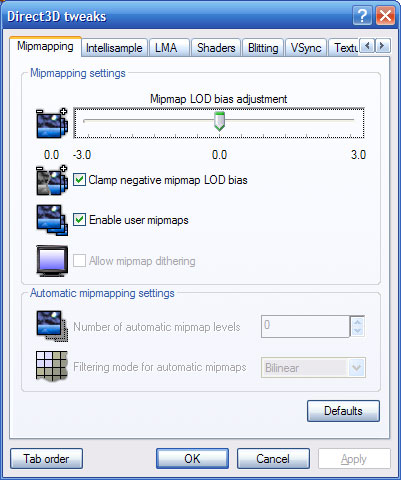
Other features include in-depth 3D settings control, with controls for obscure features such as overriding pixel shader versioning and enabling/disabling Z-buffer compression. Refresh rate control is also in, as is a separate program that offers an on-screen display. Overall it's a strong third-party utility that can easily replace the NVIDIA utility set with much less bloat.
Originally published at https://www.anandtech.com/show/2257 (Wayback Machine).