
Dell XPS M1710 - Overclocked
- Posted in
- Laptops
Overclocking Performance - Games
The 3DMark results were certainly interesting, and they showed a couple of things. First, extremely CPU intensive applications may not benefit beyond the Bin-3 overclock setting. Second and more pertinent to our actual gaming tests is that the 3DMark results indicate there's a good chance we will be GPU limited in many gaming benchmarks. Of course, the only way to really find out how games will perform at the various settings is to benchmark those games. All tests were run without antialiasing except where indicated. As the XPS M1710 (and most other new laptops) features a widescreen LCD, we restricted our test resolutions to widescreen settings.
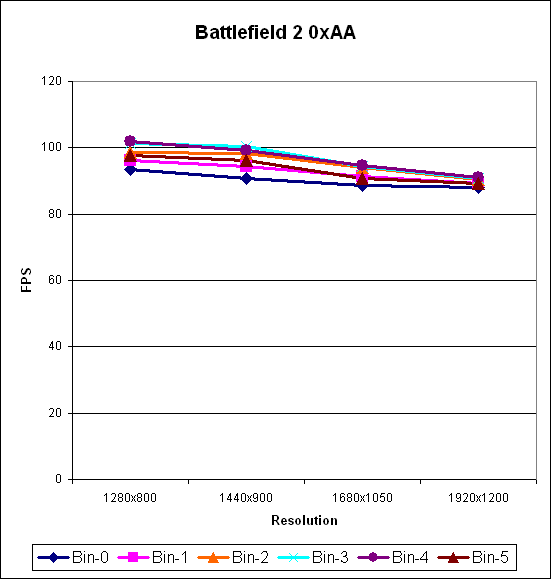
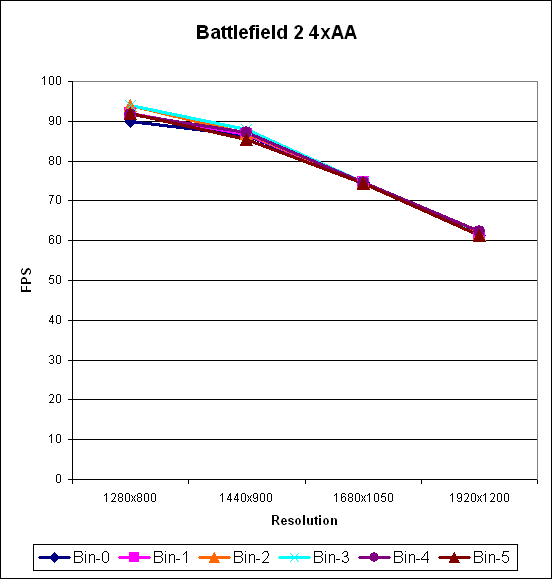
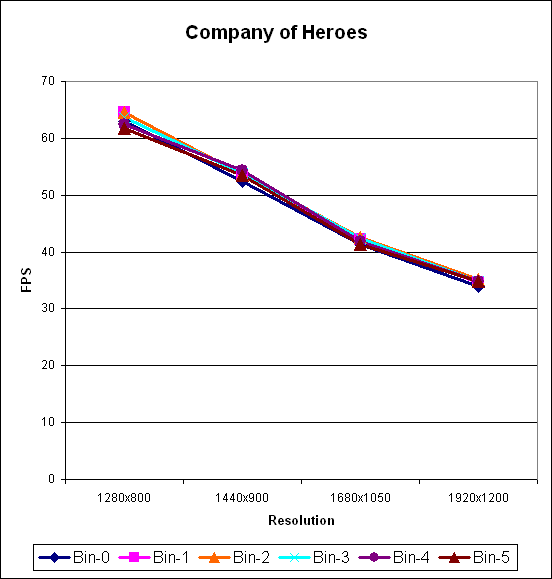
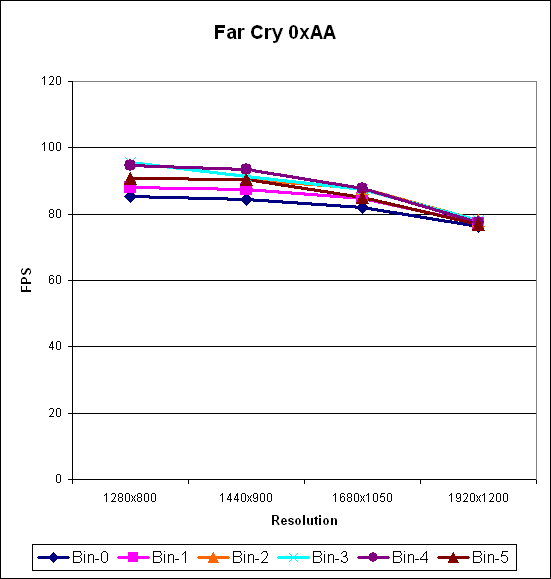
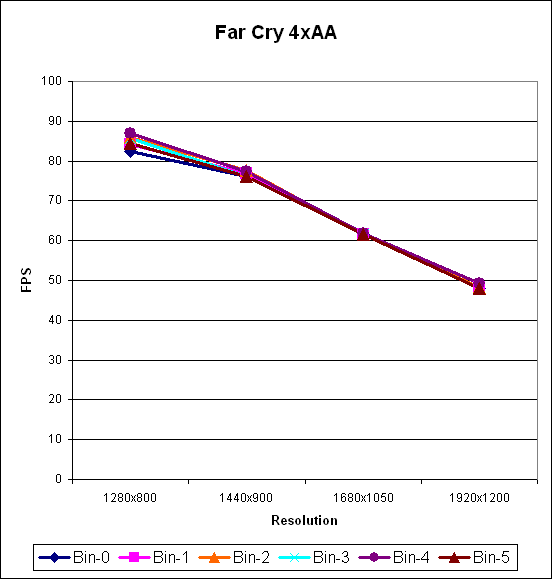
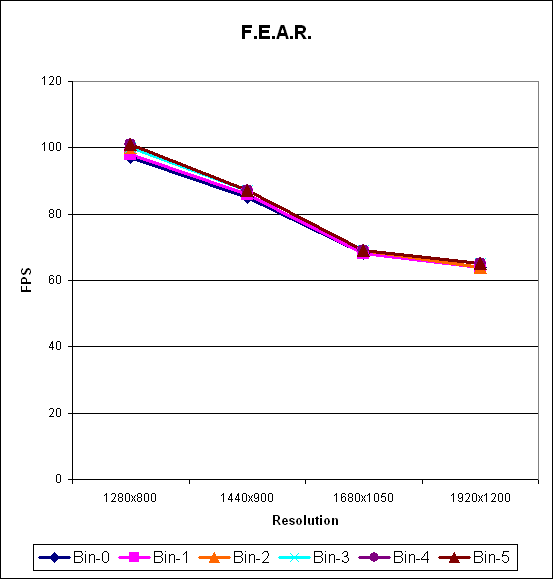
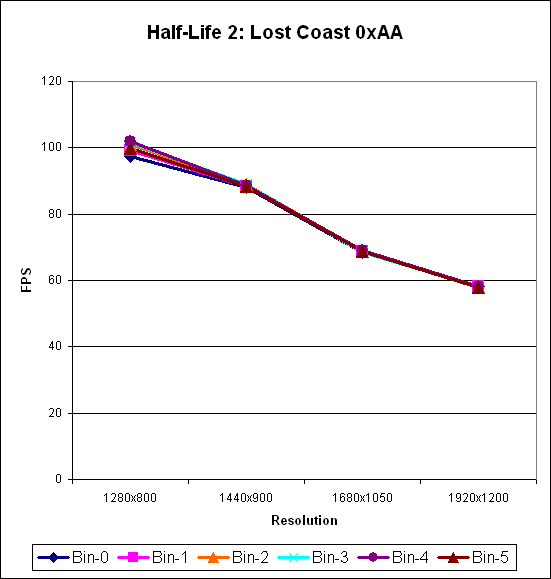
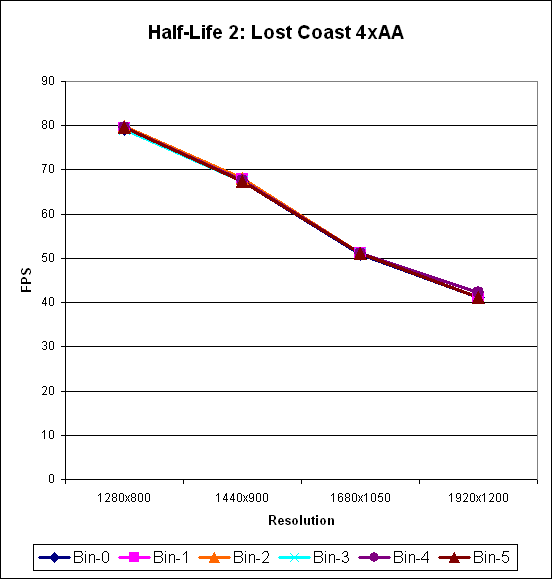
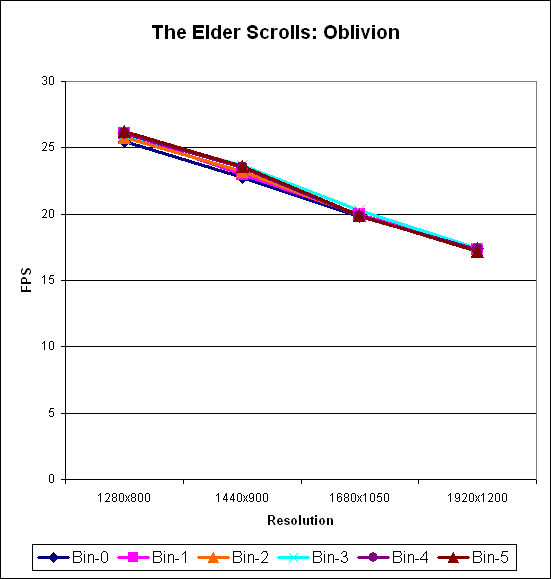
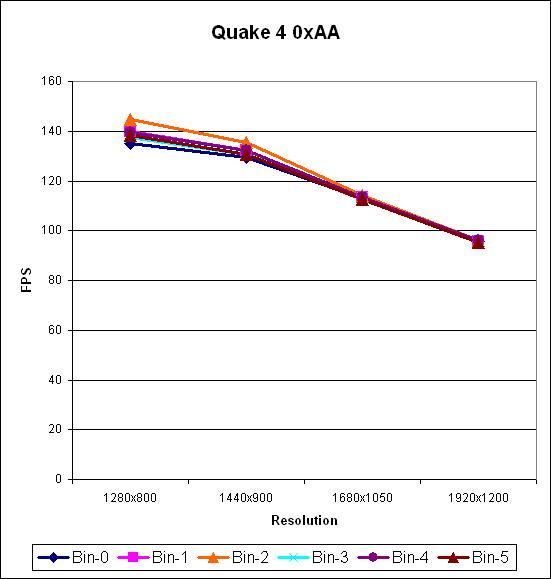
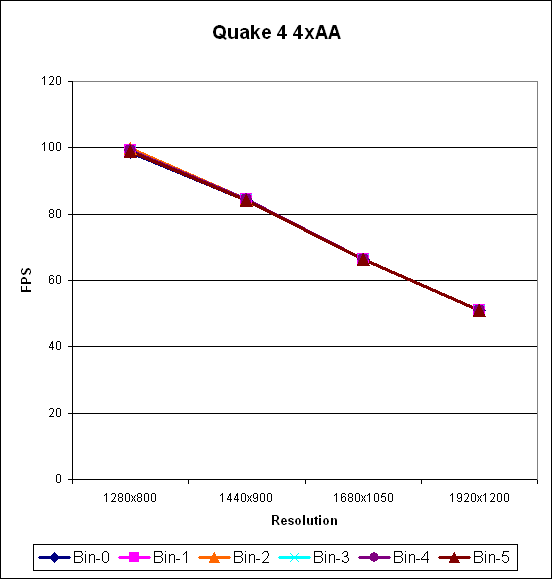
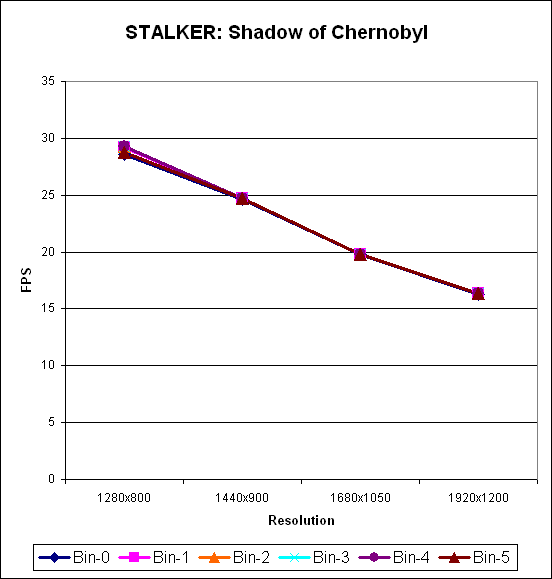
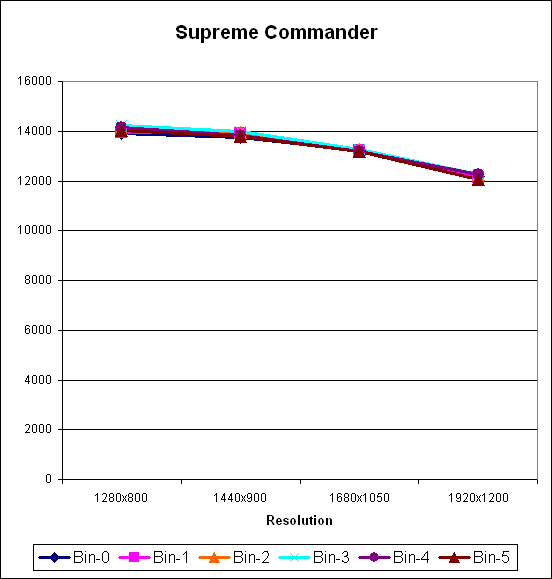
As expected, at the higher quality settings and particularly at the native 1920x1200 resolution, increasing CPU performance does virtually nothing for gaming performance. Battlefield 2 shows the best performance scaling from overclocking, but only without antialiasing. Considering you can average over 60 frames per second even with 4xAA, we don't see any reason to disable it on this particular notebook. In those instances where we do see a slight separation among the various processor speeds, Bin-3 and Bin-4 usually end up as the highest performing settings, although Quake 4 without antialiasing seems to favor Bin-2 at lower resolutions for whatever reason. Given the margin of error and the tightly clustered scores on these benchmarks, however, it is doubtful you would actually notice the difference in performance when playing games. For gaming purposes, users should probably just stick with the stock CPU setting as anything more won't really help much. Still, there doesn't appear to be any harm in running up to a Bin-3 setting other than slightly higher noise levels from the system fans.
The 3DMark results were certainly interesting, and they showed a couple of things. First, extremely CPU intensive applications may not benefit beyond the Bin-3 overclock setting. Second and more pertinent to our actual gaming tests is that the 3DMark results indicate there's a good chance we will be GPU limited in many gaming benchmarks. Of course, the only way to really find out how games will perform at the various settings is to benchmark those games. All tests were run without antialiasing except where indicated. As the XPS M1710 (and most other new laptops) features a widescreen LCD, we restricted our test resolutions to widescreen settings.
As expected, at the higher quality settings and particularly at the native 1920x1200 resolution, increasing CPU performance does virtually nothing for gaming performance. Battlefield 2 shows the best performance scaling from overclocking, but only without antialiasing. Considering you can average over 60 frames per second even with 4xAA, we don't see any reason to disable it on this particular notebook. In those instances where we do see a slight separation among the various processor speeds, Bin-3 and Bin-4 usually end up as the highest performing settings, although Quake 4 without antialiasing seems to favor Bin-2 at lower resolutions for whatever reason. Given the margin of error and the tightly clustered scores on these benchmarks, however, it is doubtful you would actually notice the difference in performance when playing games. For gaming purposes, users should probably just stick with the stock CPU setting as anything more won't really help much. Still, there doesn't appear to be any harm in running up to a Bin-3 setting other than slightly higher noise levels from the system fans.
Originally published at https://www.anandtech.com/show/2226 (Wayback Machine).