Intel Overclocking Platform
Our midrange Intel platform focuses on overclocking as a primary consideration, but we aren't looking at achieving maximum clock speeds or performance. Instead, we wanted to focus on a platform that would allow us to get the largest overclock relative to the basic clock speed. Gaming is a second consideration, and while the final result might be slower in some games compared to the AMD configuration listed on the previous page, it's certainly no slouch.
| Intel Overclocking/Gaming System |
| Hardware |
Component |
Price |
Rebates |
| Processor |
Intel Core 2 Duo E4300 (1.80GHz 2MB Shared) - Retail |
$135 |
|
| Heatsink |
Thermalright Ultra 120 + Fan |
$70 |
|
| Motherboard |
GIGABYTE GA-965P-DS3 (LGA 775 P965) |
$116 |
|
| Memory |
Transcend JETRAM 2x1GB DDR2-800 (5-5-5-12 JM2GDDR2-8K) |
$113 |
|
| Video Card |
PNY GeForce 8800GTS 320MB (VCG88GTS32XPB) |
$276 |
$20 |
| Hard Drive |
Seagate Barracuda 7200.10 ST3320620AS 320GB 16MB |
$80 |
|
| Optical Drive |
Pioneer Black DVR-112D 18X DVD+R |
$38 |
|
| Case |
COOLER MASTER Centurion 534 (RC-534-KKN2-GP) |
$66 |
|
| Power Supply |
CORSAIR 520W (CMPSU-520HX) |
$125 |
$10 |
| Display |
Sceptre X20WC-Gamer 20.1" 5ms (1680x1050) |
$235 |
$30 |
| Speakers |
Logitech X-530 5.1 70W Speakers |
$74 |
|
| Keyboard and Mouse |
Microsoft Comfort Curve 2000 B2L-00047 |
$28 |
|
| Operating System |
Windows MCE 2005 or Vista Home Premium (OEM) |
$115 |
|
| Bottom Line |
|
$1471 |
$1411 |
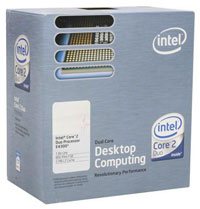 |
The least expensive Core 2 Duo processor ends up being the most sensible choice for getting the largest percentage overclocks, so compared to the entry level Intel configuration you don't even have to spend more money on this area. The E4300 has a base clock speed of 1.8GHz but uses a 200 MHz front side bus, whereas the more expensive E6300 has a 266 MHz front side bus. What that means is we don't need a motherboard or memory capable of running at insane bus speeds in order to get perhaps as much as a 100% overclock. The E6320 and E6420 will increase the amount of L2 cache while keeping the same clock speeds and bus speeds as the E6300 and E6400 respectively, but the new chips aren't available yet. Prices should also be dropping a bit more in the near future on Intel processors, so if you wait a few weeks you might be able to save another $20 or so. If you can spare the extra change, moving straight up to the E6600 can get you the best of both worlds - more cache and the ability to still reach 3.6GHz and beyond - but while that's a good choice for stock or overclocked systems, the E4300 remains the best bang for the buck in terms of pure overclocking ability.
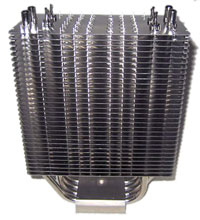 |
To aid in overclocking, we added an aftermarket heatsink. The Thermalright Ultra 120 currently sits on top of our heatsink performance charts, so it was the logical choice. In truth, the Thermalright Ultra 120 Extreme is the best air cooler we've tested so far, but we still couldn't find it in stock anywhere. It should be arriving any day now, and it shouldn't cost more than a few dollars more than the stock Ultra 120, so if you can find it in stock we would recommend that instead. Either way, CPU temperatures shouldn't be the limiting factor when it comes to overclocking with these heatsinks.
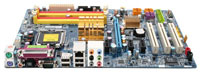 |
Given our selection of processor, we can pretty much choose any of the midrange performance motherboards on the market and come close to our target 3.6GHz. While nForce 650i Ultra motherboards have started to show up at retail, it's a bit early to say whether or not they are truly better than the P965 platform, especially when it comes to overclocking and maturity. Since the chipset first launched six months ago, Gigabyte's GA-965P-DS3 has been a popular motherboard in this market. The latest revision improved overclocking in terms of maximum bus speeds, but here you can choose to save $15 and stick with the earlier revision, unless you plan on selecting some other parts that might allow you to reach a 500 MHz FSB. This Gigabyte board earned our Silver Editors' Choice award, and for the price it remains one of the best P965 offerings.
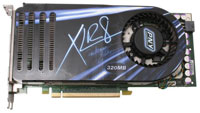 |
After spending a bit more money on aftermarket cooling, we opted to cut costs in the graphics department. We mentioned the option of purchasing a GeForce 8800 GTS 320MB already, and you end up saving over $100. We'll take that route this time, selecting the PNY offering that is a standard reference card design (500/1600 clocks). If maximum gaming performance isn't a primary concern, selecting one of the newly released and less expensive GeForce 8600 GT/GTS cards is another possibility. Again, waiting to see what AMD has up their sleeve with the R600 graphics card series wouldn't be a bad idea either.
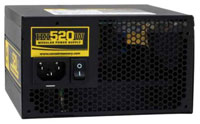 |
Considering that overclocking tends to stress systems quite a bit more than running at stock speeds, we felt the move from relatively generic power supplies to a quality aftermarket solution was warranted. We tossed around several brands, including SeaSonic and Silverstone, but in the end we selected the Corsair 520W. This power supply is anything but cheap, but we've had enough lesser power supplies fail during overclocking that we decided to be prudent and spend the money upfront rather than waste time and money swapping power supplies in the future.
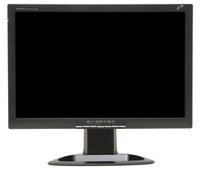 |
As an alternative to the 22" LCD we listed on the AMD gaming configuration, the Sceptre X20WC-Gamer is a 20.1" widescreen LCD that has the same native resolution as the Acer 22". With the rebate, you can save about $70 and some might argue that the Sceptre actually looks better. We wouldn't necessarily go that far, as both LCDs are pretty clearly looking to keep costs down. Which LCD do we prefer? One of the 24" LCDs, as they invariably look better and offer more features! Really, though, it's up to the individual to decide which is more important: size, price, and/or quality.
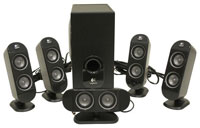 |
You may have noticed that we didn't list any sound cards on our midrange solutions. Creative's Sound Blaster X-Fi has basically been the undisputed king of gaming sound cards since it became available, but the changes made in Windows Vista in regards to sound make us hesitant to spend any extra money on a sound card right now. We've encountered at least a few systems that simply don't work properly with X-Fi cards under Windows Vista, so if you have any intention of upgrading to the new operating system you might want to hold off and only purchase a sound card once you're sure you need/want it.
