
Apple TV - Part 2: Apple Enters the Digital Home
- Posted in
- Mac
iPod for your TV
Music playback is simple on the Apple TV; simply select music from the main menu and then you have a 10-ft version of the iPod interface at your disposal. In order to keep the UI simple, you can't search for songs; instead you have to browse according to Artist, Title, Album name, etc... Just like the iPod, this browsing hierarchy works very well if all of your MP3s are properly tagged; otherwise it can be a bit frustrating. Scrolling through thousands of songs is not difficult and can go by quickly once you get used to how the UI reacts to your inputs. Playlists on your Mac/PC are also accessible through the Apple TV, which makes things a bit better if not all of your music is the easiest to find.
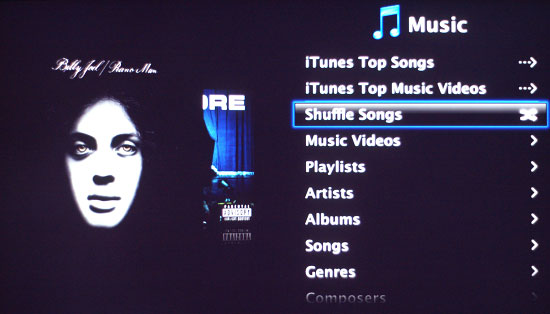
While your music is playing, there are no conventional visualization effects. Instead, you get the usual song information as well as cover art (if it's available) for the album the track is from. Album cover art is synced from your Mac/PC if it's available; otherwise you get a nice looking question mark in its place. During playback, at first all that will happen is the track info and album art will periodically shift from the left side of the screen to the right. If you leave the Apple TV alone, it will begin showering the screen with whatever photos you've synced to the device. If no photos are available, the Apple TV has a selection of pictures it will use - mostly of flowers. Like it or not, that's the extent of visualization effects you get with the Apple TV right now.
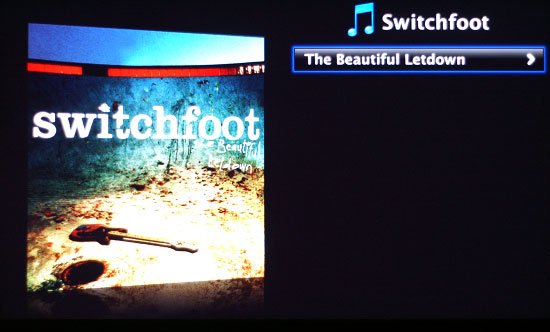
There's not much to praise or complain about when it comes to the music playback functionality of Apple TV; it just works and quite well at that. Although at a cost of $299, you had better find some other functionality in Apple TV other than music playback otherwise it may be more cost effective to just get an iPod dock with some speakers.
The only major complaint we had with Apple TV's music playback was that if you went too far back in the menu structure (back to the main menu), your music would stop. The same is true for any other sort of media playback with Apple TV; go back to the main menu and everything stops. It's not really designed as a multitasking oriented platform, unfortunately. It's not like we're asking for the ability to do much: just keep playing music while we are navigating through other branches of the menu tree.
Originally published at https://www.anandtech.com/show/2196 (Wayback Machine).