
Apple TV - Part 2: Apple Enters the Digital Home
- Posted in
- Mac
I Don't Stream, I Sync
There's a big difference between how most media extenders get your content onto a TV and how the Apple TV goes about it. While the Apple TV can stream content from your computer, by default it is set to sync, not stream.

In sync mode, Movies, TV shows, music, podcasts and photos - the five main types of content that you can sync to the Apple TV - are all copied to the unit's internal 40GB hard drive. Synchronized content is prioritized in the order listed above, so if you fill up the Apple TV's hard drive, first photos are deleted, then podcasts, then music, then TV shows and finally movies to make room for any new content you are trying to sync to the device.
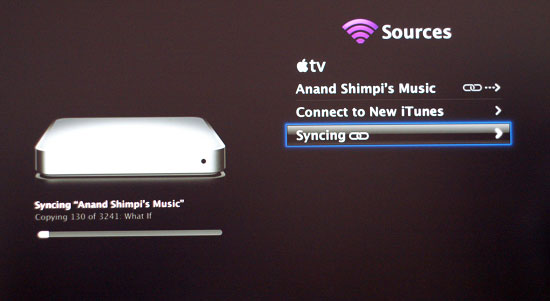
Apple recommends syncing vs. streaming for slower networks, especially if we're talking about low signal wireless. If you've got easily accessible Ethernet jacks or 802.11n, the benefits of syncing are no longer as clear. Armed with Apple's new Airport Extreme 802.11n base station, we measured the amount of time to transfer a 700MB movie to the Apple TV at 3 minutes and 46 seconds (approximately 3.1MB/s). The base station was in a separate room from the Apple TV (approximately 30 feet away), although signal strength was good at 4 bars during the transfer.
Then there's the issue of space; if the amount of content you have greatly exceeds the fixed capacity of the Apple TV then you may be better off disabling sync altogether and just use the Apple TV as a streaming extender.
While you can only have a single computer synced to Apple TV, you can have up to five others setup to stream content to the unit. Streaming works just as you'd expect it to: the data remains stored on the host computer(s) and is sent over to Apple TV as it is requested - nothing is ever permanently stored on the hard drive. Streaming is obviously useful for situations where your iTunes collection is too vast for Apple TV's 40GB hard drive, but it also comes in handy when you have more than one system to stream content from.
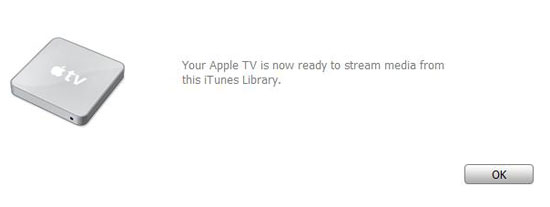
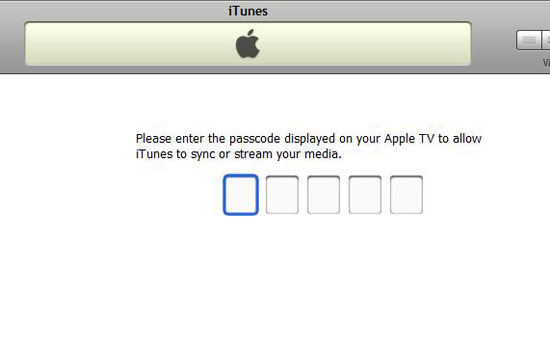
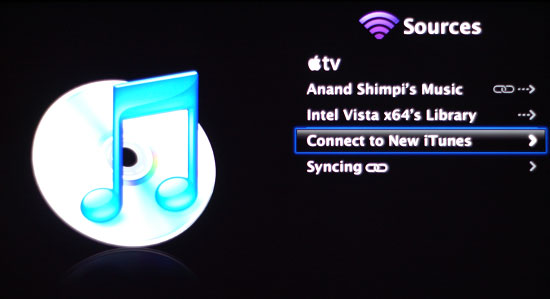
To add additional computers to Apple TV, select sources from the main menu, then connect to new iTunes. A new 5 digit code will appear on the screen which, when supplied to iTunes running on the new computer, will send a list of content over to Apple TV. Repeat this process up to a total of five times to add additional iTunes content to Apple TV.
Apple TV does keep the content separate, so in order to browse streamed content from one computer you have to first select it as a source. Once selected, all other content, regardless of streamed or synced, is not available except for what's provided by that source. To switch to another computer or Apple TV's local storage, a single click into the sources menu is all it takes. We would prefer a way to aggregate all content on a single network, but from a simplicity of content management perspective Apple's current approach makes sense.
In terms of performance, there's very little difference between synced and streamed content. Even when playing a movie over the network vs. locally, Apple TV does a great job of dealing with skipping ahead, so you can't tell the difference between streamed and synced content. Apple managed to make the debate of whether to stream or sync one of preference, not one of performance.
Originally published at https://www.anandtech.com/show/2196 (Wayback Machine).