
The Zalman Twins: 9500 & 9700 Air Tunnels
- Posted in
- Cases/Cooling/PSUs
Zalman 9500
The Zalman 9500 burst onto the scene with the introduction of the AM2 processor about 9 months ago. It is a cooling product recommended by NVIDIA for use with their chipset motherboards for AMD. As a result the 9500 series is available in two models, the CNPS9500 AM2 and the CNPS9500 LED. The heatsinks and fans are both the same, but the cosmetics and mounting kits are different.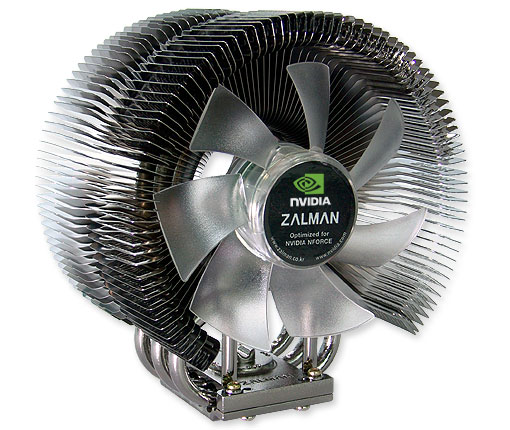
The AM2 version has a coating which makes it look like it is dark nickel plated and the fan has green LEDs to match an AMD color scheme. The AM2 only comes with AM2 mounting hardware and it includes the Fan Mate 2 fan controller. The LED version is the regular copper color with blue LEDs and the mounting hardware for Intel Socket 775, Intel 478, AMD 754, AMD 939, and AMD 940. It does not support AM2, but it also includes the Fan Mate 2.
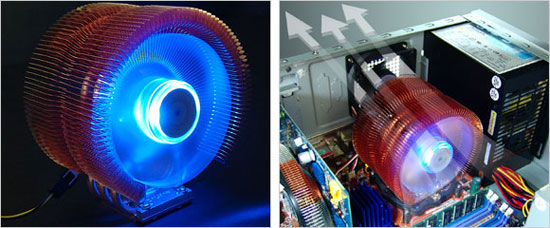
The 9500 (and larger 9700) feature the Zalman Air Tunnel design, which Zalman claims is optimized for air cooling efficiency. The 9500 fan is a 92mm custom embedded fan, and it is not user interchangeable with other 92mm fans.
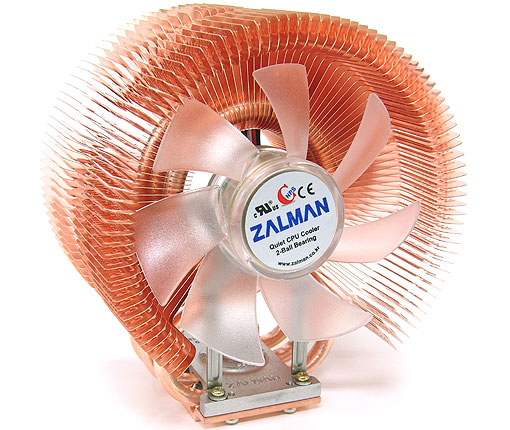
Since we have a good collection of Zalman coolers in the lab, it is worth mentioning that the 9500 and 9700 hardware is interchangeable. The base is the same size and socket adapters can be freely used back and forth.
Installation is both easy and very well documented. The instructions are reasonably clear, but most Zalman coolers also include installation videos on their web-site. The installation video for the 9500 LED is available here and it includes tabs for installation on Socket 775, Socket 478, and Socket 754/939/940.
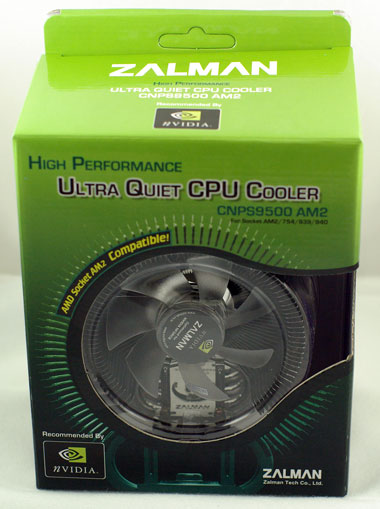
Our test version of the 9500 was for AM2, but the interchangeable installation parts from the 9700 made it very easy to mount the cooler on a Core 2 Duo in Socket 775.
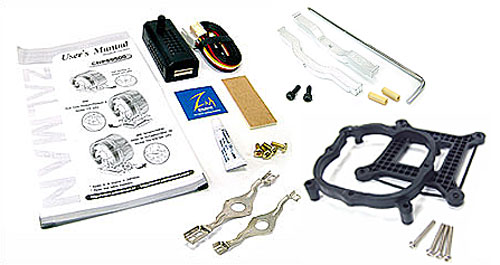
If you plan to mount on a Core 2 Duo then you should buy the CNPS9500 LED, which includes the Socket 775 adapter for mounting. The adapter works as it should, but it is not a particularly precise piece of plastic. We had to push and prod the back plate to get the embedded nuts on the back plate to align with the holes on the 680i motherboard. In fairness that was the only thing difficult about mounting the Zalman 9500; everything else was very straightforward. The fan uses a 3-pin connector, which is basically not adjustable, but Zalman includes the excellent Fan Mate 2 adapter which provides variable fan speed to any standard fan.
Fan Mate 2
Like most of the top Zalman coolers, the 9500 series comes packaged with the excellent Fan Mate 2 fan controller. This useful little gadget allows speed control of any fan that can attach to a 3-pin fan header, by adjusting voltage on the 12V line. In future reviews we will use the Fan Mate to more conveniently measure noise at both low speed and high speed fan settings.
| Fan Mate 2 Specifications | |
| Dimensions | 70(L) x 26(W) x 26(H)mm |
| Weight | 20g |
| Output Voltage | 5V ~ 11V +/- 2% |
| Allowable Power | 6W or lower |
| Connector | 3-Pin |
Specifications
Our test system is Intel Socket 775, but the Zalman CNPS9500 LED will mount on a wide range of systems with various CPU sockets. All the needed hardware is included to fit the variety of supported sockets. The only current socket not supported is AM2. If you are planning to mount on an AM2 motherboard you will need the CNPS9500 AM2.
| Zalman CNPS9500 LED Specifications | |
| Heatsink | |
| Dimensions | 85(L) X 112(W) X 125(H)mm |
| Weight | 530g (including fan) |
| Material | Pure Copper |
| Dissipation Area | 3,698cm2 |
| Thermal Resistance - Silent Mode | 0.16 C/W |
| Thermal Resistance - Low-noise Mode | 0.12 C/W |
| Fan | |
| Fan Size | 92 mm |
| Bearing Type | 2-Ball Bearing |
| Speed - Silent Mode | 1,350rpm +/- 10% |
| Speed - Low-noise Mode | 2,600rpmM +/- 10% |
| Noise Level - Silent Mode | 18.0dB +/- 10% |
| Noise Level - Low-noise Mode | 27.5dB +/- 10% |
The 9500 is tall and wide, but it was designed to clear components on most motherboards. We had no trouble mounting the 9500 on several high-end boards we had available in the lab. At 530g, the 9500 is a lot lighter than the two-pound heatpipe towers we have tested. It is a bit heavier than recommended by AMD and Intel, but the added reinforcement from the mounting method should make the 9500 a relatively safe install on most motherboards.
Originally published at https://www.anandtech.com/show/2176 (Wayback Machine).