
Micro-ATX Cases - Shoebox Showdown
- Posted in
- Cases/Cooling/PSUs
PC Design Lab Qmicra - Interior
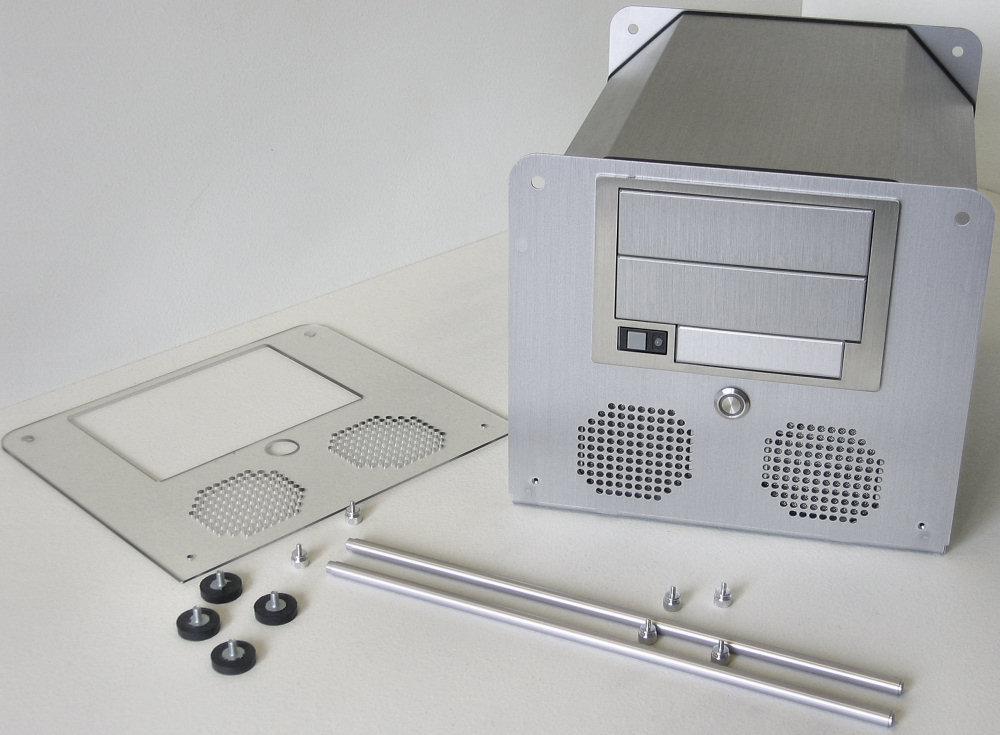
To get inside the Qmicra, the four rubber and steel feet are unscrewed and the four thumbscrews removed from the lengthwise rods. This leaves the plastic guard on the front, but two more thumbscrews can be undone to remove the plastic.
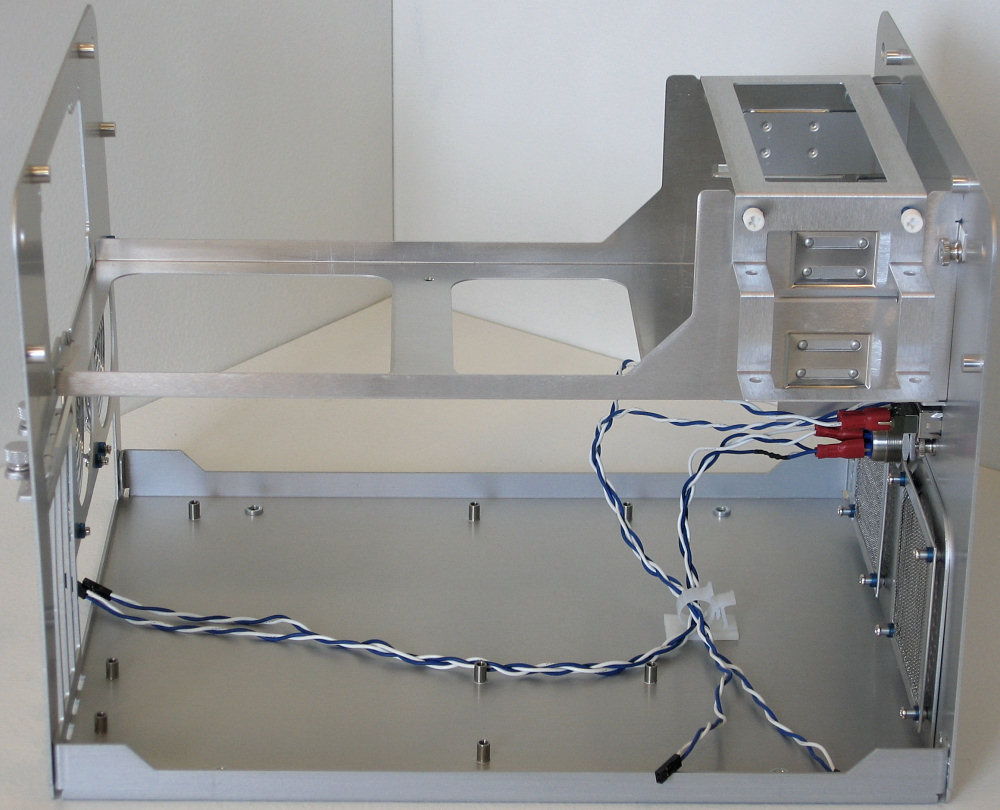
After taking off all the fasteners, the case's one-piece cover is spread apart on the bottom side until the whole piece can be slid up and around the edges. This leaves the inside of the case incredibly exposed, and reveals how all the strength of the unit comes from the shell, not any sort of internal framework.
The internal layout of the Qmicra is simple, effective, and smart. The main removable piece holds the power supply, any external drives, and internal drives via an included mounting bracket which allows for a total of four hard drives in addition to all three external drive bays.
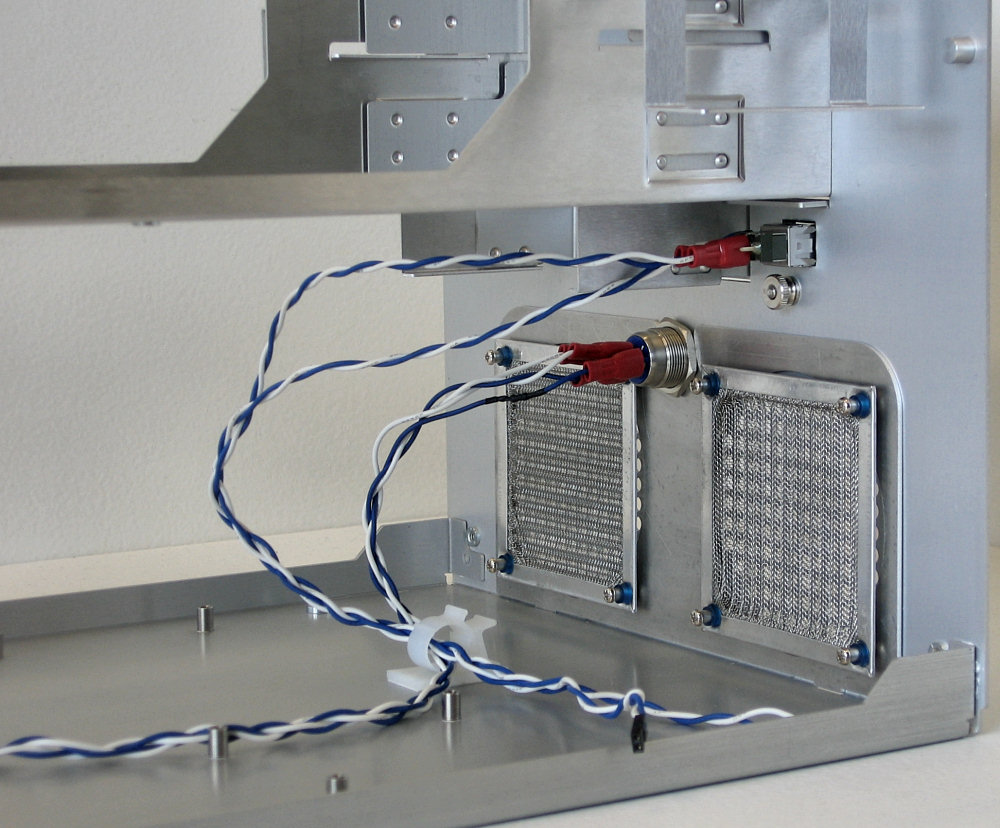
Underneath the front bays are the two 80mm intake fan mounting points, and each comes with a removable filter and screws with grommets designed to hold fans and absorb some of their vibrations. The case doesn't have a standard sized PC speaker, just leads for hard disk activity, power, and power and reset switches.
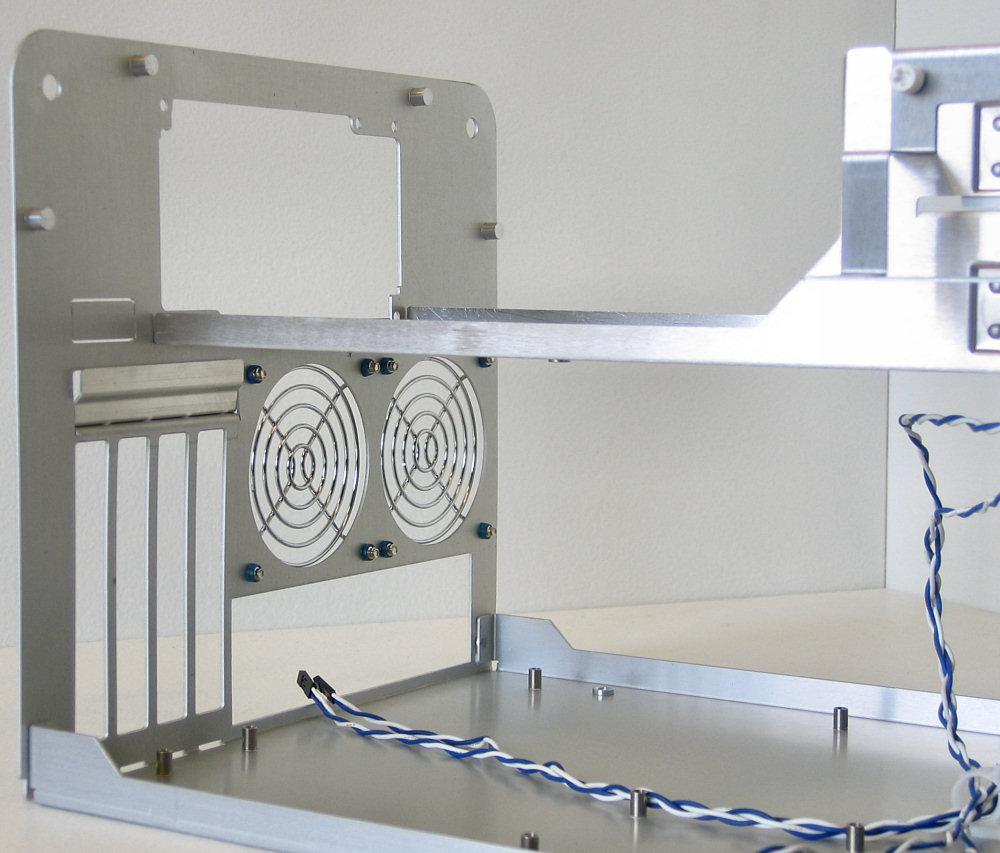
On the back plate, the standard cut-outs are all present, along with more fan mounting points. These screws actually thread into the plastic of a fan, as opposed to the ones in front which are designed to fit through the holes then fasten into the case.
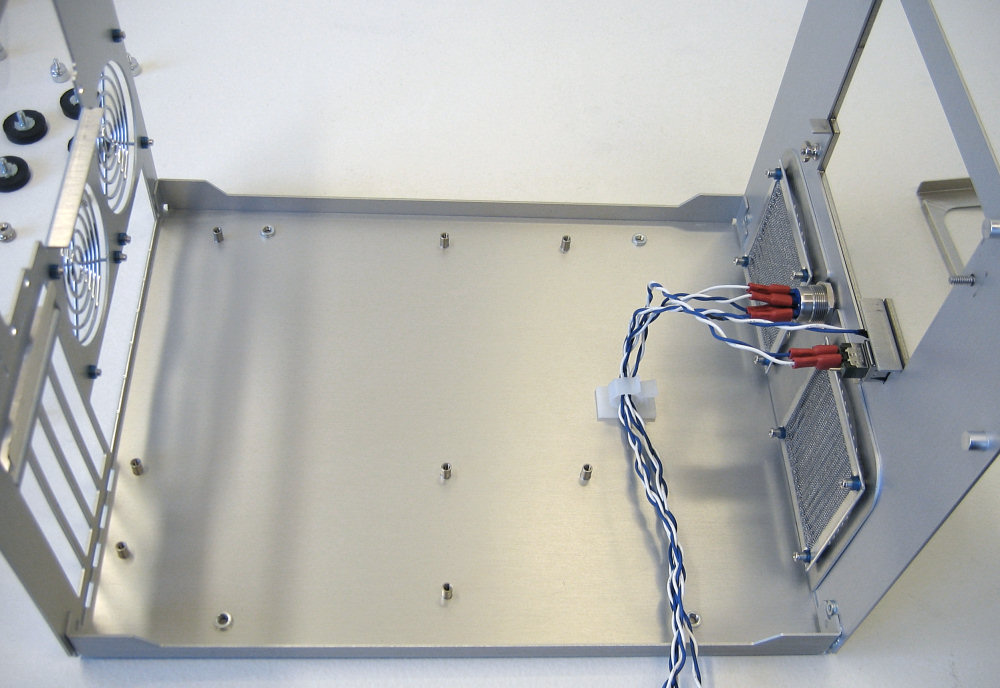
As expected, the entire middle section is easily removed once the bars are no longer pulling the two sides together. This totally opens up the ability to work on the motherboard area, which only includes the standard mATX mount points and doesn't even give the option for removing stand-offs.
To get inside the Qmicra, the four rubber and steel feet are unscrewed and the four thumbscrews removed from the lengthwise rods. This leaves the plastic guard on the front, but two more thumbscrews can be undone to remove the plastic.
 |
| Click to enlarge |
After taking off all the fasteners, the case's one-piece cover is spread apart on the bottom side until the whole piece can be slid up and around the edges. This leaves the inside of the case incredibly exposed, and reveals how all the strength of the unit comes from the shell, not any sort of internal framework.
 |
| Click to enlarge |
The internal layout of the Qmicra is simple, effective, and smart. The main removable piece holds the power supply, any external drives, and internal drives via an included mounting bracket which allows for a total of four hard drives in addition to all three external drive bays.
 |
| Click to enlarge |
Underneath the front bays are the two 80mm intake fan mounting points, and each comes with a removable filter and screws with grommets designed to hold fans and absorb some of their vibrations. The case doesn't have a standard sized PC speaker, just leads for hard disk activity, power, and power and reset switches.
 |
| Click to enlarge |
On the back plate, the standard cut-outs are all present, along with more fan mounting points. These screws actually thread into the plastic of a fan, as opposed to the ones in front which are designed to fit through the holes then fasten into the case.
 |
| Click to enlarge |
As expected, the entire middle section is easily removed once the bars are no longer pulling the two sides together. This totally opens up the ability to work on the motherboard area, which only includes the standard mATX mount points and doesn't even give the option for removing stand-offs.
 |
| Click to enlarge |
Originally published at https://www.anandtech.com/show/2147 (Wayback Machine).