Intel Ultra High-End Platform
Finally, we come to the granddaddy of all high-end computer configurations. Oh sure, we could go off the deep end and recommend a dual socket motherboard with Xeon 5160 processors and multiple gigabytes of memory - or you could go out and purchase one of the new Mac systems and get the same thing (minus CrossFire/SLI support) - but outside of workstation class applications a fast single socket configuration will usually offer better performance, and it will save you quite a bit of money.
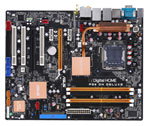 |
The MSI motherboard in our basic Intel recommendation is still a good motherboard, and the Abit AW9D and AW9D-Max are another alternative. However, if you want what is considered the best overall 975X motherboard right now, that distinction continues to belong to the ASUS P5W DH Deluxe. Capable of reaching bus speeds of over 400MHz while maintaining stability, and offering full support for 2x8 CrossFire, the ASUS P5W DH has all the features necessary for building an ultimate performance computer. It also fully supports the upcoming Core 2 Extreme QX6700 for those that are planning to upgrade to quad cores in the future. Prices have also come down quite a bit since the initial Core 2 launch, although at $230 the P5W DH certainly isn't an inexpensive motherboard. Thankfully, as the saying goes, you get what you pay for, and what you're paying for here is optimum performance.
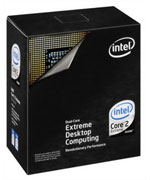 |
When it comes to CPU performance, the Core 2 Extreme X6800 is currently the fastest mainstream processor available. In our initial review, we found that the X6800 didn't lose a single benchmark to any other processor. Similar to AMD's FX series, Core 2 Extreme also comes with unlocked CPU multipliers, so you also gain the benefit of being able to overclock via higher multipliers rather than simply increasing bus speed. (That could prove especially useful if you want to get an nForce4 SLI for Intel motherboard.) If you're interested in achieving maximum performance at any price, you will certainly want the X6800. Just don't get too upset when something faster comes out in the not-too-distant future.
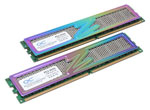 |
For our ultra high-end configuration, we have pulled out all the stops and gone with some of the fastest memory we have ever tested. The OCZ Titanium VX2 is rated at DDR2-1000, and it is also certified for operation with up to 2.4V. Depending on personal preference, you might also find the chromatic heatsinks to be the best thing ever... or not. In our performance testing, the OCZ VX2 was able to keep up with the best memories currently available. Beyond DDR2-1100, increased latencies often reduce performance making higher clock speeds less useful, but up through DDR2-1067 there are actual performance benefits to be had. Are the benefits worth the extra $150? For a lot of people, the answer is no, but anyone seriously considering a $1000 processor is probably going to want maximum performance in all other areas as well.
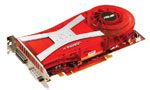 |
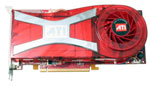
Going along with the maximum performance trend, our graphics card selection consists of the recently launched ATI X1950 series, with the obligatory XTX + CrossFire combination. Sporting the same GPU clock speed as the X1900 XTX but utilizing GDDR4-2000 rather than GDDR3-1550, the X1950 is the fastest single GPU currently available. (The GeForce 7950 GX2 is still faster in some situations, but that is technically two GPU cores, and as already mentioned the prospects of upgrading to quad SLI are not without their drawbacks.) ATI's latest driver updates have also further improved performance of all of the R580 cards, with the net result being that X1950 CrossFire is faster than the NVIDIA alternative in most games.
Lastly, we come to the storage subsystem. Anyone looking for even more extreme performance could always add a couple of 150GB Western Digital Raptor drives in RAID 0, but for an ultra high-end computer we prefer more storage over slightly faster hard drives. Thus, we have chosen two 500GB Western Digital hard drives, which you can once again choose to run in RAID 0, RAID 1, or simply as individual drives, giving you up to a full terabyte of storage. You could further upgrade to RAID 1+0 for performance and redundancy, although that would also require four hard drives which is more than most people want to install in a home computer. We certainly aren't recommending this configuration as the best choice for every single person: get what you feel is most beneficial for your storage needs.
