Baseline Intel High-End Platform
The baseline Intel platform for this high-end guide falls somewhere between the base and upgraded AMD selections. The storage components are the same as the baseline AMD system, while we went with the faster memory from the upgraded AMD configuration. The reason for this is that Core 2 Duo computers seem to be better capable of utilizing higher bandwidth memory than AM2 systems, not to mention the importance of getting high-quality memory if you plan on overclocking Core 2 platforms using a 1:1 ratio. You can of course choose to stay with the cheaper alternative we listed earlier, and you could also downgrade the CPU to a cheaper model. We've gone the other direction and opted for better performance at a higher price.
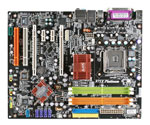 |
Core 2 Duo motherboards based off the P965 chipset have been getting a lot of the headlines lately, but in many situations the 975X chipset motherboards are still the better performers. You can now get CrossFire support with P965, but it comes with a slight to moderate performance penalty and the price advantage isn't particularly noteworthy. For non-gaming purposes and maximum FSB overclocking, going with the P965 chipset is certainly viable, but for overall versatility we prefer 975X motherboards. MSI's original 975X Core 2 Duo offering had some issues, but they have since released a "PowerUp edition" (also designated v.2) that has turned out to be a great motherboard, ranking right up with the best of the current 975X offerings. Unfortunately, the new revision bears the same model number as the old revision, so pay careful attention to the online vendors to make sure that you are getting the right motherboard. Most of the old models seem to be disappearing now, but a few extra minutes of caution certainly won't hurt.
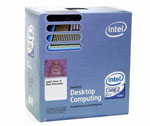 |
For the Core 2 Duo processor, there are a lot of reasonable choices. You can always purchase one of the lower clocked E6300/E6400 processors and then see how far you can overclock it, which will still usually result in CPU performance that's better than anything on the AMD side of the fence. We recommend that path more for the midrange sector, whereas for the baseline high-end Intel platform we have chosen to upgrade to the 4MB L2 cache of the E6600. That also gives you higher clock speeds than the E6400, and with some overclocking you should still be able to easily reach clock speeds above 3 GHz. That means you can get X6800 performance for one third the cost, although X6800 CPUs will
 |
typically overclock even further. Even without overclocking, though, the E6600 is no slouch and will put up performance numbers that are higher than the AMD FX-62 in the majority of benchmarks. For another $200, you could upgrade to the E6700, but we're content to stick with the E6600 as the basic high-end Intel CPU selection.
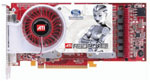
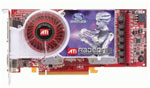
The choice of motherboard and chipset also dictates which multi-GPU configuration we can use, so while our baseline AMD system went with NVIDIA GeForce 7900 GTO cards, for the Intel platform we have switched over to ATI X1900 XT/CrossFire cards. Depending on which games you play, NVIDIA will be faster in some areas and ATI will be faster in others, at least when comparing the 7900 GTX with the X1900 XT. Overall, the X1900 CrossFire configuration will be faster than the baseline AMD graphics configuration, often by a reasonable margin. It does however cost $225 more, so ATI isn't the clearly better choice if money is a concern.
