
Speech Recognition - Ready for Prime Time?
- Posted in
- Smartphones
- Mobile
Processor Utilization - Rapid Speech
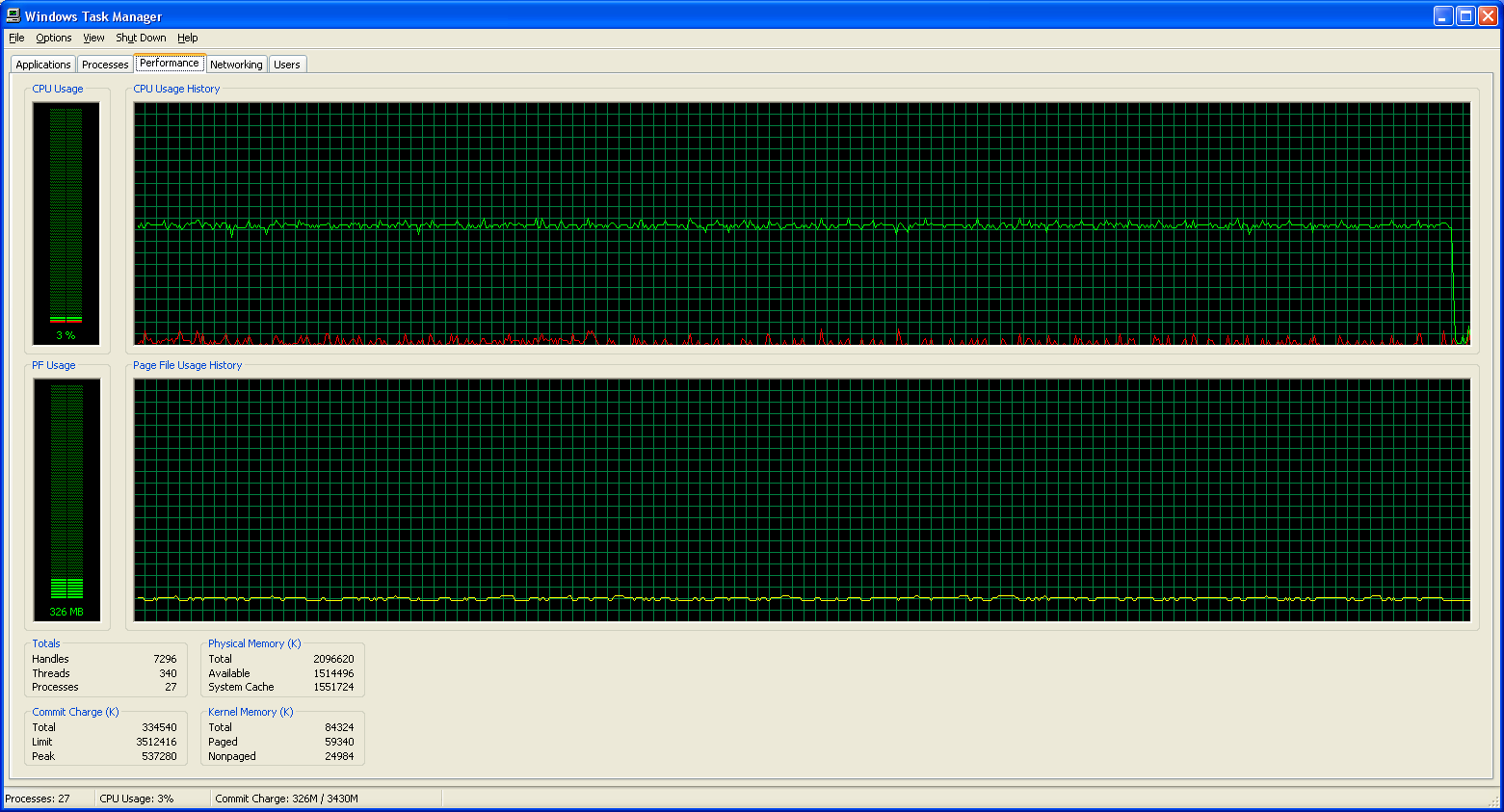
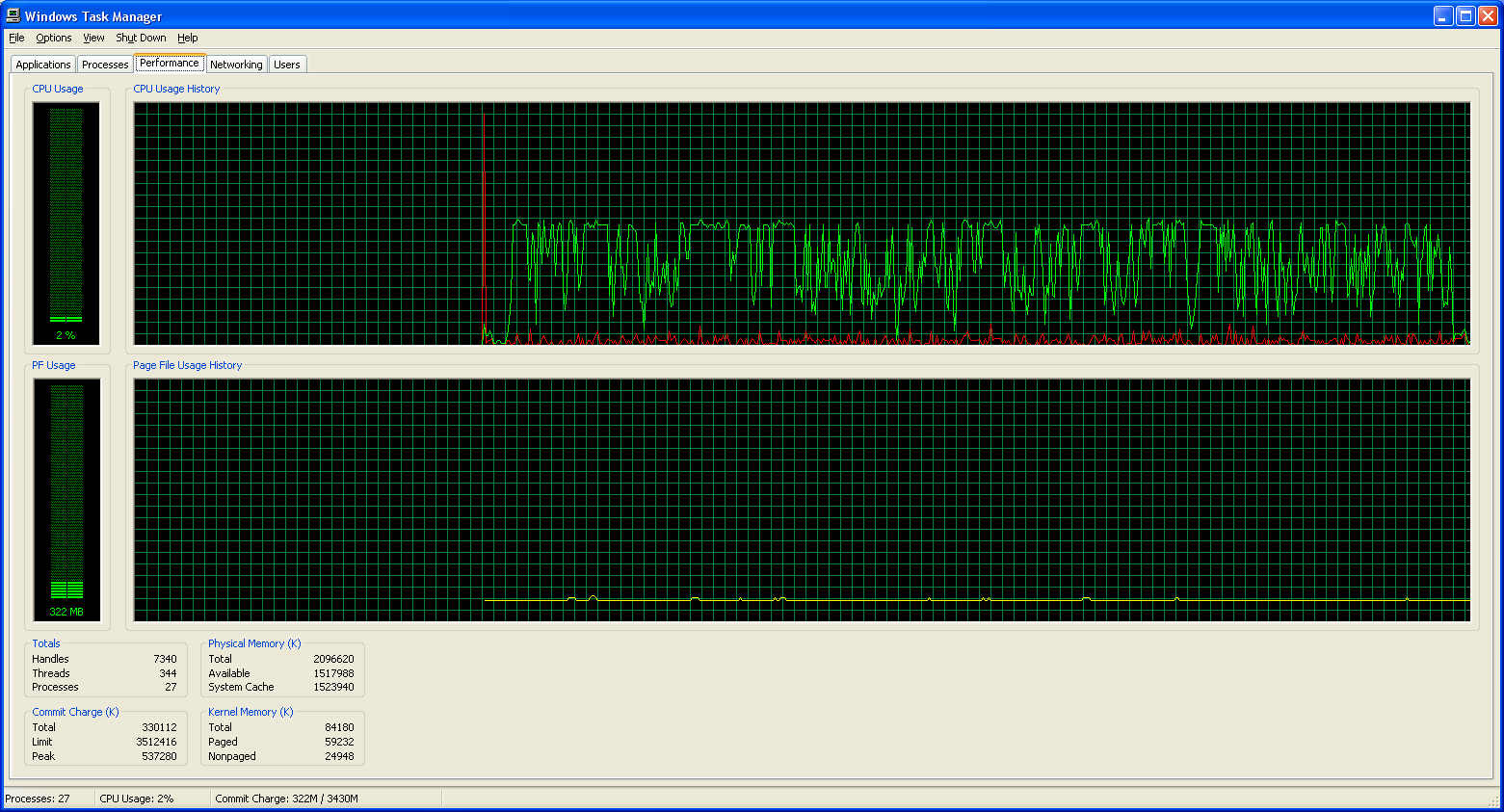
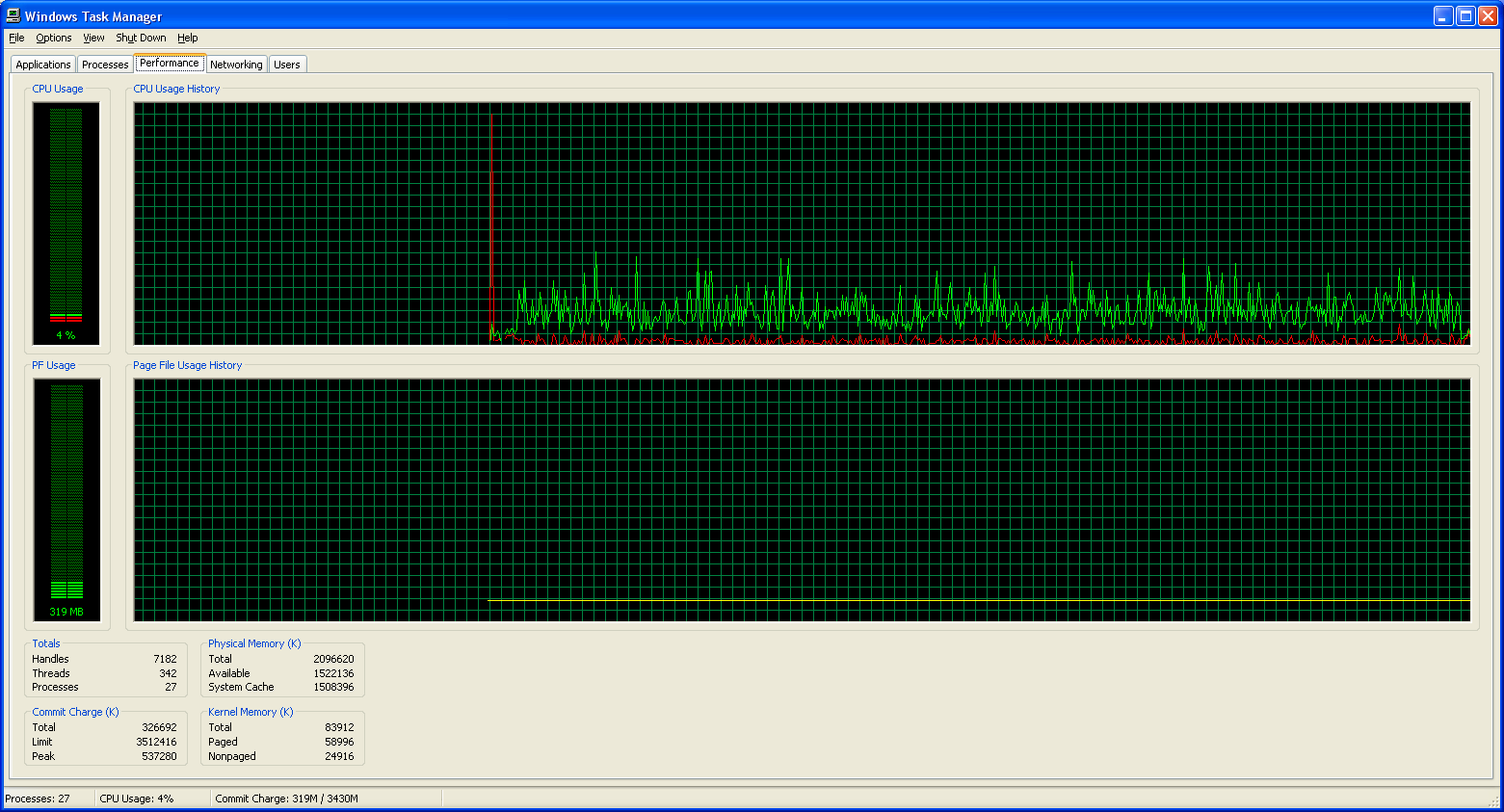
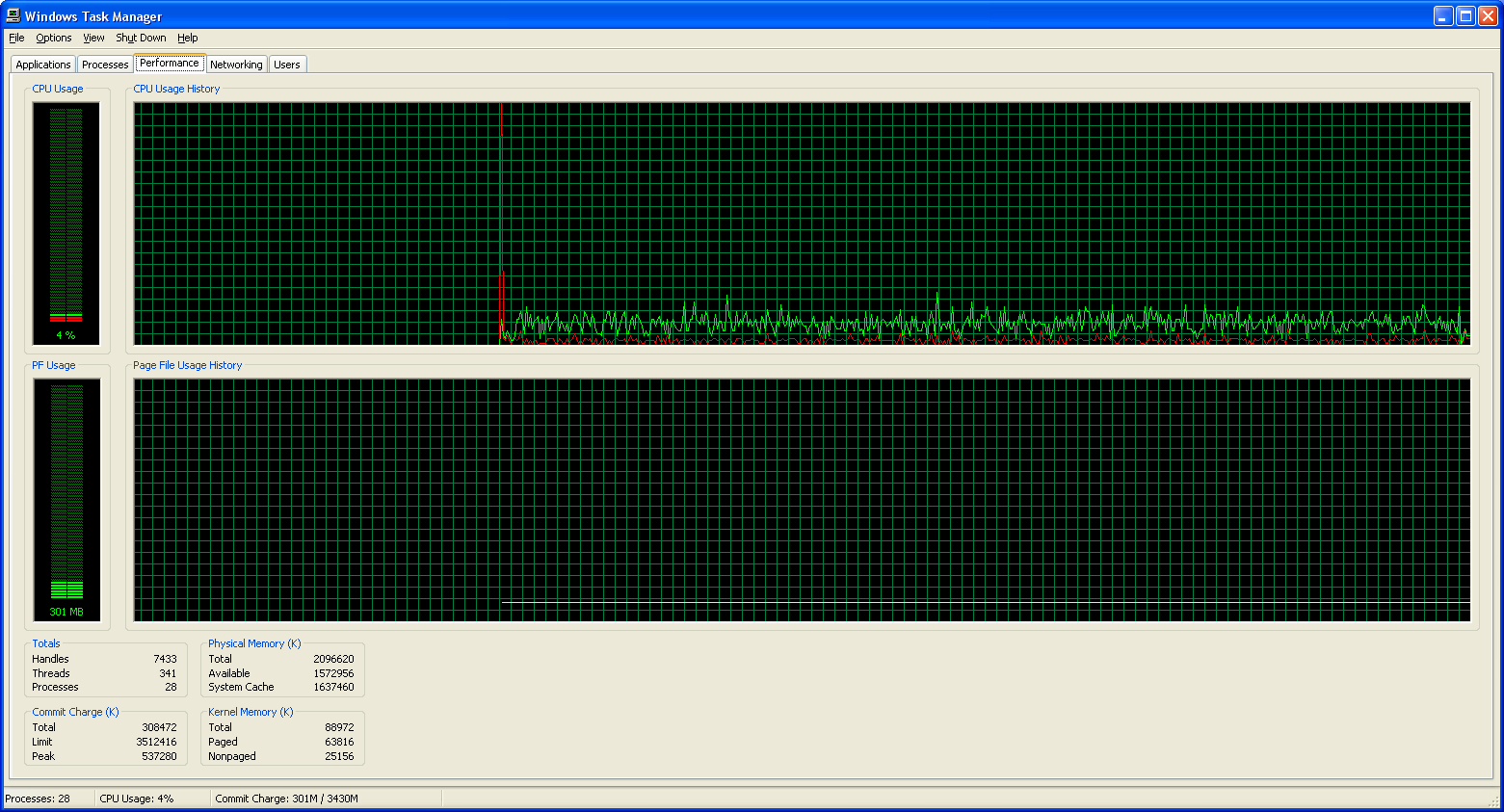
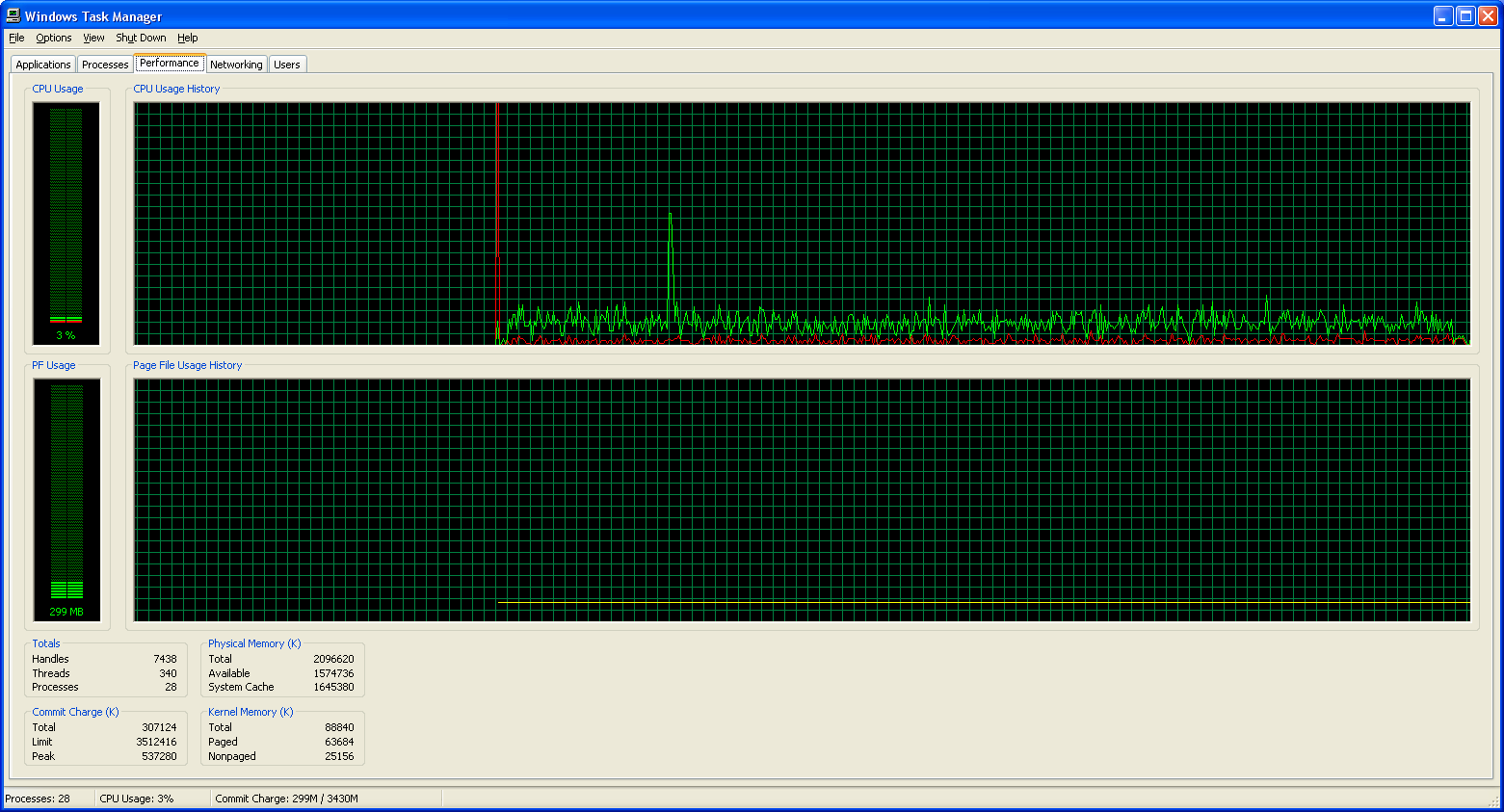
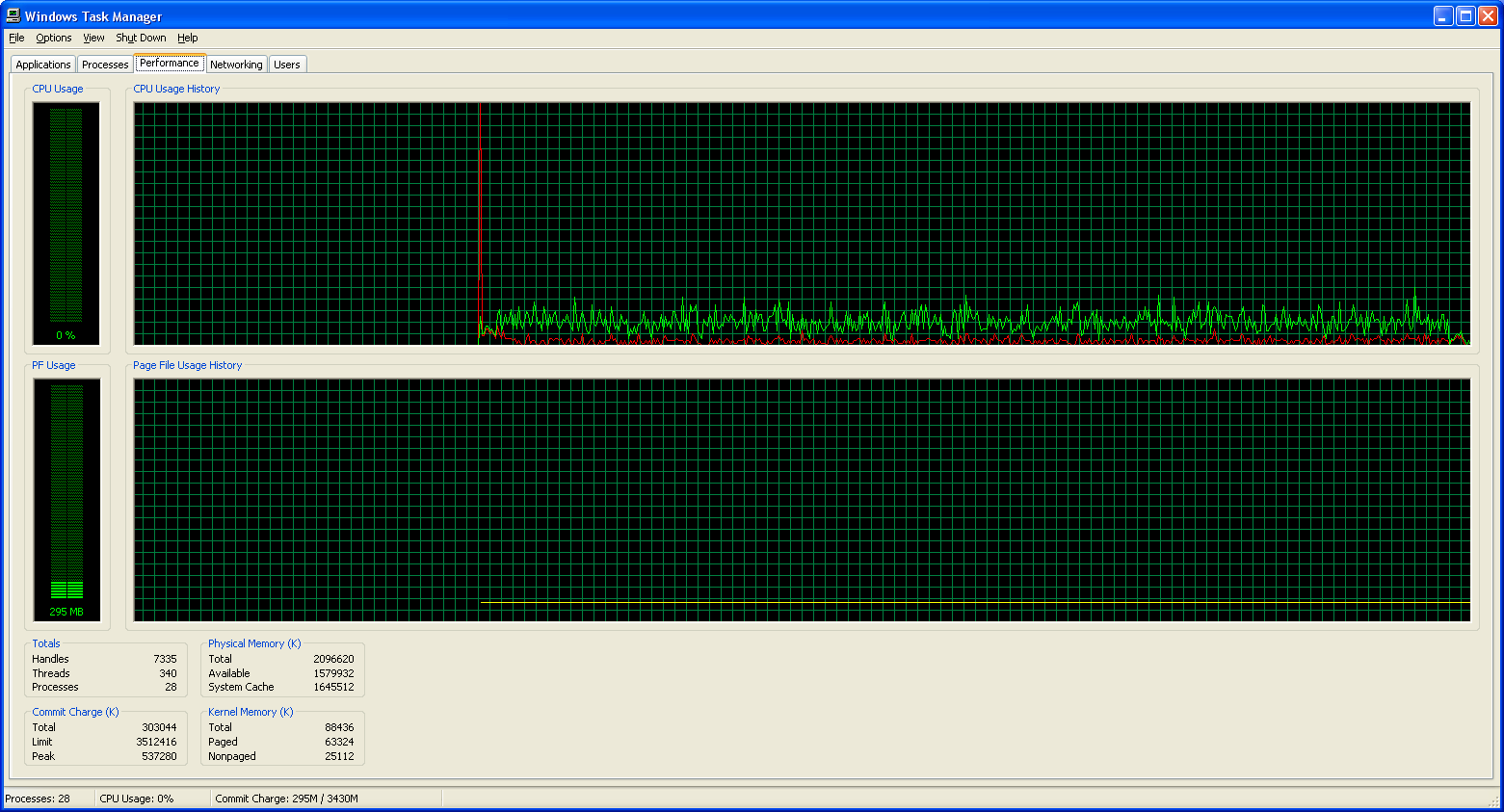
Accuracy was obviously far lower with the faster, more casual delivery. What happens with processor utilization?
Dictation Processor Utilization
Transcription Processor Utilization
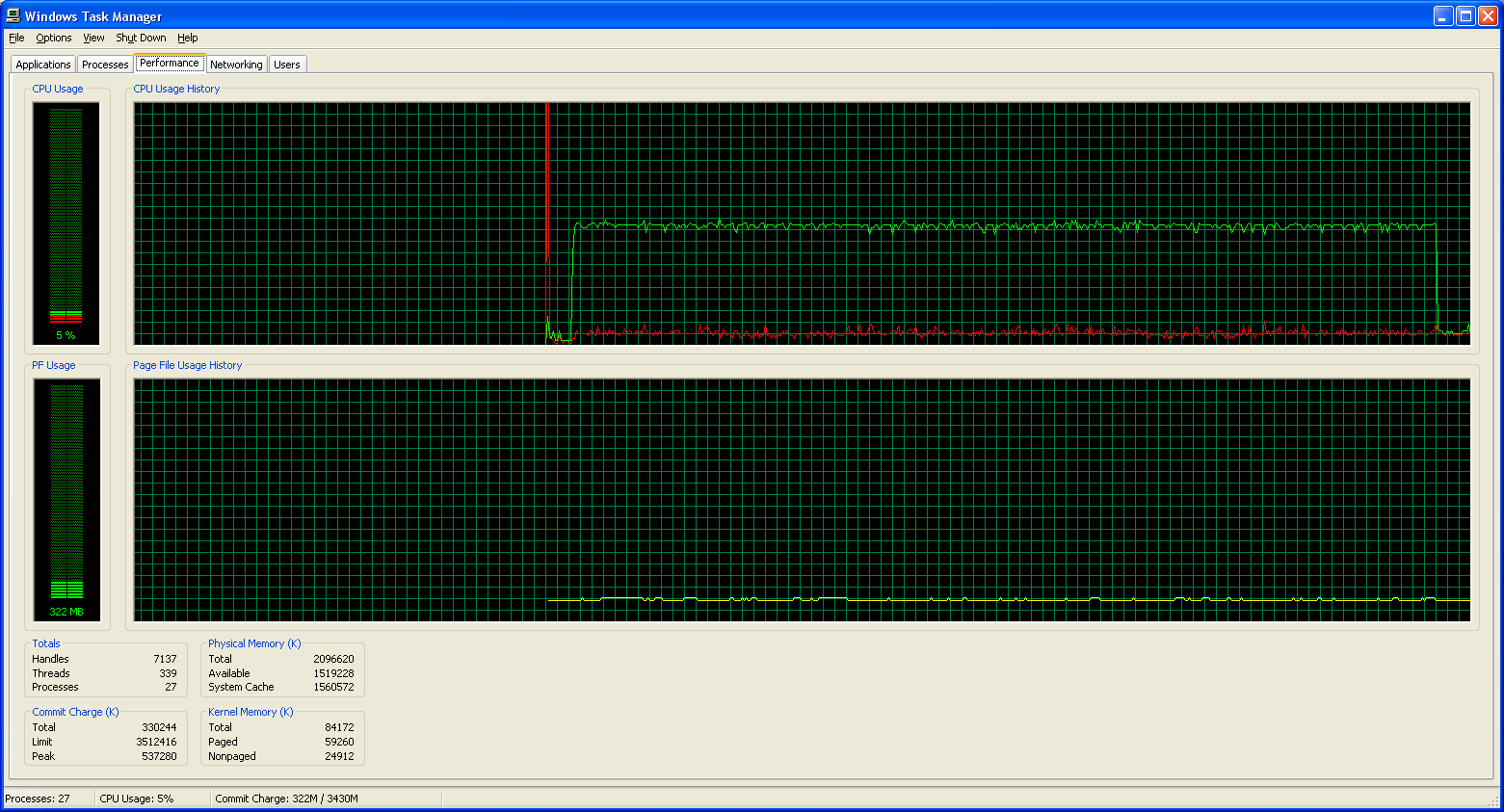
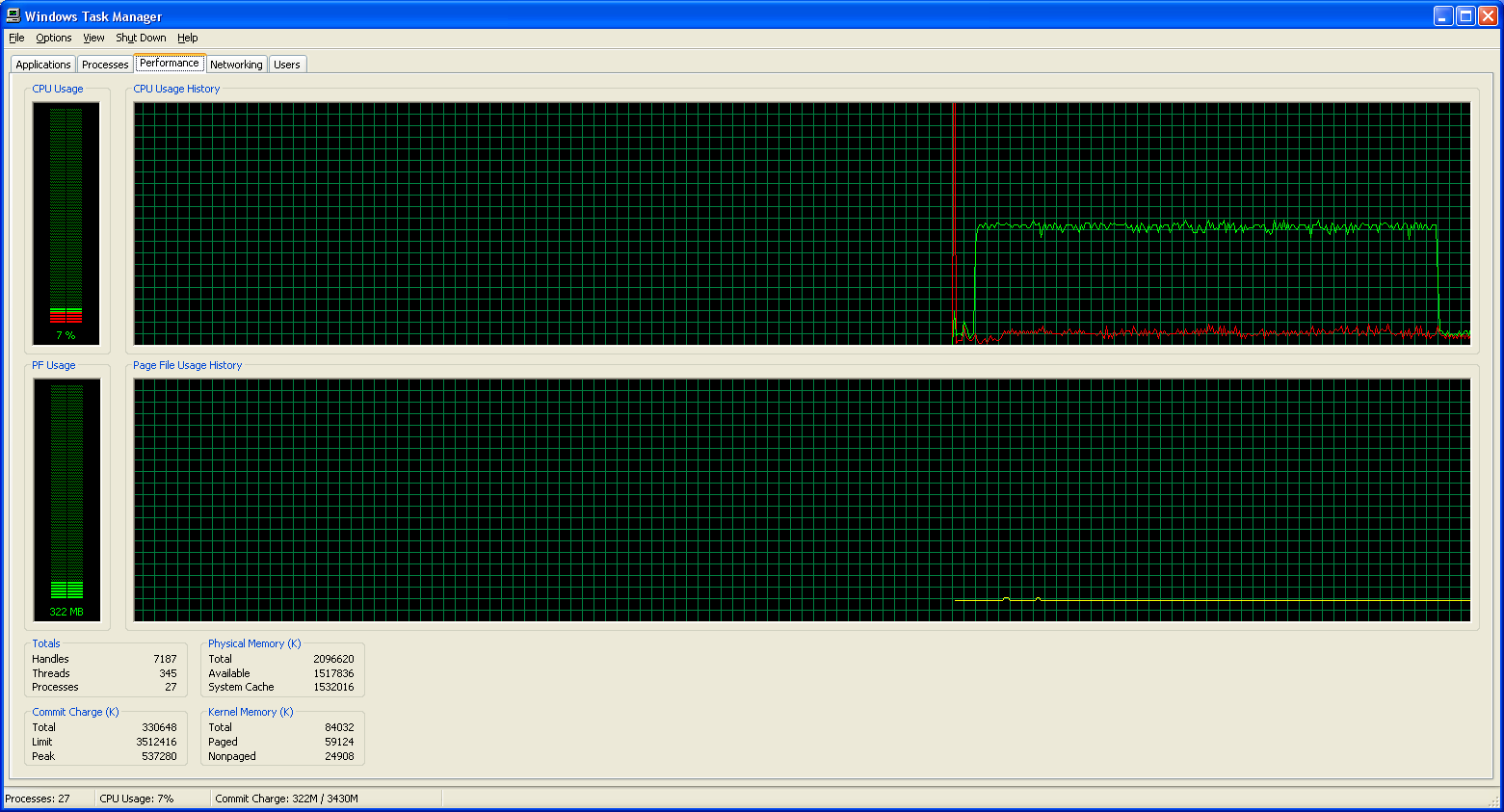
Processor requirements go way up with a faster speech delivery, at least with Dragon NaturallySpeaking. Perhaps it's my lack of enunciation when I'm speaking fast, but obviously you end up with not only lower accuracy, but also longer speech recognition times.
When you consider that our test system was able to keep up with our regular delivery when dictating (barely), the fact that it requires 15.7 minutes on maximum accuracy for an 8:11 length file shows how important "user training" really is. When dictating at 120 to 130 wpm, both software packages are able to keep up. At 146 wpm, maximum accuracy ends up processing only 77 words per minute. When you throw in the increased number of errors, rapid delivery is definitely not the preferred way to utilize either of these packages. If "Natural" means "Fast" to you, you might want to mentally rename DNS to Dragon "Enunciate-And-Speak-Slower" Speaking.
Transcribe mode is also slower, but it doesn't take nearly as big of a hit. Also interesting is that both the transcription mode and the dictation mode manage to max out processor usage with Dragon NaturallySpeaking but live dictation takes 2 to 5 times as much CPU time. Clearly, the full speech UI is putting a decent load on the CPU. That makes sense, as continually trying to determine whether the user has spoken a special command (i.e. trying to access the file menu) would create some overhead. Still, being two to three times slower seems a bit extreme. Of course, keep in mind that during normal writing, rarely can you speak at full speed for several minutes; normally, you'll take frequent pauses to think of exactly what you want to say next.
Accuracy was obviously far lower with the faster, more casual delivery. What happens with processor utilization?
Dictation Processor Utilization
 |
| DNS8 Maximum Accuracy |
 |
| DNS8 Medium Accuracy |
 |
| DNS8 Minimum Accuracy |
 |
| MSWord Maximum Accuracy |
 |
| MSWord Medium Accuracy |
 |
| MSWord Minimum Accuracy |
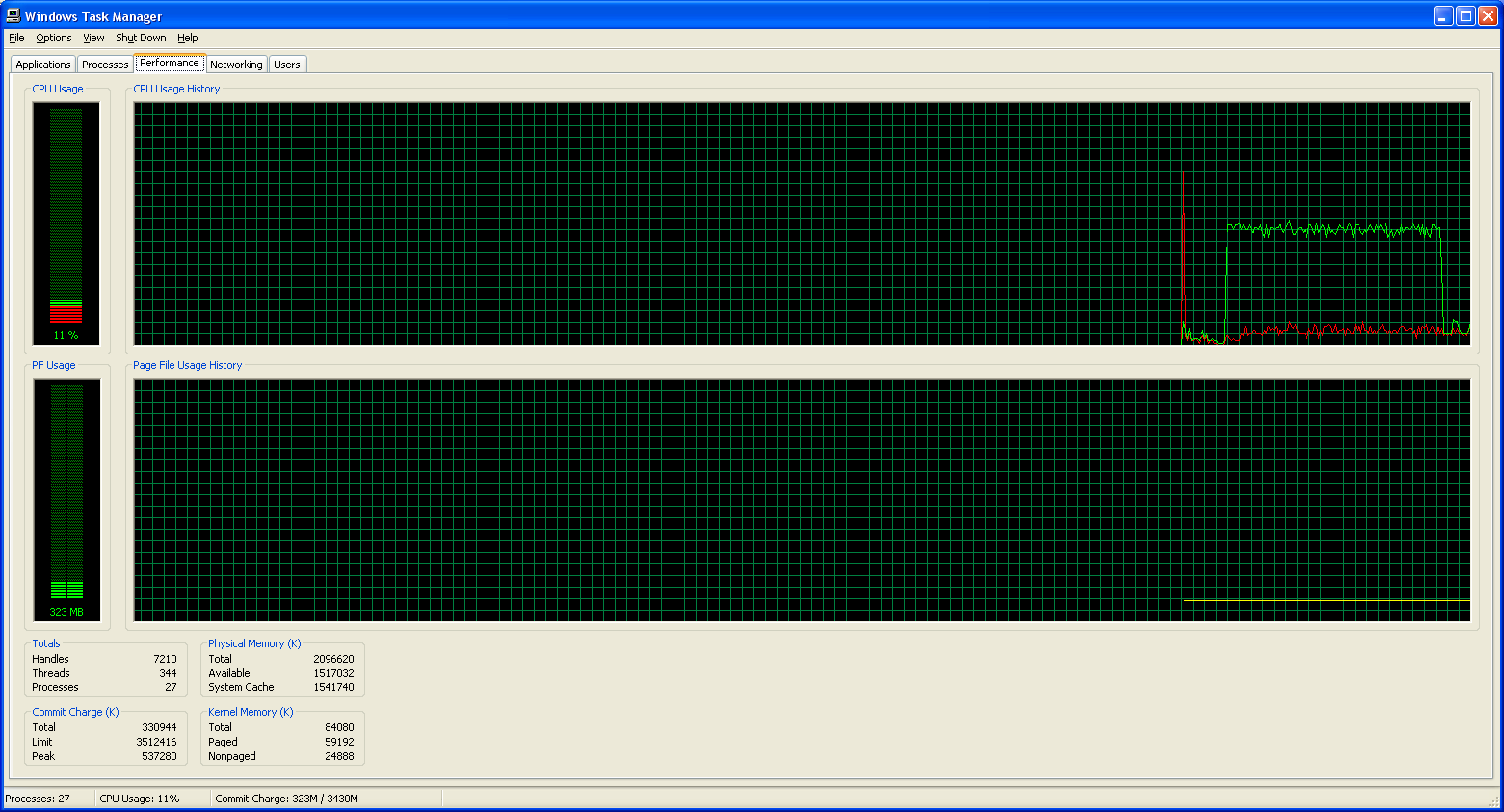
Transcription Processor Utilization
 |
| DNS8 Maximum Accuracy |
 |
| DNS8 Medium Accuracy |
 |
| DNS8 Minimum Accuracy |
Processor requirements go way up with a faster speech delivery, at least with Dragon NaturallySpeaking. Perhaps it's my lack of enunciation when I'm speaking fast, but obviously you end up with not only lower accuracy, but also longer speech recognition times.
When you consider that our test system was able to keep up with our regular delivery when dictating (barely), the fact that it requires 15.7 minutes on maximum accuracy for an 8:11 length file shows how important "user training" really is. When dictating at 120 to 130 wpm, both software packages are able to keep up. At 146 wpm, maximum accuracy ends up processing only 77 words per minute. When you throw in the increased number of errors, rapid delivery is definitely not the preferred way to utilize either of these packages. If "Natural" means "Fast" to you, you might want to mentally rename DNS to Dragon "Enunciate-And-Speak-Slower" Speaking.
Transcribe mode is also slower, but it doesn't take nearly as big of a hit. Also interesting is that both the transcription mode and the dictation mode manage to max out processor usage with Dragon NaturallySpeaking but live dictation takes 2 to 5 times as much CPU time. Clearly, the full speech UI is putting a decent load on the CPU. That makes sense, as continually trying to determine whether the user has spoken a special command (i.e. trying to access the file menu) would create some overhead. Still, being two to three times slower seems a bit extreme. Of course, keep in mind that during normal writing, rarely can you speak at full speed for several minutes; normally, you'll take frequent pauses to think of exactly what you want to say next.
Originally published at https://www.anandtech.com/show/1994 (Wayback Machine).