
Ricoh EncryptEase: CD-R Password Protection Made Easy
- Posted in
- Storage
EncryptEase Complete Software - Extracting Encrypted Files
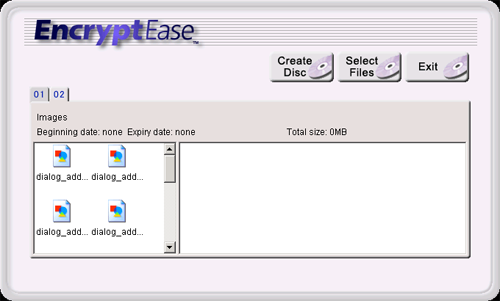
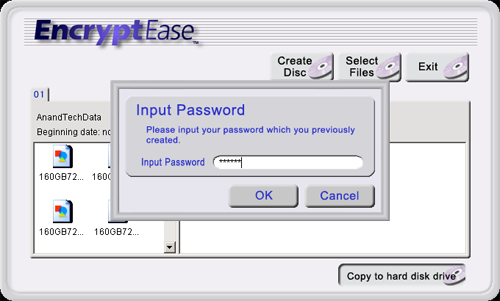
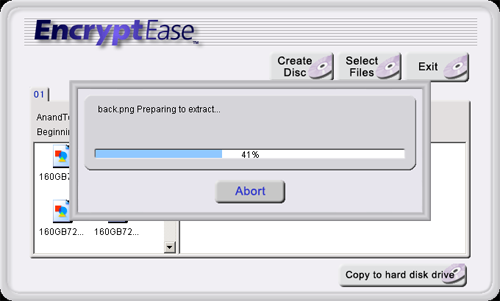
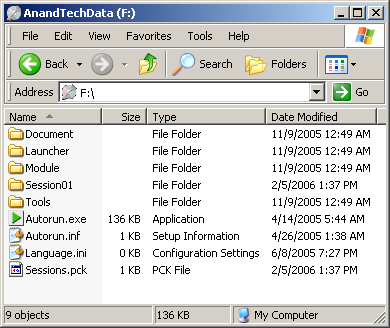
Copying encrypted files back to the hard disk drive is even more simple than encrypting and burning to the media. Once a prerecorded disc has been inserted into a drive, the EncryptEase software will list the files automatically and allow us to select and copy the files back to the hard drive.
Many of you will ask: is this encryption method crackable? We are hoping not, but too often, we have seen systems hacked and copy protection and encryption cracked to allow hackers to retrieve sensitive data. Since this is a new release, we may have some time before the system is broken, or we may never see the system broken at all. We will work with Ricoh to bring the latest in this type of news as data protection is a very critical business.
Copying encrypted files back to the hard disk drive is even more simple than encrypting and burning to the media. Once a prerecorded disc has been inserted into a drive, the EncryptEase software will list the files automatically and allow us to select and copy the files back to the hard drive.
Many of you will ask: is this encryption method crackable? We are hoping not, but too often, we have seen systems hacked and copy protection and encryption cracked to allow hackers to retrieve sensitive data. Since this is a new release, we may have some time before the system is broken, or we may never see the system broken at all. We will work with Ricoh to bring the latest in this type of news as data protection is a very critical business.
Originally published at https://www.anandtech.com/show/1940 (Wayback Machine).