Archive 1997–2024

Apple Makes the Switch: iMac G5 vs. iMac Core Duo

iSight and Front Row, Standard

The other major change with this generation of iMac is the integrated iSight camera and mic, located in the top side of the monitor bezel. I was actually very impressed by the image quality of the integrated 640 x 480 camera. Also to make sure that you don't get caught off guard, a green LED lights up when the camera is actually active and recording.
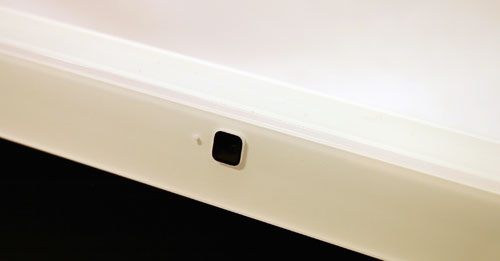

The iSight Camera
The integrated iSight makes video conferencing over IM through applications such as Apple's iChat AV extremely easy. Apple also ships the iSight equipped iMacs with an application called Photo Booth that does exactly what you'd expect it to do. It's a quick and easy way to take pictures of yourself, or whoever is in front of the camera, much like in a photo booth. You can then take those pictures and email them, save them, print them or set them as your buddy icon. It's a little gimmicky, but if you've ever had anyone ask you for a picture of yourself, it's a real quick way of getting it done.


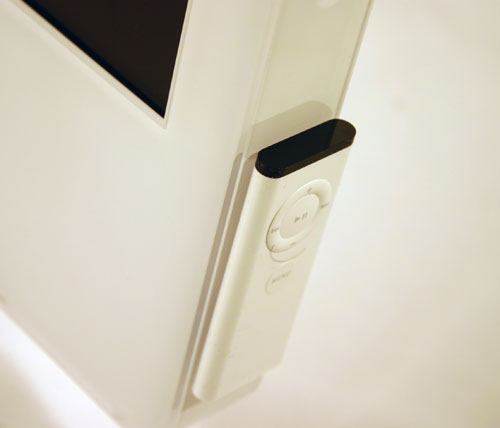
Apple's IR remote will magnetically mount to the lower right of the iMac.
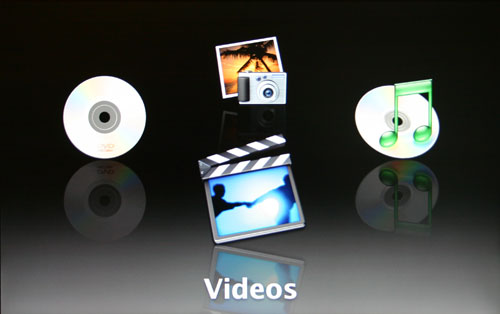
The other new piece of software that's shipping on these new Macs is Apple's Front Row. Front Row is Apple's first remote controlled 10-ft UI. The interface gives you quick access to your music, photos, videos and any DVD movie that you have inserted in the drive. It's a far cry from Microsoft's Media Center Edition, but at the same time, it doesn't really try to be another MCE. It seems more like a semi-serious attempt at introducing Mac users to the concept of a 10-ft UI on their computer, as well as offering a good way to quickly share entertainment content with those around you.


The main screen of Front Row

The interface is accessed and driven by the bundled IR remote; just hit menu to bring up the Front Row interface, and hit it again to hide it. The interface works fine and is very iPod-like; it generally accomplishes its goal of giving you access to all local content, as well as some content that is streamed off of the web.


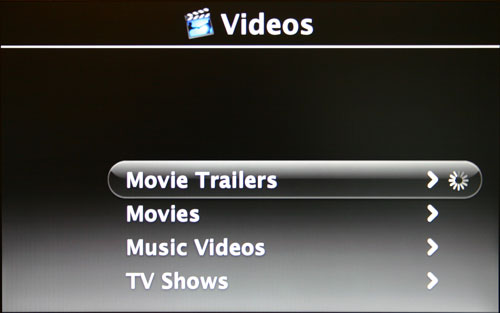
The Videos sub-menu

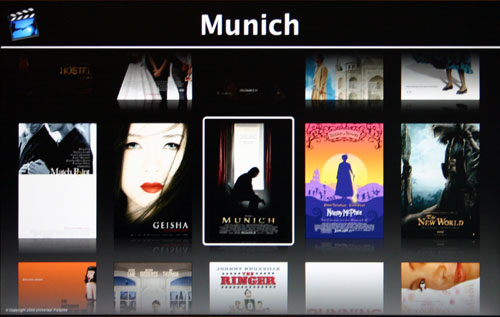
One thing that Apple has done very well is integrated Apple's Quicktime movie trailer library into Front Row. By going to the Videos option on the Front Row main menu, you can select Movie Trailers, which will give you a listing of some of the movie trailers available on www.apple.com/trailers/. The trailers appear to be all in SD format, which isn't too big of a problem, since you can't tell the difference between HD and SD from several feet away on a 17" iMac screen. The benefit to only offering SD content is that the file sizes are nice and small, making streaming fairly noneventful, although there were a number of times when I was greeted with "the movie trailer server is not responding" message. Luckily, in all of those cases, after a few seconds, the message went away and my trailer started playing immediately.


Movie Trailers available in Front Row

I was also fairly impressed with how quickly you were able to skip ahead in a trailer; rewinding and fast forwarding was quite seamless, almost CE-like, although it still had a slight lag to it which reminded you that you were still doing all of this on a computer.

The rest of the menus in Front Row were also just a little on the slow slide for me, definitely lacking the snappiness of Media Center Edition's UI. Despite the slowness, like the rest of the OS X interface, Front Row was very pleasant to use.

One thing that actually surprised me was how usable the interface was, even on a 17" screen from 6 or 7 feet away. The size of the icons and menu items made the experience quite pleasant, although if you get too far away you are going to need a bigger screen. The new iMacs do offer DVI/VGA/S-Video/Composite output, however you'll need an external dongle that isn't supplied with the system in order for that to work.

At the end of the day, I will say that Front Row did impress me a lot more than I expected it to. There are countless occaisions where I'm showing something on my computer to my wife, my family or friends, and it'd be a lot easier to do it, especially when there are a lot of people, from several feet away and with a remote - Front Row accomplishes just that. There is no doubt that Apple will eventually have to look at doing something a little more Media Center-like, but it'll take a lot more than Front Row for that to happen. My guess would be that it would make a lot of sense for Apple to enter the Media Center market around the time that ATI begins shipping their OCUR device.

Originally published at https://www.anandtech.com/show/1936 (Wayback Machine).