
Intel's Core Duo Launch - Notebook Performance Revealed
- Posted in
- Laptops
Lenovo T60 - The Tangible Intangibles
The construction of the T60 is top notch, as is the case with all Thinkpads. The screen latches onto the rest of the notebook at two points, but the latch is operated by a single lever at the front of the notebook.
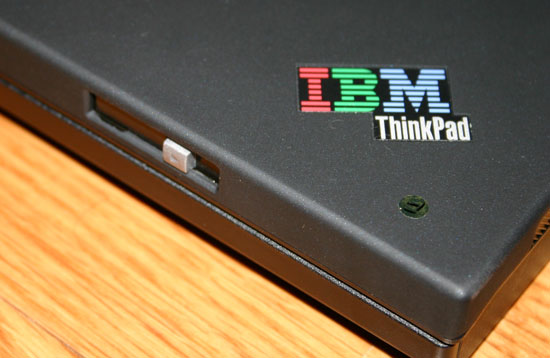
At around 5lbs, the T60 isn’t an ultraportable but it is light enough to carry around while offering the screen real estate to get some serious work done. While the X series is better suited for the constant traveler, the T series is good for the user that needs to get more of a desktop experience while sacrificing a bit of mobility.
On the right side of the notebook you’ve got the Thinkpad UltraBay, which on our sample was outfitted with a DVD-ROM/CD-RW drive. You can replace the DVD drive with an extra battery that will supposedly bring the T60 up to a full 9 hours of battery life. Given what we’ve seen with the standard 6-cell battery, a second battery should have no problems almost doubling the battery life you get out of the box. We’d like to put that claim to the test, but once again we’ll have to wait for final hardware.
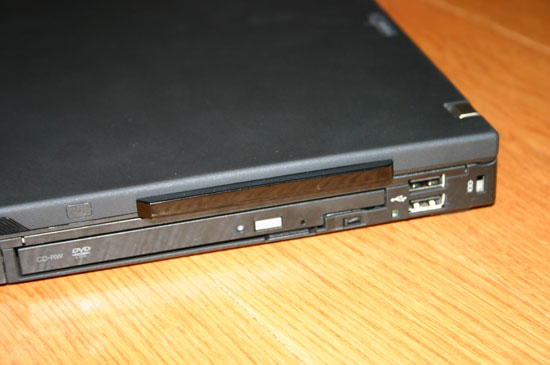
Next to the UltraBay there are two USB 2.0 ports stacked on top of one another.
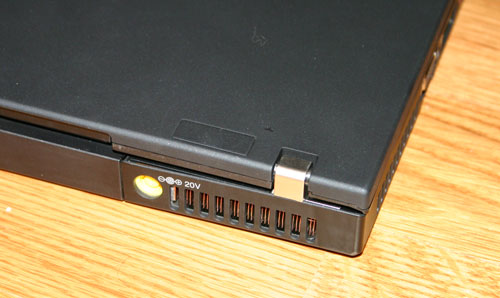
On the back of the notebook there is the power connector for the AC adapter as well as vents to draw in cool air for the CPU’s heatsink.
The front of the notebook has an IR port as well as a button to manually disable the wireless adapter. Having the latter is always useful from a battery conservation standpoint, as well as being simply more convenient than trying to disable the wireless adapter in software.
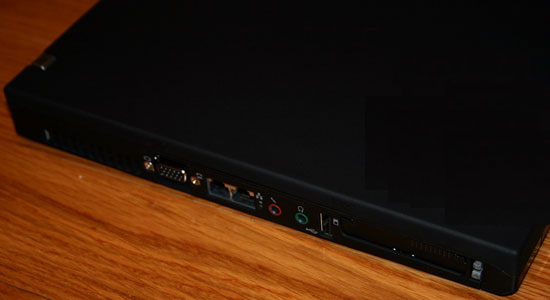
On the left side of the notebook we’ve got some more vents for the CPU’s heatsink/fan, a VGA output, both phone and Ethernet jacks, mic-in and headphone-out, a vertical USB 2.0 port, Express Card slot and a legacy PC Card slot.
The T60 we reviewed was outfitted with a 14.1” SXGA+ screen with a native resolution of 1400 x 1050. The resolution and screen size are well matched for one another and was quite comfortable to work with, even for long periods of time.
The screen itself features a decent backlight and doesn’t use any high-contrast coating. The maximum setting on the backlight however isn’t the brightest we’ve seen, we would characterize it as about average for a screen of this size. The panel is sufficient for the needs of the T60 but it is by no means stellar.
As a Centrino Duo notebook, the T60 we reviewed relied on the integrated Intel graphics to drive the panel. Intel’s integrated graphics, as you can guess, work just fine for normal day to day tasks but don’t plan on getting any sort of real gaming done on this notebook.
Originally published at https://www.anandtech.com/show/1915 (Wayback Machine).