
HTPC - TV Tuner Reviews
- Posted in
- Smartphones
- Mobile
MyHD MDP-130
The Macro Image Technology (MIT) MyHD MDP-130 has a lot in common with the Fusion5 Gold. It, too, allows the viewing of QAM encoded channels as well as analog TV and OTA DTV broadcasts. You might be interested to know that both the Fusion5 and MyHD originate in Korea, apparently because Korea is one of the few countries that uses similar television standards to the US. Many of the bugs with the Fusion5 - and even MyHD - stem from the fact that Korea has far more strict standards in place for digital TV signals, so there aren't as many special cases that need to be programmed into the software. Besides the features and country of origin, there are quite a few other differences in the cards. Here's a shot of the card before we continue.
The major difference between the Fusion and the MyHD is that where the Fusion5 (and many other TV tuners) are predominantly software products for decoding, the MyHD features hardware-based decoding. The benefit of hardware decoding is that processor speed requirements are very reasonable - in fact, a second-hand PC is probably sufficient. The minimum system requirements list a Pentium II 400 MHz with 64MB of RAM. We didn't test in anything anywhere near that outdated, but we can say that CPU usage with our Sempron system remained very low. Even with the overlay window stretched to fill the 1280x720 output (which requires more processing power), CPU usage is well below 20% when watching digital channels. Analog channels are a different story, which we'll get to in a moment.
Like all the other cards in this article, a remote is included with the MyHD along with a USB receiver. The MyHD is the smallest of the remotes, and it also omits many of the extra buttons that are present on the other remotes. Personally, the lack of a "PC Power" button is appreciated. If you want the PC to enter sleep mode or shut down, you can set that as a configuration option, and that's the best way to approach this feature. The only button that I never found useful is the "subchannel" button. If you disable the virtual channel mode, it allows you to switch between sub-channels. I preferred the virtual channel mode.
Switching to "HD mode" - either by pressing the "HD" button on the remote or by double-clicking the video window - bypasses the graphics card output and uses the output of the MyHD card instead. The software allows you to configure the resolution and type of display used, with most standard resolutions available. (You can find the complete list of supported resolutions at Digital Connections - the specs listed there are actually more accurate than the specs on the MIT site, in case you were wondering.)
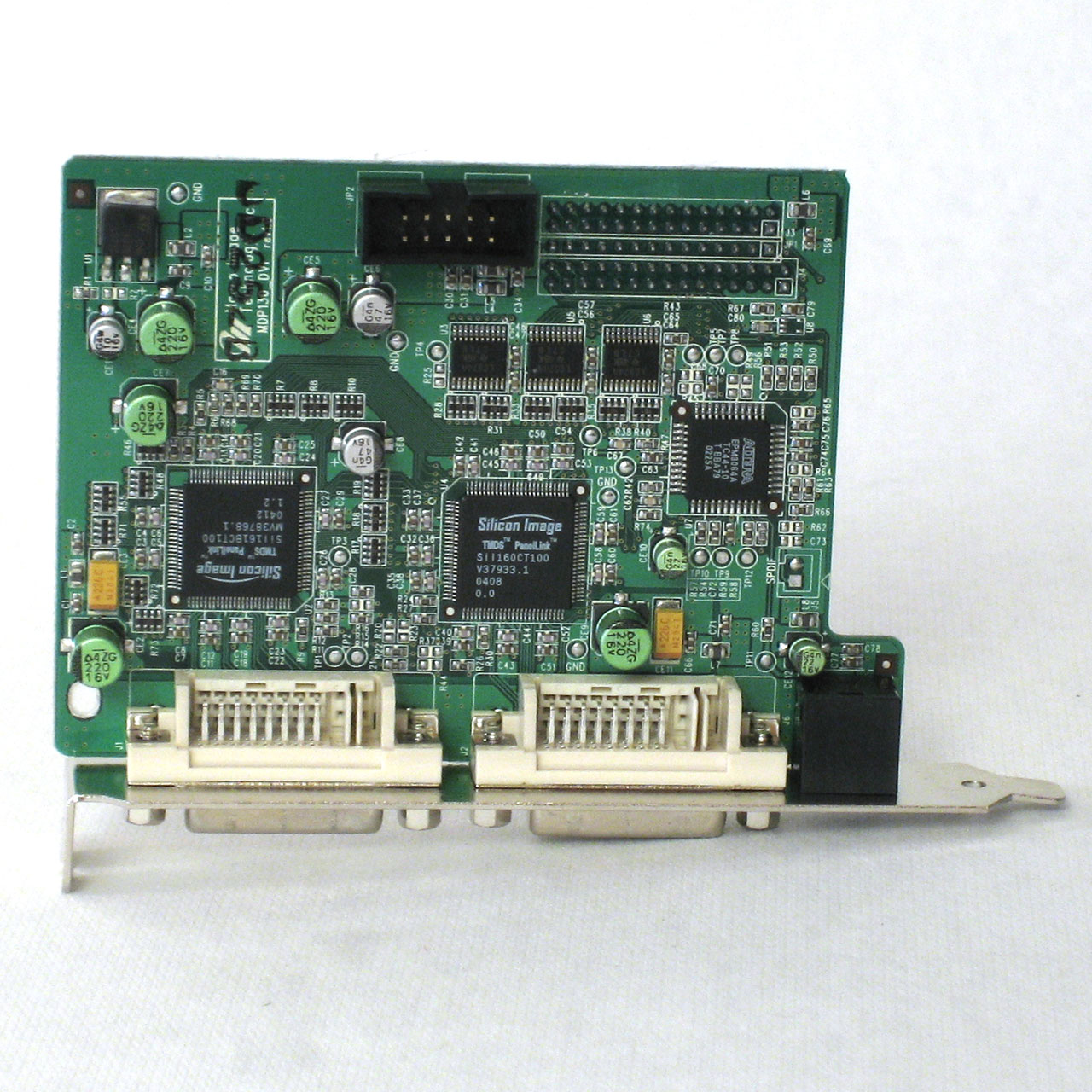
The problem with the HD mode is that it only works properly with a VGA display or component connections (a separate VGA-to-component cable is required, but you can get it packaged with the card at many places), but not with a DVI output. If you want to use a DVI port, the solution is to get the additional DVI daughtercard pictured above, the MDP-130DVI. We'd prefer to get everything in one package, and a single slot solution would be nice. However, finding room for both VGA and DVI outputs along with the coaxial connections is almost impossible. A breakout box could suffice, but that would increase costs for all users rather than only those who want to use a DVI port.
We tested with both the DVI card as well as the VGA connection going to a PC monitor. For the VGA connection, any standard PC monitor can be used. For someone in a small apartment or college dorm, that might be sufficient, but watching TV on a computer display generally isn't as pleasing as using a larger TV. You can also use the MyHD in dual-display mode, with a standard monitor and either the DVI, VGA, or VGA-to-component cable to connect to a secondary display. If you have a PC near your HDTV, you can even have MyHD showing and/or recording a broadcast while the PC is used for other tasks without difficulty.
The Macro Image Technology (MIT) MyHD MDP-130 has a lot in common with the Fusion5 Gold. It, too, allows the viewing of QAM encoded channels as well as analog TV and OTA DTV broadcasts. You might be interested to know that both the Fusion5 and MyHD originate in Korea, apparently because Korea is one of the few countries that uses similar television standards to the US. Many of the bugs with the Fusion5 - and even MyHD - stem from the fact that Korea has far more strict standards in place for digital TV signals, so there aren't as many special cases that need to be programmed into the software. Besides the features and country of origin, there are quite a few other differences in the cards. Here's a shot of the card before we continue.
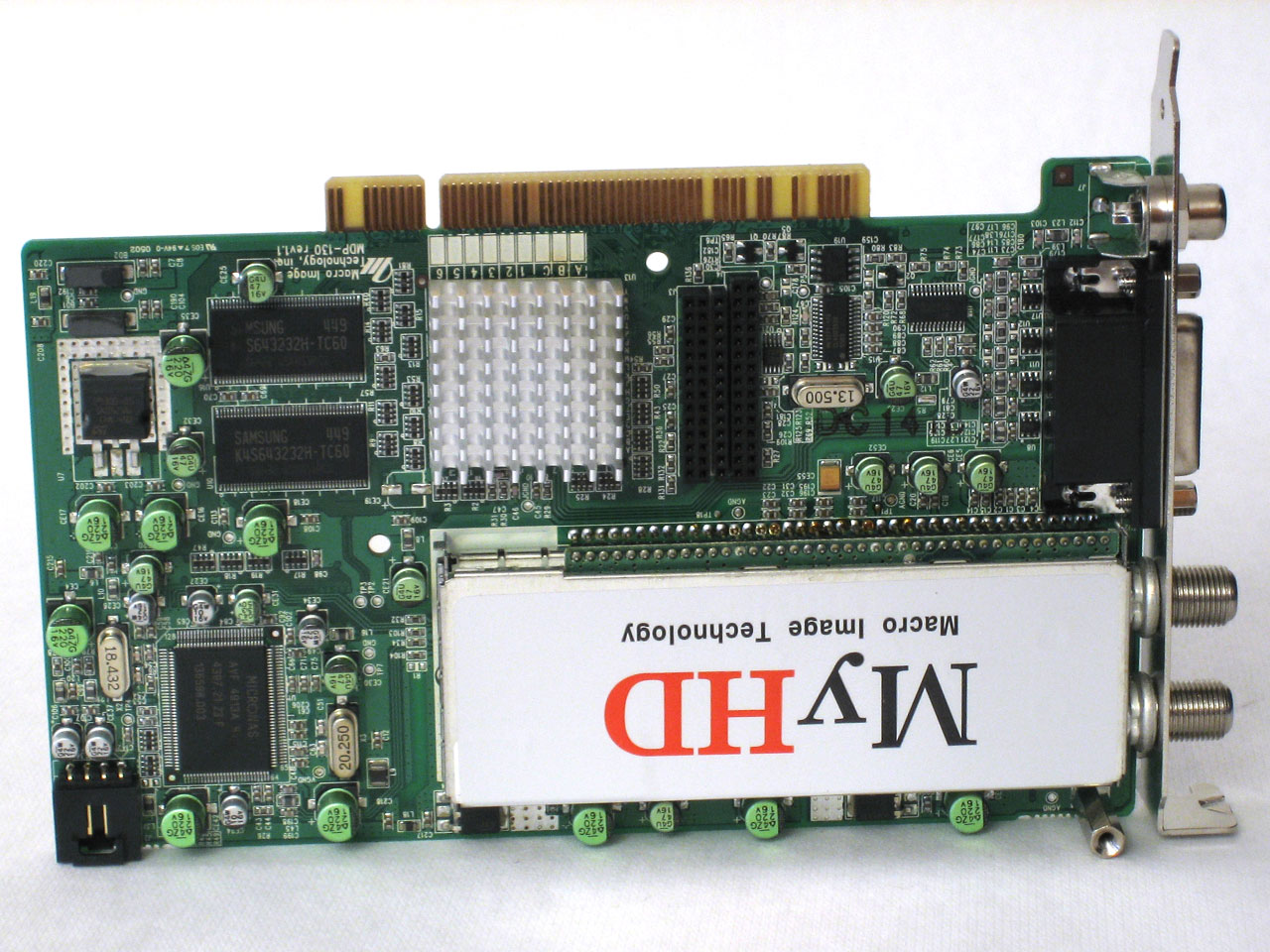
Click to enlarge.
The major difference between the Fusion and the MyHD is that where the Fusion5 (and many other TV tuners) are predominantly software products for decoding, the MyHD features hardware-based decoding. The benefit of hardware decoding is that processor speed requirements are very reasonable - in fact, a second-hand PC is probably sufficient. The minimum system requirements list a Pentium II 400 MHz with 64MB of RAM. We didn't test in anything anywhere near that outdated, but we can say that CPU usage with our Sempron system remained very low. Even with the overlay window stretched to fill the 1280x720 output (which requires more processing power), CPU usage is well below 20% when watching digital channels. Analog channels are a different story, which we'll get to in a moment.
 |
 |
| Click to enlarge. | |
Like all the other cards in this article, a remote is included with the MyHD along with a USB receiver. The MyHD is the smallest of the remotes, and it also omits many of the extra buttons that are present on the other remotes. Personally, the lack of a "PC Power" button is appreciated. If you want the PC to enter sleep mode or shut down, you can set that as a configuration option, and that's the best way to approach this feature. The only button that I never found useful is the "subchannel" button. If you disable the virtual channel mode, it allows you to switch between sub-channels. I preferred the virtual channel mode.

Click to enlarge.
Switching to "HD mode" - either by pressing the "HD" button on the remote or by double-clicking the video window - bypasses the graphics card output and uses the output of the MyHD card instead. The software allows you to configure the resolution and type of display used, with most standard resolutions available. (You can find the complete list of supported resolutions at Digital Connections - the specs listed there are actually more accurate than the specs on the MIT site, in case you were wondering.)
 |
 |
| Click to enlarge. | |
The problem with the HD mode is that it only works properly with a VGA display or component connections (a separate VGA-to-component cable is required, but you can get it packaged with the card at many places), but not with a DVI output. If you want to use a DVI port, the solution is to get the additional DVI daughtercard pictured above, the MDP-130DVI. We'd prefer to get everything in one package, and a single slot solution would be nice. However, finding room for both VGA and DVI outputs along with the coaxial connections is almost impossible. A breakout box could suffice, but that would increase costs for all users rather than only those who want to use a DVI port.

Click to enlarge.

Click to enlarge.
We tested with both the DVI card as well as the VGA connection going to a PC monitor. For the VGA connection, any standard PC monitor can be used. For someone in a small apartment or college dorm, that might be sufficient, but watching TV on a computer display generally isn't as pleasing as using a larger TV. You can also use the MyHD in dual-display mode, with a standard monitor and either the DVI, VGA, or VGA-to-component cable to connect to a secondary display. If you have a PC near your HDTV, you can even have MyHD showing and/or recording a broadcast while the PC is used for other tasks without difficulty.
Originally published at https://www.anandtech.com/show/1887/htpc-ndash-tv-tuner-reviews (Wayback Machine).