
HTPC - TV Tuner Reviews
- Posted in
- Smartphones
- Mobile
DVICO Fusion5 Gold
The Fusion5 Gold is the top-end product from DVICO. Having never used any of their other cards, we can't really say how it compares to previous models. We started with the latest software version at the time of testing, FusionHDTV version 3.11. As Murphy would have expected, a new beta version 3.19.05 is now available, so we've retested the card. (Don't worry about the software being "beta" as opposed to an official release; version 3.11 and all the preceding versions are just as "beta" in our opinion.) Updated software has been made available on a pretty regular basis (every month or two), and we would venture to say that earlier versions of the software had quite a few bugs. (Forum posts around the web will quickly show this to be the case.) 3.11 definitely has some problems, but 3.19 seems to have finally addressed the majority of our concerns.
The smaller design does have some drawbacks, unfortunately. For one, the card only has a single antenna input, with an S-VIDEO port that can also be used with a Composite dongle. The card also depends on software to do a portion of the work, helped by a Connexant CX23882 chip as well as additional chips inside the LG "tuner box". The decoding of the digital channels is done in software, but FusionHDTV supports DxVA graphics cards, which can be used to offload a decent amount of the work with most recent ATI and NVIDIA chips.
Besides the card, there are a couple of other pieces of hardware. A remote is included, along with a USB receiver with which the remote communicates. While the remote is fully functional, we can't say that it's very elegant. This is the largest remote of any of the products, and it's also the ugliest remote. If that matters to you, look elsewhere, but we really can't say that it's a deal breaker. You'll also want to be careful not to press the wrong power button (the one in the lower left corner of the remote), as you can accidentally shut down/suspend the PC rather than just turning off the software interface.
There is a Fusion5 Lite card available, with the primary difference being support for additional encoding options with the Gold version and some additional software. You can see the comparison sheet at the bottom of the DVICO specifications page. The Lite model also omits the remote, which adds another $20-$40 if purchased separately. For the extra $30, it's probably worthwhile to simply go with the Gold card, unless you're sure that you don't want the extras. The remote isn't technically necessary, especially if you have a wireless mouse with a decent reception range.
The Fusion5 Gold is the top-end product from DVICO. Having never used any of their other cards, we can't really say how it compares to previous models. We started with the latest software version at the time of testing, FusionHDTV version 3.11. As Murphy would have expected, a new beta version 3.19.05 is now available, so we've retested the card. (Don't worry about the software being "beta" as opposed to an official release; version 3.11 and all the preceding versions are just as "beta" in our opinion.) Updated software has been made available on a pretty regular basis (every month or two), and we would venture to say that earlier versions of the software had quite a few bugs. (Forum posts around the web will quickly show this to be the case.) 3.11 definitely has some problems, but 3.19 seems to have finally addressed the majority of our concerns.
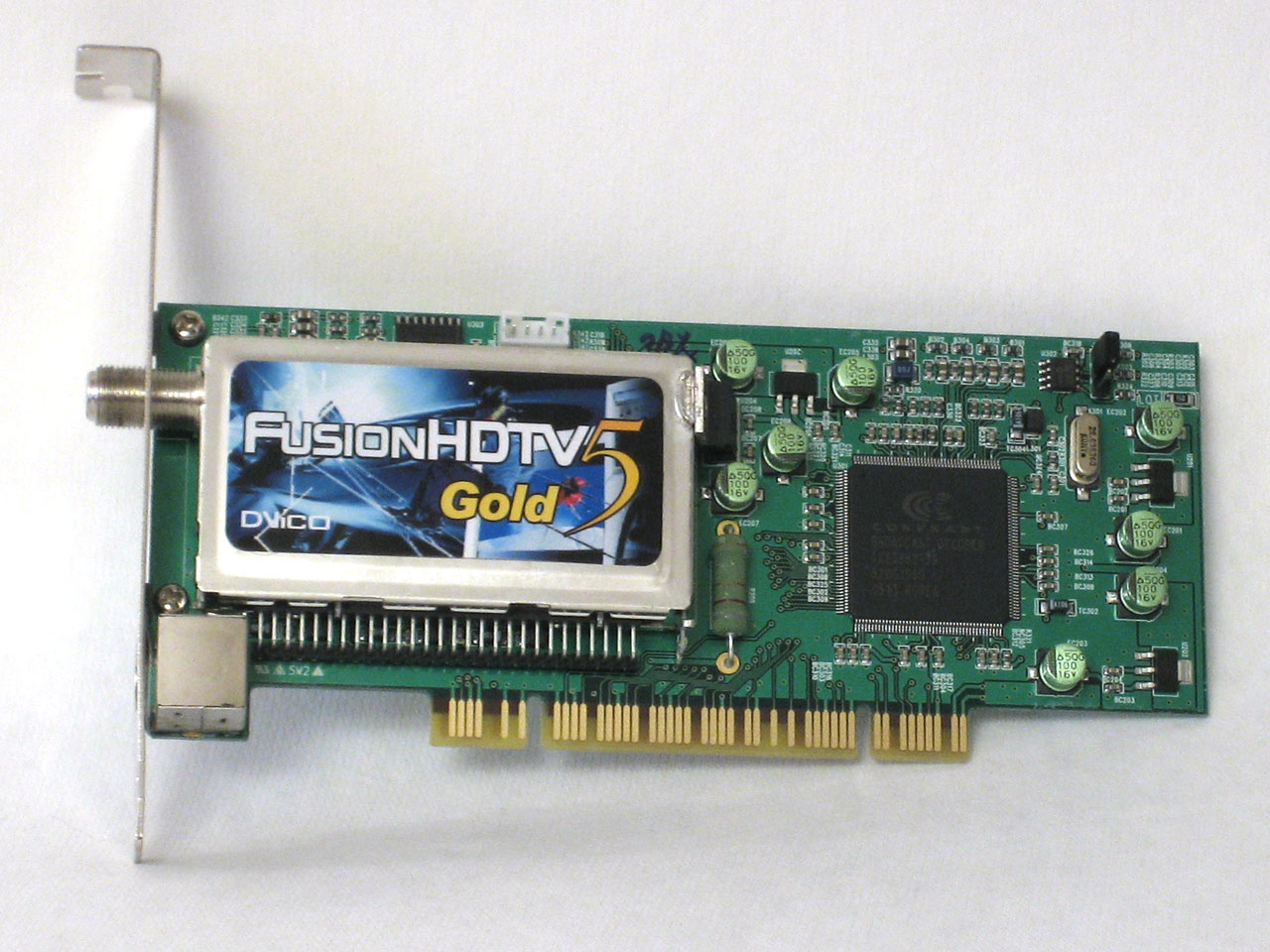
Click to enlarge.
The smaller design does have some drawbacks, unfortunately. For one, the card only has a single antenna input, with an S-VIDEO port that can also be used with a Composite dongle. The card also depends on software to do a portion of the work, helped by a Connexant CX23882 chip as well as additional chips inside the LG "tuner box". The decoding of the digital channels is done in software, but FusionHDTV supports DxVA graphics cards, which can be used to offload a decent amount of the work with most recent ATI and NVIDIA chips.
 |
 |
| Click to enlarge. | |
Besides the card, there are a couple of other pieces of hardware. A remote is included, along with a USB receiver with which the remote communicates. While the remote is fully functional, we can't say that it's very elegant. This is the largest remote of any of the products, and it's also the ugliest remote. If that matters to you, look elsewhere, but we really can't say that it's a deal breaker. You'll also want to be careful not to press the wrong power button (the one in the lower left corner of the remote), as you can accidentally shut down/suspend the PC rather than just turning off the software interface.
There is a Fusion5 Lite card available, with the primary difference being support for additional encoding options with the Gold version and some additional software. You can see the comparison sheet at the bottom of the DVICO specifications page. The Lite model also omits the remote, which adds another $20-$40 if purchased separately. For the extra $30, it's probably worthwhile to simply go with the Gold card, unless you're sure that you don't want the extras. The remote isn't technically necessary, especially if you have a wireless mouse with a decent reception range.
Originally published at https://www.anandtech.com/show/1887/htpc-ndash-tv-tuner-reviews (Wayback Machine).