
$600 Notebook Roundup - Crowning the Affordability King
- Posted in
- Laptops
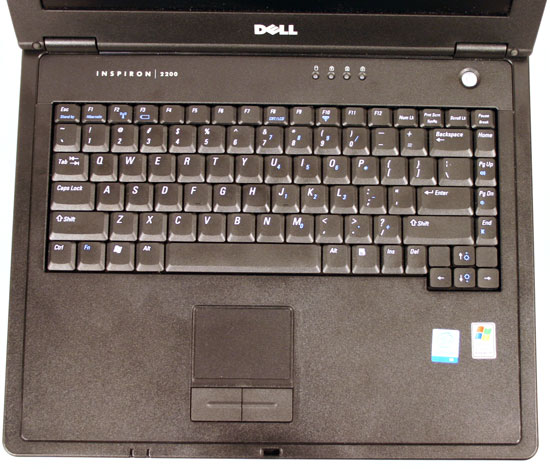
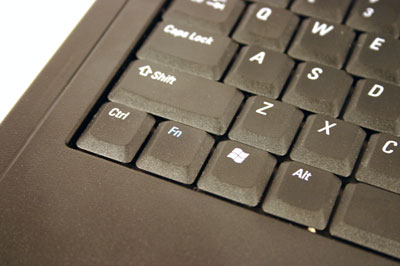
Dell's keyboard is a bit more cramped than the competition. You have about an inch less horizontal space on the Inspiron's keyboard than on the Gateway or Compaq keyboards, which can lead to more typing mistakes. For us, it wasn't too hard getting used to it, but we did feel slightly cramped typing on it and preferred the larger Compaq/Gateway keyboards.
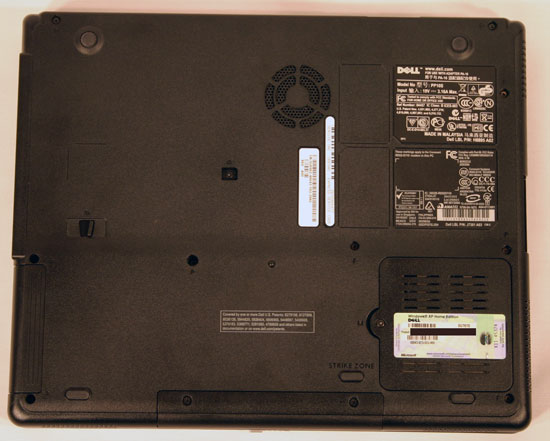
Despite the fact that the Inspiron's Celeron M processor doesn't dynamically adjust its clock speed, the notebook itself doesn't get too far beyond warm on its underside. It will keep your lap slightly warm, but it won't burn you or make you uncomfortable after a lot of typing.
Thanks to the faster Celeron 1.5GHz processor (compared to the 1.4GHz CPU used elsewhere), the Inspiron 2200 that we tested managed to outperform all of the other notebooks. Unfortunately, the Inspiron 2200 also boasted the absolute lowest battery life, which is a real problem for anything that claims to be portable. It's the age old trade off of battery life for performance, and in the case of the Inspiron 2200, it's not one that we're willing to make.
Dell's updated B130 model switches over to a 4-cell lithium-ion battery, as opposed to the large 8-cell NiMH battery that's used in the Inspiron 2200. How this affects battery life will remain to be seen. However, it is worth pointing out that all of Dell's competitors use lithium ion batteries, although they are larger 6-cell designs.
Despite the fact that the Inspiron's Celeron M processor doesn't dynamically adjust its clock speed, the notebook itself doesn't get too far beyond warm on its underside. It will keep your lap slightly warm, but it won't burn you or make you uncomfortable after a lot of typing.
Thanks to the faster Celeron 1.5GHz processor (compared to the 1.4GHz CPU used elsewhere), the Inspiron 2200 that we tested managed to outperform all of the other notebooks. Unfortunately, the Inspiron 2200 also boasted the absolute lowest battery life, which is a real problem for anything that claims to be portable. It's the age old trade off of battery life for performance, and in the case of the Inspiron 2200, it's not one that we're willing to make.
Dell's updated B130 model switches over to a 4-cell lithium-ion battery, as opposed to the large 8-cell NiMH battery that's used in the Inspiron 2200. How this affects battery life will remain to be seen. However, it is worth pointing out that all of Dell's competitors use lithium ion batteries, although they are larger 6-cell designs.
Originally published at https://www.anandtech.com/show/1878 (Wayback Machine).