
$600 Notebook Roundup - Crowning the Affordability King
- Posted in
- Laptops
Dell Inspiron 2200
Since originally ordering and receiving the Dell Inspiron 2200, Dell has introduced a new line of Inspiron notebooks for the home. The Inspiron B130 is Dell's latest competitor in the sub-$600 market; however, its release was not in time to be included in this roundup. We chose to keep the Inspiron 2200 in this review as it is still available for Higher Education customers, but we will be working to bring an updated roundup with the Inspiron B130 as soon as possible.
The Inspiron 2200 that we received came with a Celeron M 370 (1.5GHz) processor based around Intel's 915GM chipset; naturally, it uses the chipset's integrated graphics. The Inspiron B130, the 2200's replacement, moves back down to a Celeron 360 (1.4GHz) as its default processor option.
Like all of the notebooks here today, the Inspiron 2200 that we configured only shipped with 256MB of RAM, to keep within our $600 budget. Storage comes courtesy of a single 40GB Fujitsu MHV2040AH drive.
Unfortunately, in order to meet the $600 budget, the Inspiron 2200 comes with no wireless networking options.
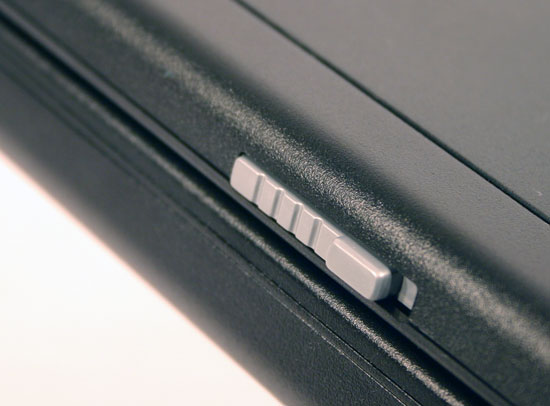
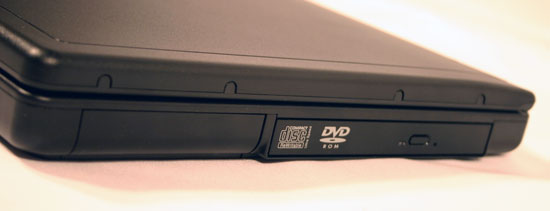
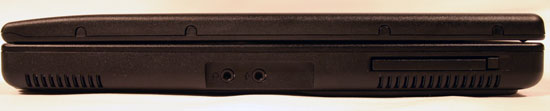
Surprisingly enough, there are no ports at the front of the notebook:
- Headphone jack
- Microphone jack
- PC Card slot
- 3 USB 2.0 Ports
- Ethernet jack
- Modem jack
- VGA output
Since originally ordering and receiving the Dell Inspiron 2200, Dell has introduced a new line of Inspiron notebooks for the home. The Inspiron B130 is Dell's latest competitor in the sub-$600 market; however, its release was not in time to be included in this roundup. We chose to keep the Inspiron 2200 in this review as it is still available for Higher Education customers, but we will be working to bring an updated roundup with the Inspiron B130 as soon as possible.
The Inspiron 2200 that we received came with a Celeron M 370 (1.5GHz) processor based around Intel's 915GM chipset; naturally, it uses the chipset's integrated graphics. The Inspiron B130, the 2200's replacement, moves back down to a Celeron 360 (1.4GHz) as its default processor option.
Like all of the notebooks here today, the Inspiron 2200 that we configured only shipped with 256MB of RAM, to keep within our $600 budget. Storage comes courtesy of a single 40GB Fujitsu MHV2040AH drive.
Unfortunately, in order to meet the $600 budget, the Inspiron 2200 comes with no wireless networking options.
| Dell Inspiron 2200 | |
| CPU | Intel Celeron M 370 (1.5GHz/1MB L2/400MHz FSB) |
| Chipset | Intel 915GM |
| Memory | 256MB DDR333 (1 DIMM) |
| GPU | Integrated Intel Extreme Graphics |
| Display | 14.1" XGA (1024 x 768) |
| HDD | 40GB Fujitsu MHV2040AH |
| Optical Storage | 24X CD-RW/DVD-ROM Drive |
| Wireless | N/A |
| Ethernet | Intel PRO/100 VE 10/100 |
| Modem | Internal Soft 56K |
| Audio | SigmaTel C-Major |
| Ports | Headphone, microphone, PC Card slot, 3 x USB 2.0, Ethernet, Modem, VGA out |
| Mouse | Trackpad |
| Size (L x W x H) | 13.0" x 10.6" x 1.46" |
| Weight | 5.99 lbs |
| Battery | 8-Cell NiMH |
| OS and Other Software | Windows XP Home SP2 |
| Price as Configured | $599.00 |
| Warranty | 90 days |
Surprisingly enough, there are no ports at the front of the notebook:
- Headphone jack
- Microphone jack
- PC Card slot
- 3 USB 2.0 Ports
- Ethernet jack
- Modem jack
- VGA output

Originally published at https://www.anandtech.com/show/1878 (Wayback Machine).