
Inside Microsoft's Xbox 360 - A Tour of the 360's Motherboard
- Posted in
- Systems
The Motherboard's Ports
Of course with a custom design like the Xbox 360's motherboard, you end up with the perfect layout, as it is built to fit the chassis. The original Xbox debuted with no legacy ports and with USB ports disguised as controller ports, the 360 continues in the tradition with an update to USB 2.0.
At the rear of the console you've got the AV cable port (left), a single USB port and an Ethernet jack:
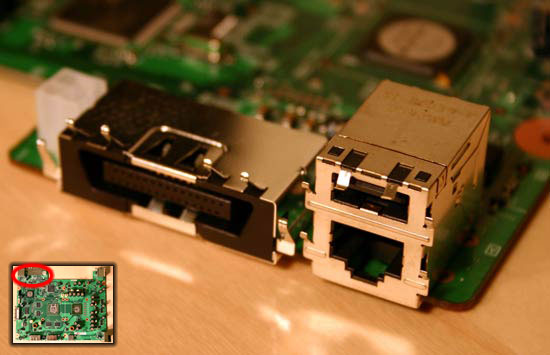
Unfortunately in the first version of the Xbox 360, that AV cable port appears to be strictly analog. Microsoft has indicated that they may support HDMI at a later point in time, but that may require a new revision of the motherboard - assuming there is no digital video signal carried over the AV port. On the flip side, ATI has had a history of placing TMDS transmitters on their GPUs, so it may be possible that a digital video signal is present at this connector today, although if it were we don't understand why Microsoft wouldn't offer a DVI/HDMI cable option now.
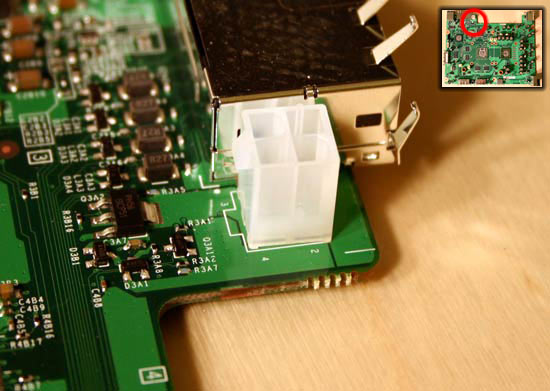
To the left of the AV cable port there's a 4-pin power connector similar to the ATX12V connectors we're used to seeing on motherboards:
Also at the back you have a very large power connector, to show you the size of it, we've placed a mobile Pentium M processor next to the connector:
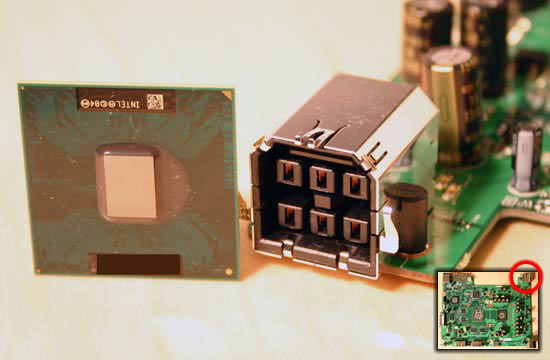
It's big
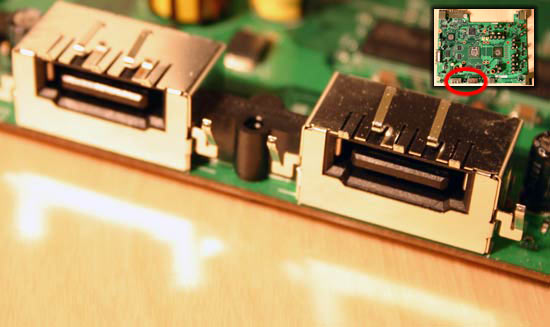
On the left side of the motherboard we've got the SATA data connector, which is a standard SATA connector for the DVD-ROM drive. Next to it you'll see the custom power connector:
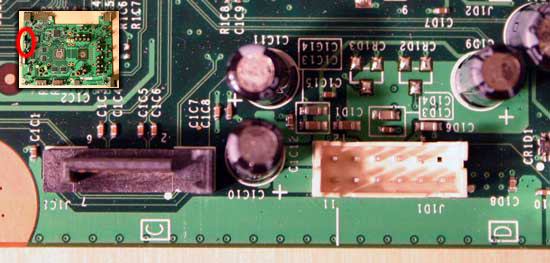
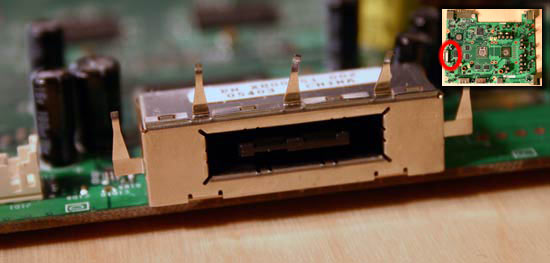
Just slightly to the right of it there's a custom connector which is essentially nothing more than a SATA interface for the optional removable hard drive:
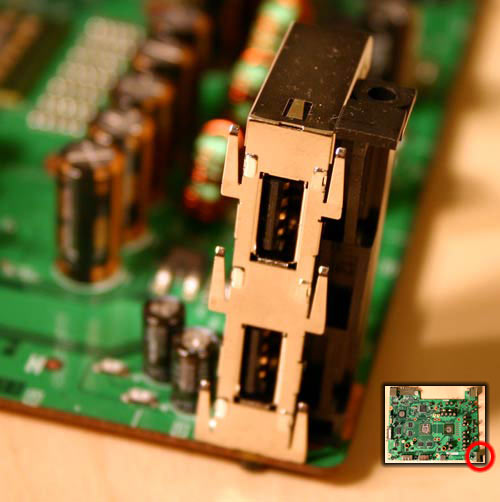
Of course at the front of the board there's a riser with two USB 2.0 ports on it:
The memory cards also have their own interface on the board:
Originally published at https://www.anandtech.com/show/1865 (Wayback Machine).