
Archive 1997–2024

Apple's Mighty Mouse: The Move to Multi-Button

Aesthetics and Ergonomics

Ergonomically, the Mighty Mouse (and the rest of Apple's mice for that matter) is really a hit or miss depending on the size of your hands.  Personally, I've never been too happy with the size of the Logitech MX1000, so moving to a smaller mouse is nice, but at the same time, I don't feel that the design of the Mighty Mouse is particularly ergonomic for resting your hand on it for long periods of time.  Then again, quite possibly the most ergonomically sound decision that you can make is to not rest your hand on your mouse for long periods of time. 
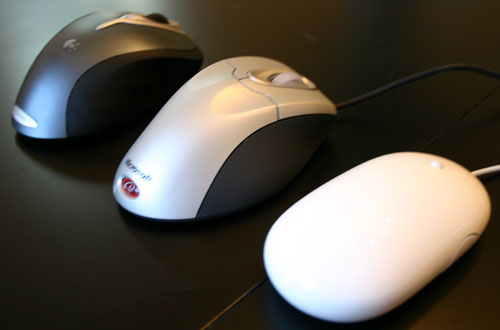

Logitech MX1000, Microsoft IntelliMouse Explorer 4.0 and the Mighty Mouse
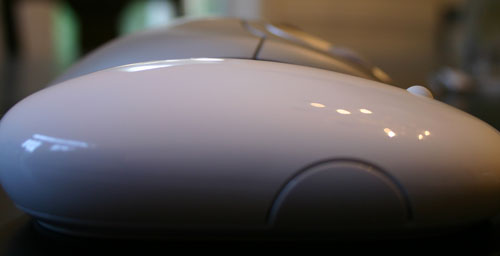
The mouse, like all of Apple's products, is very simple and stylish in its appearance, but this is one area where form does not follow function.  The glossy plastic that you grab onto when using the Mighty Mouse is very easily dirtied, and more specifically, it is highly susceptible to the oils from your hand, making the surface a lot slicker and slimier than the less shiny Microsoft or Logitech mice.  It looks nice, but can feel a little on the icky side if your hands are particularly oily, so prepare to give the Mighty Mouse a good buffing on a regular basis. 


IntelliMouse Explorer 4.0 vs. Mighty Mouse Height Comparison

The mouse is, of course, USB only and features a fairly short cable designed to be plugged into your Apple keyboard.  I prefer the length of the cable because I can plug it into my keyboard without having a lot of slack in the cable, but if you aren't going to be able to plug it in anywhere close by, its length could be a bit of a problem. 

Originally published at https://www.anandtech.com/show/1747 (Wayback Machine).