The Design: Nikon Coolpix S1
Click image to enlarge.
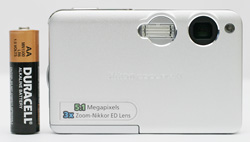
The front of the Nikon Coolpix S1 features its 35-105mm (35mm equivalent) zoom lens. The S1 uses a folded optics system that allows the camera to adjust the focal length inside the camera. This means that the lens never extends out of the body. To the left of the lens is the built-in flash. On the right side of the lens is the AF-assist lamp, which helps the camera to focus when there is not enough light.
Click image to enlarge.
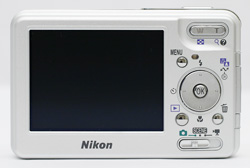
The back of the S1 features a large 2.5" LCD monitor with 110K pixels. On the upper-right side is the zoom controller, which serves to operate the optical zoom in Record mode as well as magnify images in Playback mode. Below the zoom controller are the Menu button and a 4-way controller with a separate OK button in the middle. The up, left, and down positions correspond to flash mode, self-timer, and macro mode respectively when the camera is in Record mode. Just below this are the Play and Delete buttons. At the very bottom is the main mode switch. The main mode positions are Record, Scene, and Movie.
Click image to enlarge.
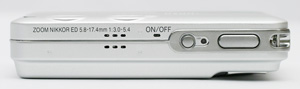
On the top of the S1, we can see the microphone and the main power button. When the power is on, the power indicator lamp will illuminate. To the right of the power button is the shutter button.
 |
 |
| Click images to enlarge. |
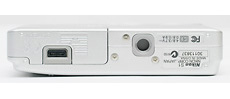
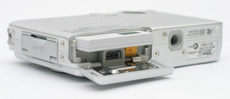
On the bottom of the Coolpix S1 is a plastic tripod mount. To the left, we can see the sliding hinged battery door and the power connector for the dock. The S1 uses a rechargeable EN-EL8 Lithium-ion battery (3.7V 730mAh).
 |
 |
| Click images to enlarge. |
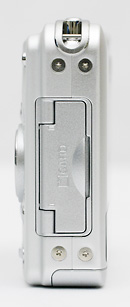
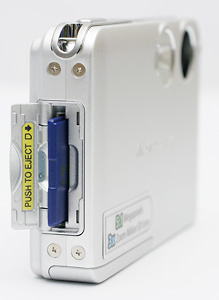
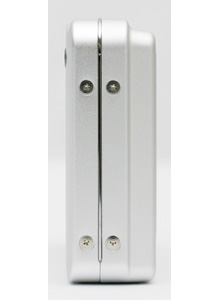
The right side of the S1 features a hinged door that conceals the SD card slot. The camera has 12 MB of internal memory and does not come with an SD card. We highly recommend starting out with at least a 256 MB SD card. From this angle, we can also see the post for the included wrist strap.
Click image to enlarge.



