
HP L2335: Low Response Time and High Resolution LCD
- Posted in
- Displays
Cable Management, Pivot, Stand
The HP L2335 doesn't win any awards for looks when it isn't turned on. The depth of the LCD leaves something to be desired and the drab silver bezel reminds us of a circa 1998 HP desktop. Form follows function when it comes to computer components (unless you're Apple), and even though the monitor isn't the most attractive thing that we've seen, it still has enormous potential in performance.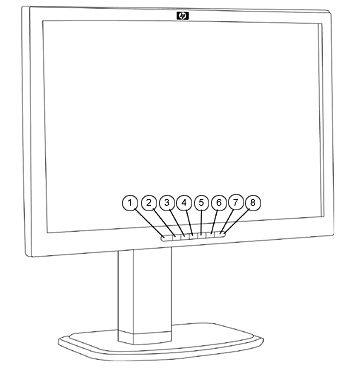
All of the component, composite and s-video connectors plug in via a hatch on the side. HP would have scored some bonus points by including Firewire or USB inputs on the display, but we won't hold them against it.
Our only real surprise in this review came when attempting to pivot the display. Unlike Dell, Samsung, LG, Sony and virtually any other display manufacturer that makes a pivoting display, pivoting the L2335 is a counter-clockwise operation. It actually took us a few minutes to catch on this small detail. Furthermore, the 23" screen is very large; it takes a bit of muscle to rotate and tilt this display. Almost to add insult to injury, there is no clearance to pivot this monitor when the stand is at its lowest height, so that too must be adjusted in order to pivot the display. Portrait mode was an interesting concept when LCD displays could only do 1280x1024 resolutions, but pivoting the L2335 makes almost no sense to us; there just aren't that many applications where you would need 1920 vertical pixels. Personally, opening two 900x1200 terminals side by side for paging is a more elegant and practical solution.
Like virtually every LCD that we've seen in the last 5 years, the HP L2335 panel is removable in the event that you'd want to replace it with a VESA compatible arm or wall mount.
Originally published at https://www.anandtech.com/show/1729 (Wayback Machine).