
Mac OS X 10.4 Tiger Review
- Posted in
- Mac
To me, the biggest attraction to Dashboard is the fact that you move very useful items off of your desktop and onto basically a separate desktop that is very easy to access. Apple provides a total of 14 widgets with Tiger (and a link to download many, many more) and they also provide excellent documentation for developers to make their own widgets. Here are the widgets that are included in Tiger:
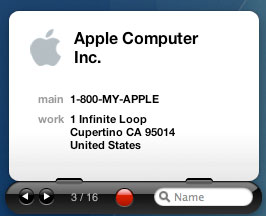
Address Book
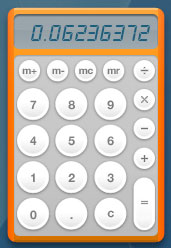
Calculator
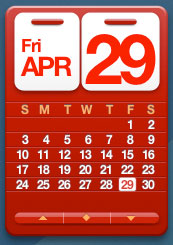
Calendar
As a Windows user, I always found myself clicking on the clock in the Taskbar to bring up a calendar for this very purpose, so I have extra appreciation for this particular widget.
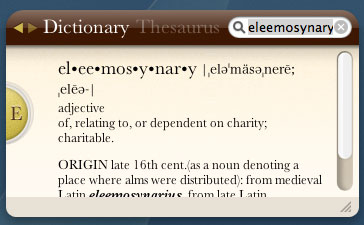
Dictionary
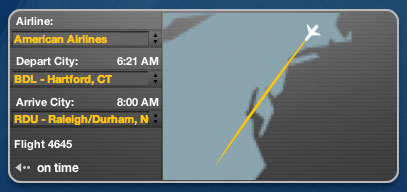
Flight Tracker
iTunes
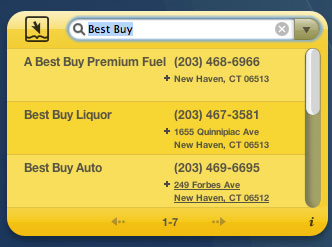
Phone Book
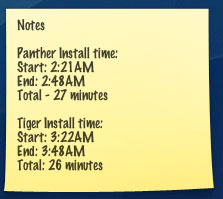
Stickies
Stocks
The graphing capabilities aren't anything too impressive though, as you have no option for a weekly graph. The data is all pulled from Quote.com.
Tile Game
Quite possibly the most useless widget to me is the Tile Game. I guess that's just not the type of gaming I'm into. But for those who do enjoy it, the Tile Game widget is interesting, although it goes against what seems to be one of the major purposes of the Dashboard - for items that require very little interaction/just a quick glance.
Translation
Chinese (simplified), Chinese (traditional), Dutch, English, French, German, Greek, Italian, Japanese, Korean, Portuguese, Russian and Spanish. Unfortunately, I'm not fluent in all of those languages, so I can't attest to how accurate of a widget it is, but it seemed to handle English to German translation relatively well.
You can type in words or paste full paragraphs, although there is a 40-word limit. So, if you're looking to translate an entire paper, you're going to have to use something else.
Unit Converter
Weather
World Clock
For me, I use Dashboard on a very regular basis - I'd say that I probably use it more than any of the new features in Tiger, since I always check in with widgets on the Dashboard multiple times throughout the day. If Apple's goal with Dashboard was to reduce desktop clutter and improve productivity in the sense that you don't have to waste time getting information and utilities from various websites, then Dashboard is an astounding success.
Dashboard isn't entirely flawless. Like many aspects of Tiger, there are some annoyances with Dashboard. My major issue with Dashboard is mostly visible on the PowerBook, where I'm not always connected to the Internet. My problem is that none of the data in any of the Dashboard widgets appears to be cached, so when you hit F12 on the PowerBook, there is a very annoying delay where all of the widgets that rely on an active Internet connection for their data (e.g. most of them) appear blank for a few seconds.
Also during this period while Dashboard attempts to update all of the active widgets, you may have the desire to just go back to your desktop, which isn't always possible. Hitting F12 immediately after looking at the Dashboard and finding nothing but blank widgets won't always work. Most of the time, you have to wait a few seconds before you regain control over that aspect of your system. I have to reiterate that these issues are only visible on the PowerBook; on a desktop that's always on (or a PowerBook that is always connected to the Internet and doesn't go to sleep), the Dashboard data is never touched and the widgets always remain full of information.
Some of the widgets will still have to update themselves after you have pressed F12, even if you are currently connected to the Internet. It appears that although the widgets are always loaded in memory, they don't eat up any CPU time; meaning that they don't constantly remain updated while Dashboard is inactive. For example, my computer remains on while I sleep, and when I get up in the morning, one of the first things that I do is bring up the Dashboard to check the Weather widget to find out how cold it's going to be in CT today. For the first second or so, the weather still reads as yesterday's temperatures, before it updates itself and displays today's forecast. The same applies to the clocks; even while regularly using the computer, the Clock widgets don't constantly update themselves. So, when I hit F12, the clocks take a second or two to update before displaying the correct time for whatever time zone that I have them set. I guess in the end, I would rather not have the Dashboard impact performance elsewhere in the system by dedicating CPU resources to updating each and every widget, but if there was a way around these issues without impacting the experience in the rest of the OS, it would be nice to see that implemented. Maybe Apple will need to move to dual core dual G5s so that one of the four cores can be used to keep Dashboard updated at all times.
Address Book
Calculator
Calendar
As a Windows user, I always found myself clicking on the clock in the Taskbar to bring up a calendar for this very purpose, so I have extra appreciation for this particular widget.
Dictionary
Flight Tracker
iTunes

Phone Book
Stickies
Stocks
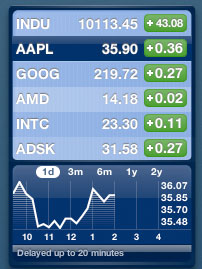
The graphing capabilities aren't anything too impressive though, as you have no option for a weekly graph. The data is all pulled from Quote.com.
Tile Game
Quite possibly the most useless widget to me is the Tile Game. I guess that's just not the type of gaming I'm into. But for those who do enjoy it, the Tile Game widget is interesting, although it goes against what seems to be one of the major purposes of the Dashboard - for items that require very little interaction/just a quick glance.
Translation
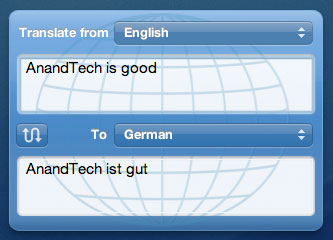
Chinese (simplified), Chinese (traditional), Dutch, English, French, German, Greek, Italian, Japanese, Korean, Portuguese, Russian and Spanish. Unfortunately, I'm not fluent in all of those languages, so I can't attest to how accurate of a widget it is, but it seemed to handle English to German translation relatively well.
You can type in words or paste full paragraphs, although there is a 40-word limit. So, if you're looking to translate an entire paper, you're going to have to use something else.
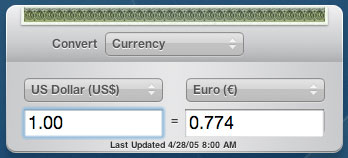
Unit Converter
Weather
World Clock
For me, I use Dashboard on a very regular basis - I'd say that I probably use it more than any of the new features in Tiger, since I always check in with widgets on the Dashboard multiple times throughout the day. If Apple's goal with Dashboard was to reduce desktop clutter and improve productivity in the sense that you don't have to waste time getting information and utilities from various websites, then Dashboard is an astounding success.
Dashboard isn't entirely flawless. Like many aspects of Tiger, there are some annoyances with Dashboard. My major issue with Dashboard is mostly visible on the PowerBook, where I'm not always connected to the Internet. My problem is that none of the data in any of the Dashboard widgets appears to be cached, so when you hit F12 on the PowerBook, there is a very annoying delay where all of the widgets that rely on an active Internet connection for their data (e.g. most of them) appear blank for a few seconds.
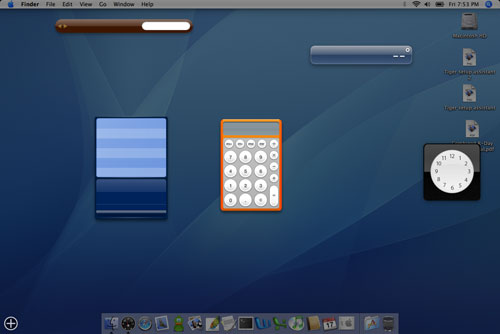
This is the result when hitting F12 on the PowerBook during the first few seconds of coming out of its slumber.
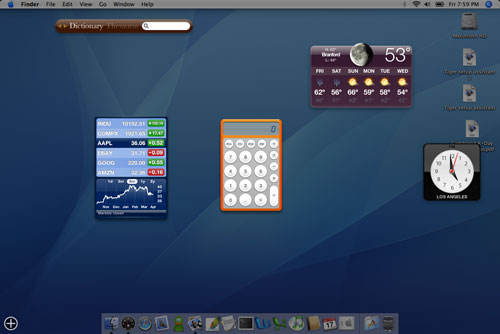
After a few seconds, this finally appears. Note how the name of the Dictionary/Thesaurus widget doesn't actually appear until now.
Also during this period while Dashboard attempts to update all of the active widgets, you may have the desire to just go back to your desktop, which isn't always possible. Hitting F12 immediately after looking at the Dashboard and finding nothing but blank widgets won't always work. Most of the time, you have to wait a few seconds before you regain control over that aspect of your system. I have to reiterate that these issues are only visible on the PowerBook; on a desktop that's always on (or a PowerBook that is always connected to the Internet and doesn't go to sleep), the Dashboard data is never touched and the widgets always remain full of information.
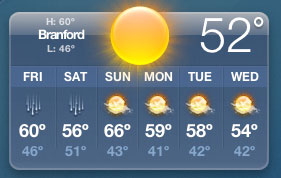
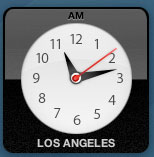
Some of the widgets will still have to update themselves after you have pressed F12, even if you are currently connected to the Internet. It appears that although the widgets are always loaded in memory, they don't eat up any CPU time; meaning that they don't constantly remain updated while Dashboard is inactive. For example, my computer remains on while I sleep, and when I get up in the morning, one of the first things that I do is bring up the Dashboard to check the Weather widget to find out how cold it's going to be in CT today. For the first second or so, the weather still reads as yesterday's temperatures, before it updates itself and displays today's forecast. The same applies to the clocks; even while regularly using the computer, the Clock widgets don't constantly update themselves. So, when I hit F12, the clocks take a second or two to update before displaying the correct time for whatever time zone that I have them set. I guess in the end, I would rather not have the Dashboard impact performance elsewhere in the system by dedicating CPU resources to updating each and every widget, but if there was a way around these issues without impacting the experience in the rest of the OS, it would be nice to see that implemented. Maybe Apple will need to move to dual core dual G5s so that one of the four cores can be used to keep Dashboard updated at all times.
Originally published at https://www.anandtech.com/show/1671 (Wayback Machine).