
Mac OS X 10.4 Tiger Review
- Posted in
- Mac
New Calculators
Tiger has three new calculators, two of which are particularly useful to engineers and students in engineering.The programmer's calculator allows you to perform binary math and bitwise operations, which can definitely come in handy. The calculator also has the option of showing you the ASCII and Unicode representation of any of your calculations, which is also very useful depending on the type of project that you're working on. One of my last projects as a student of Computer Engineering involved building a hardware dictionary scanner - needless to say that having the programmer calculator back then would have been a handy tool.
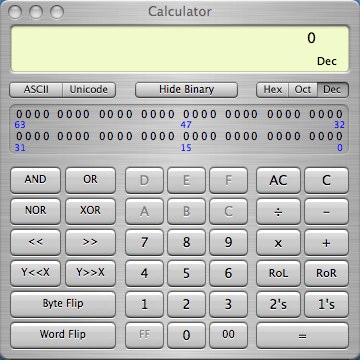
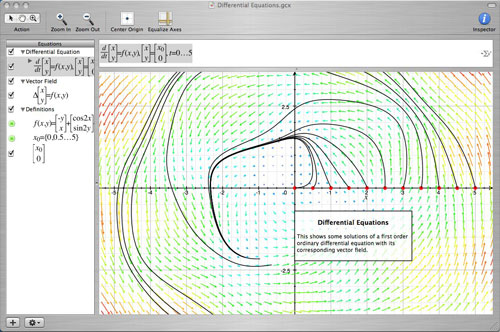
The calculator improvements to Tiger are very student/engineer oriented and, as such, are much appreciated. Given that Tiger only costs $69 with a student discount, it would seem that Apple definitely has the needs of the computer savvy student as one of their top priorities. If I were still an engineer in school, Tiger would be a no brainer upgrade for me.
The final calculator to talk about is the new Calculator widget that's a part of Dashboard. Originally, when I saw the Calculator widget demonstrated as a part of Dashboard, I was extremely excited. When preparing most of my articles, I had a ton of fairly simple, but calculator-requiring math to do, so I ended up using the Calculator a lot. On my PC, I have a keyboard with a calculator button on it that'll launch calc.exe, but under OS X, I have no such convenience. So essentially, what the Calculator widget would give me is similar functionality.
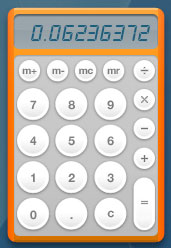
My biggest complaint about the Calculator widget is that it places commas automatically in your number, and the font that the widget uses makes the commas entirely too large and a bit distracting. I understand that a smaller comma would be easily confused with a decimal point, so my solution is an option to turn off the commas, which isn't present in the current version of the Calculator widget.
There's also a somewhat annoying bug with the widget that happens if you backspace to clear all of the numbers in an entry. Normally, hitting the escape key clears the input in the Calculator, but sometimes I have a habit of just backspacing to delete all of the numbers. If I do so, the Calculator widget appends a zero to the start of any input. It doesn't change the outcome of the calculations - there's just an annoying zero at the front of my number. Hitting escape will clear the problem.
Originally published at https://www.anandtech.com/show/1671 (Wayback Machine).