
Mac OS X 10.4 Tiger Review
- Posted in
- Mac
TextEdit
As a Windows user, I always hated Wordpad, but early on, Notepad was too simplified for a lot of tasks - forcing me to use Word when I didn't exactly want to. The Windows 2000/XP version of Notepad fixed a lot of my complaints, and then Notepad became much more of a useful tool to me. I've seen a similar transition with OS X's TextEdit in Tiger, not to say that TextEdit wasn't already infinitely more capable than Notepad, but with Tiger, it has gone from a pretty impressive text editor to a more full-featured editor, while still maintaining the simplicity of TextEdit.To me, the biggest feature of TextEdit is the ability to now save to HTML. Not only will TextEdit save in HTML formats now, but the HTML saving options in TextEdit are options that I wish all applications which produce HTML had. You can select from strict or transitional HTML 4.01 or XHTML 1.0, and you can choose whether or not you want to use CSS. The HTML produced by TextEdit is just as simple and as clean as you'd expect from a text editor that still appears hardly intimidating. The only requirement for saving as HTML is that you need to be in TextEdit's rich text editing mode.
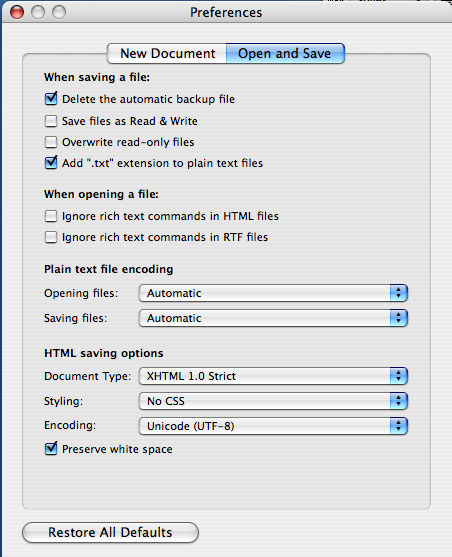
There's a new checkbox in the Save dialog box - "If no extension is provided, use .txt". That change is pretty self-explanatory.
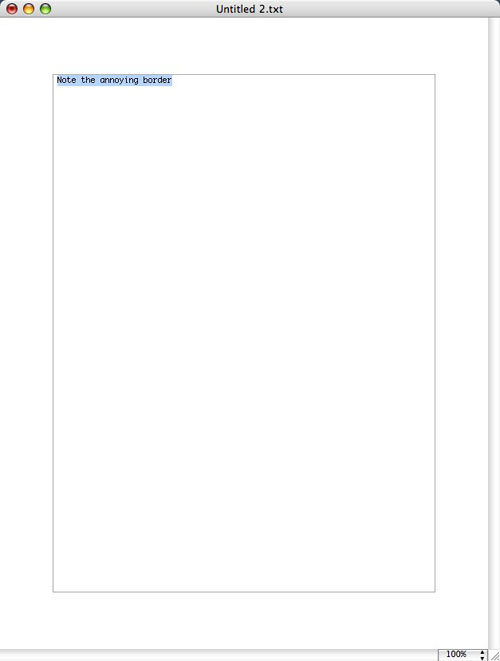
Hitting the zoom button in TextEdit now seems to expand the window to the full width of the screen, instead of just zooming to a larger, better proportioned window. The button now acts as "maximize", which I don't like so much (surprisingly enough, because my first reaction to the zoom vs. maximize debate the first time I used OS X was that I missed the ability to maximize windows). You can get the same functionality as Panther's TextEdit by enabling Word Wrap, but when doing so, you get a fairly useless layout border around your text as seen below:
Originally published at https://www.anandtech.com/show/1671 (Wayback Machine).