User Interface
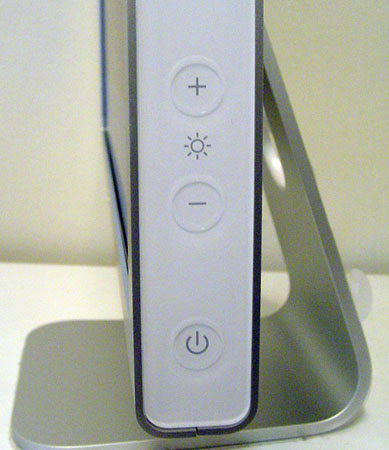
Apple and Dell are very different with regard to how they approach technology. The ever conservative Dell would rather not change things, particularly things that work, while Apple seems to enjoy completely changing everything in every iteration of any technology. Neither one of these strategies is bad, nor wrong. Dell has thousands of consumer-hardened products under its belt while Apple has thousands of design and creativity awards. Apple does make things pretty easy for us. There are only three options: on/off, brighter or darker.
Click to enlarge.
The touch sensitive controls give the Cinema 20” a feel that can only be described as “Mac-esque” while still retaining enough functionality on the display to not be totally removed from its operation (like with the
Samsung 193P). Ultimately, one of the reasons why sales of the SyncMaster 193P stagnated for several months was due to the fact that users don’t particularly like giving up 100% of their control features to the OS. With digital signal, a user can only really affect the backlight intensity anyway – and fortunately, Apple gives us control of that. Although simple, the Cinema 20” gives a good balance of control.
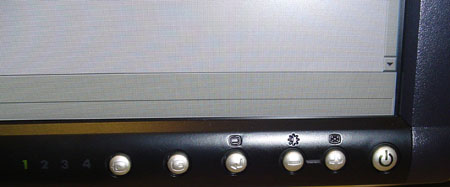
However, when you have four inputs, three of which are analog, user control is almost absolutely necessary. From left to right, the buttons on the Dell 2005FPW are identified as such: Input Select, Picture In Picture, Menu, Adjust down, Adjust up, and Power.
Click to enlarge.
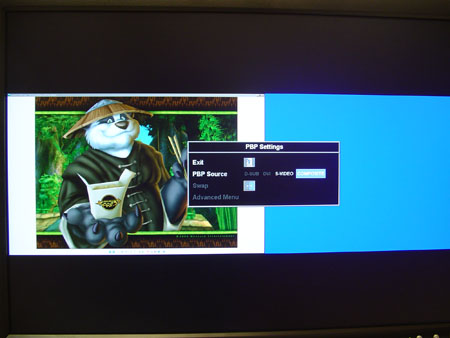
Most of these are basically transplanted from the Dell 2001FP. The 2005FPW and 2001FP utilize the same inputs and, more or less, behave in the same manner with input selection. The real kicker to us came when we started playing around with the Picture In Picture button. Not only does Dell give us the opportunity to place an analog signal (S-Video, Composite) inside a D-sub or DVI signal, but they also allow us to go one step further and split screen (PBP - picture by picture) it as well! We lose a lot of desk space, but since the image can be swapped very quickly or screened from the control buttons, it is still very practical.
Click to enlarge.
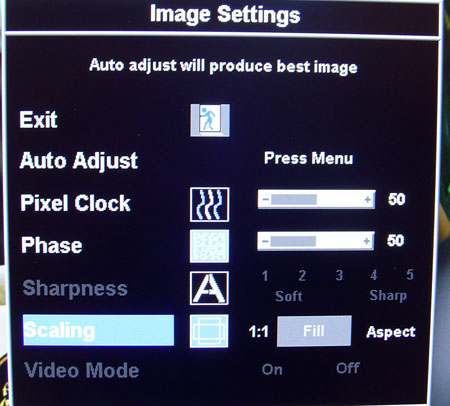
The other key feature in the Dell 2005FPW interface is the scaling selector. Under Image properties in the Dell OSD, we were allowed to modify the scaling to 1:1 (excellent for gamers), Fit, or Aspect.
Click to enlarge.



