
The Mac mini as a Media Computer
- Posted in
- Mac
The Mac mini as a DVD Player
Why would you ever use a computer as a DVD player? Ask any average user and they'll tell you that it's a waste of a computer; ask any videophile and they'll talk about the advantages of the scaling and filtering effects that a HTPC can offer over a standalone DVD player. Not to mention that there's a good group of people (with significant movie content) who would rather not burn to DVD discs - they just want to double click on a .vob file and play the movie that way.Hard drive size limitations keep the mini from being used as a DVD file server (unless you get into using external FireWire storage), but we still wanted to take a look at its DVD playback quality, since storage space isn't the only important aspect of a good HTPC.
At the release of NVIDIA’s PureVideo DVD decoder, we performed a fairly extensive comparison of DVD decoder quality. What we found was that although PC DVD decoders managed to handle the majority of cases quite well, it was the remaining few percent of cases where they would still produce some artifacting. NVIDIA’s PureVideo decoder did manage to give an overall improvement in image quality over the competition, but it still wasn’t quite perfect.
We aren’t going to reiterate the importance of de-interlacing quality with regards to DVD decoders, so if you’re not intimately familiar with the subject matter, please have a look at our Interlacing Primer – particularly the section about frame rate conversion.

First, we have the Big Lebowski test…
This is what the screenshot should look like:

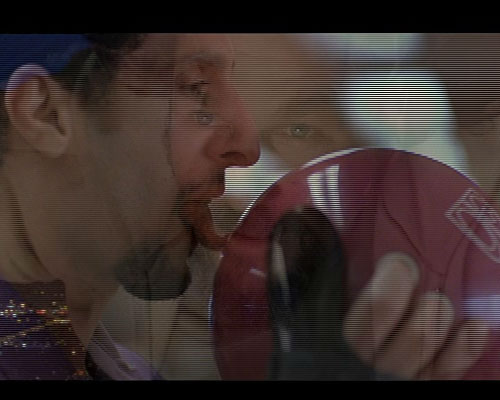
Both ATI and NVIDIA also failed the Big Lebowski test in our PureVideo article, so it’s not too surprising to see Apple’s performance here. But let’s move on.
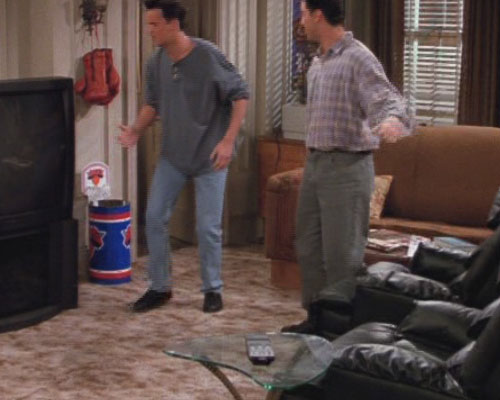
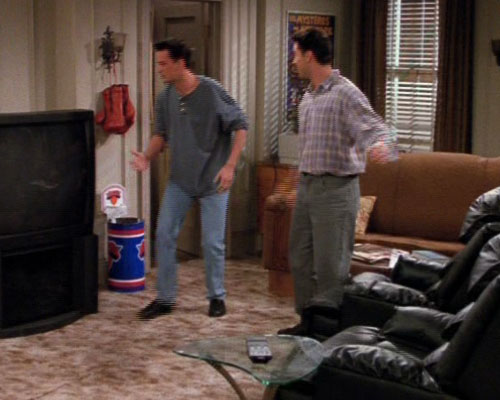
In our PureVideo article, we took a number of screenshots from The Best of Friends – Volume 3 DVD, a particularly tricky DVD to decode properly as it is recorded in 24 fps and flagged as being 30 fps content. Should a DVD decoder derive its behavior completely from the DVD flags, it would inevitably screw up the deinterlacing of the DVD. What we found was that on the PC, using either ATI or NVIDIA’s DVD decoders, they never relied exclusively on the DVD flags – but let’s see how Apple fares.
In this scene, ATI on the PC doesn’t do so well:



Originally published at https://www.anandtech.com/show/1617 (Wayback Machine).