
The Mac mini as a Media Computer
- Posted in
- Mac
The Mac mini as a DVR
In April of last year, the FCC mandated that all cable boxes must come with a FireWire port if requested by the consumer. The ruling came based on an interpretation of Section 304 of the Telecommunications Act of 1996. The ruling is also affected by another FCC mandate, in which all electronic devices capable of recording content must recognize and respect a broadcast bit that determines how the content can be shared across multiple devices.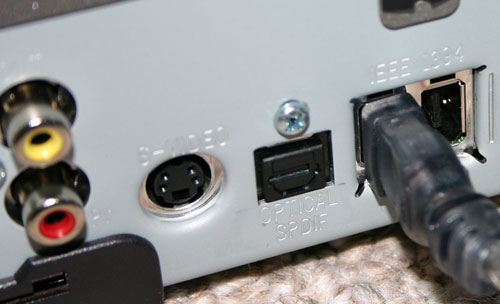
FireWire ports are now on most cable boxes.
The application included in Apple's FireWire SDK is called Virtual D-VHS, which as the name implies, allows your Mac to act as a Virtual D-VHS recorder fully capable of recording both standard and High Definition content over your cable box's FireWire port.
Before we get to the details of implementation, the first thing that must be noted and understood is that the Virtual D-VHS application is not a full-blown DVR nor was it designed to be. As a part of the FireWire SDK, the Virtual D-VHS application is more of a proof of concept or an enabling tool for developers to go out and make something interesting out of it - not to use as a turnkey DVR solution.
In many ways, this article isn't about using the Mac mini as a HTPC, but rather, its viability of being used as one if certain elements fall into place. At this point, your best bet for a polished HTPC with DVR functionality is something running Windows XP Media Center Edition. But for those who are interested in using the Mac mini as a HTPC, here's what can be done today.
The installation and setup of your cable box is extremely simple. We had a Motorola 6200 unit at our disposal, which made things even easier as you'll soon see. All you need is a 6-pin to 6-pin FireWire cable, plug one end into the cable box and the other end into your Mac mini and you're done.
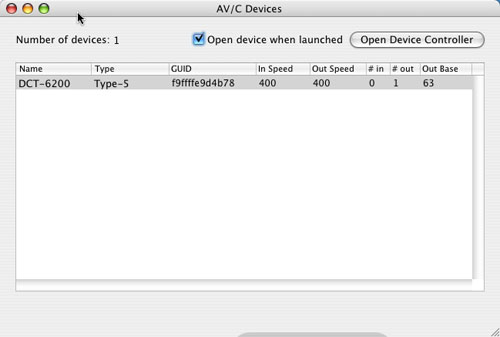 |
| The Motorola 6200 cable box is recognized automatically. The same applies to most cable boxes with FireWire ports. |
The next step is to fire up the Virtual D-VHS application and here you have a couple of options. You can use the Virtual D-VHS application provided in Apple's FireWire SDK, but there are some alternatives. The first alternative is Patrick Edson's AV/C Browser Enhanced, a modified version of the AV/C browser that also comes with Apple's FireWire SDK. The AV/C browser is necessary to connect to some cable boxes, but Patrick's modified version eliminates the need to have two applications - it integrates the functionality of Virtual D-VHS (recording and channel tuning) into the AV/C application.
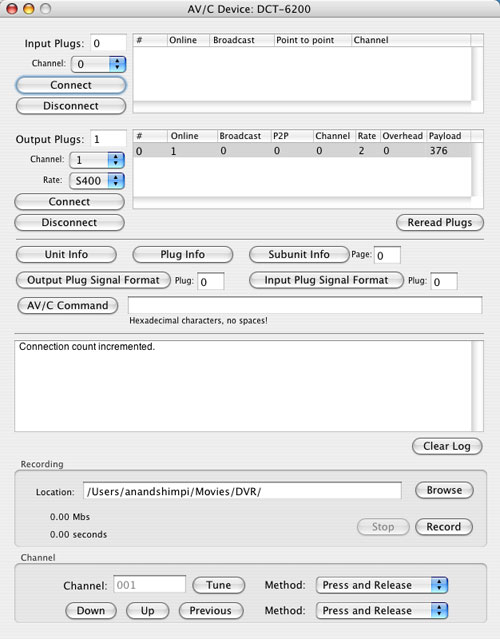
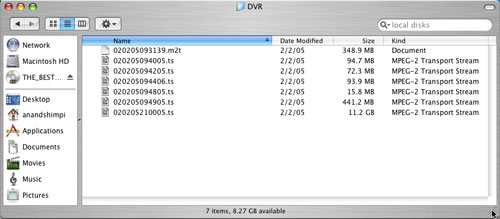
Then you can use the AV/C Browser to tune to whatever channel you want, hit record and it will start recording. Now, what you're recording is effectively a MPEG-2 transport stream. As such, the file size is quite large - most HD content recorded off of cable is between 15 and 19Mbps, translating into 6-9GB of storage required for each hour of recorded content. Standard definition content is a little more manageable, at 3 - 13Mbps (1 - 6GB/hr).
The iRecord program is interesting as it takes the functionality of the AV/C Browser, but puts it in a much simpler interface with one clear purpose - scheduled recording of shows.
To add a show, simply click the + button and fill out the necessary information, including the channel from which you want to record. An unfortunate limitation here is that you can't set the name of the file to which it records, regardless of what you input as the title of the recording in iRecord.
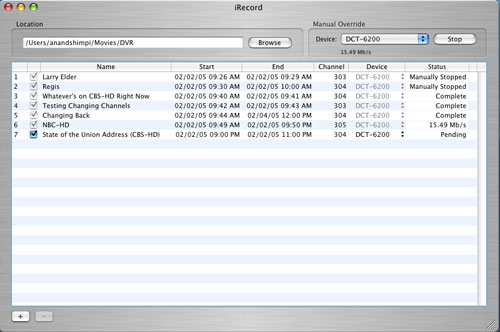

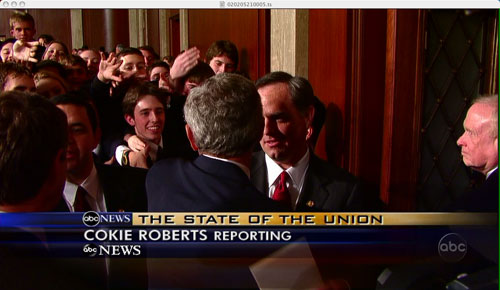

Recording the State of the Union address in 720p proved to be a success using iRecord.
Originally published at https://www.anandtech.com/show/1617 (Wayback Machine).