
Digicam Roundup: $150
- Posted in
- Digital Camera
Playback Features
To view previously taken pictures and videos, you can either press the Quick View button or slide the main power switch to Play. Moving to different files can be accomplished by pressing the left and right arrow buttons. You can also jump ahead 10 pictures by pressing the down button or back 10 pictures by pressing the up arrow.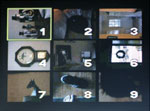 Thumbnail view |
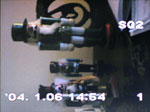 Image regular view |
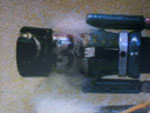 Image magnified 4x |
By pressing the zoom controller toward the wide end, you can view a thumbnail screen with 9 images. Conversely, by pressing the zoom controller in the telephoto direction, you can magnify an image up to 4x in 0.5x increments. While an image is magnified, you can move around to different areas of the image by using the directional buttons.
By default, the LCD monitor displays the recording quality and number of each picture. However, to view additional information for an image, you can press the OK/Menu button and select "Info". By doing this, the following information will be added to the display: resolution, exposure compensation, white balance, and file number. Despite which level of information you choose to have displayed, the information will disappear approximately 3 seconds after viewing a picture.
Other than the information option, there are 3 additional options available: Slideshow, Mode Menu, and Erase. The slideshow feature does not have any adjustable values. Instead, the pictures are displayed for approximately 3 seconds before moving to the next image. The Mode Menu contains a few more submenus with options related to playback: Play, Edit, Card, Setup. We have outlined the options below:
| Play | |
| Protect | Off, On |
| Rotate | +90°, 0°, 90° |
| Print Order | Select, All |
The Protect option allows you to tag specific images so that they cannot be erased accidentally. With the Print Order option, you can specify images for printing as well as the number of copies desired. You can also specify whether or not to stamp the time or date on the printed images. The Edit submenu only has one option: resize. You can resize an image to either 640x480 or 320x240. The resized image is saved as a new file. The Card menu only has the option to format the flash card. The Setup menu has the "All Reset" and "Language" options that we already discussed in the Recording Features section. Below are the 3 additional options:
| Setup | |
| LCD Brightness | 15 increments |
| Date/Time | Set |
| Thumbnail | 4, 9, 16 |
The Thumbnail option allows you to specify how many images are to appear on the thumbnail screen during playback.
Originally published at https://www.anandtech.com/show/1579 (Wayback Machine).