
Photosmart M307: HP's Newest is Put to the Test
- Posted in
- Digital Camera
Playback Features
Playback mode can be entered in one of two ways: by pressing the Playback button while in a record mode or by holding down the Playback button while turning on the power. The latter method allows you to view images by powering on the camera without extending the lens. Either way, you will be presented immediately with the most recent image/video taken. The camera first loads a low-res version of the file. After about 2 seconds, a high quality version is displayed. To move between pictures, you must press the left/right arrow buttons. 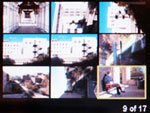 Thumbnail view |
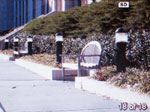 Image regular view |
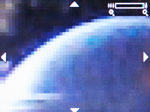 Image magnified |
By pressing the "Zoom Out" button, you can view 9 images at a time in a 3x3 array. Conversely, you can magnify an image by pressing the "Zoom In" button. In the sample above, we have zoomed in as far as the camera would allow us. At about the halfway zoom point, the image starts to become noticeably pixelated (as the image above demonstrates). While zoomed in, you can move around to different areas of an image by pressing the arrow buttons. We found zooming in/out and moving across images to be fairly quick and smooth. To delete an image, you should press the Menu/OK button. After selecting Delete from the menu, the camera offers 4 additional options: Cancel, This Image, All Images on Card, or Format Card. If you do not have a flash card installed, the word "Card" will be replaced with "Memory" in those options. We should also point out that an image/video can be deleted immediately after being taken as well. Right after an image/video is taken, the LCD will display the frame and the text "Press OK to Delete". Then the choices are "Cancel" or "Delete". In Playback mode, pressing the Menu/OK button also offers the options "Record Audio" and "Rotate".
The great thing about the M307 is that there is no operational distinction between Playback and Record modes. The Menu options are the same in both and you can switch back to Record mode with a half-press of the shutter at all times (assuming the lens is extended). This means that the camera is always ready to shoot.
Originally published at https://www.anandtech.com/show/1554 (Wayback Machine).