
Gigabyte 802.11g VPN Wireless Router
- Posted in
- Networking
Administration and Management
Like many of the SOHO routers and APs in the market, the BR404W has a web-based administration. For a quick glimpse of the state of the BR404W, there is a status button that will show the general networking information along with links to seven other networking status.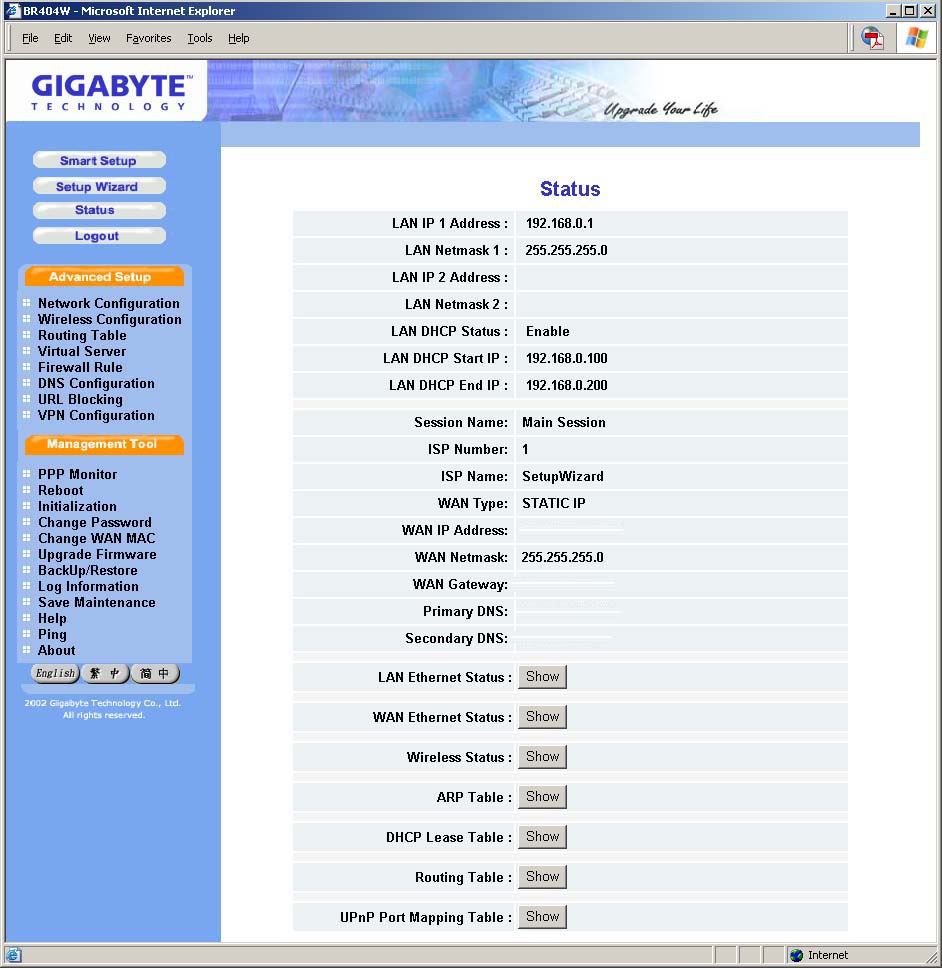
Click to enlarge.
The other management tools available are all mostly what you will find in other consumer broadband routers. The PPP Monitor displays the WAN connection status and allows for the disconnection and reconnection to an ISP. The Reboot, Initialization, and Change Password options are self-explanatory.
The Change WAN MAC is an interesting option that allows for the assignment of a MAC ID. This is useful if a specific MAC ID is required for the router to connect to either a corporate network or an ISP. In case the BR404W is moved to a different environment that does not require a specific MAC ID, the ability to restore the default MAC ID is available.
The Upgrade Firmware allows for the upgrade of the BR404W to the latest firmware provided by Gigabyte. The upgrade process is simple. Just download the file from Gigabyte's website to a PC. Then click the Browse button from the Upgrade Firmware page to the file location and click on the upgrade button.
The Backup Restore option is a nice feature that allows for the backup and restoration of the configuration settings of the BR404W. While configuring the basic setup of the router is easy, re-entering numerous firewall rules, routing tables, and restricted URLs can be a chore. The option of restoring the configuration, if the router had to be reinitialized or to undo a mistake somewhere in the firewall configuration, is very convenient.
The Log Information displays the records of the firewall, WAN connection, and UPnP log. Save Maintenance provides a way to save the log and status information for use with Gigabyte's tech support. A web-based PING utility rounds out the management features of the BR404W.
The Help option loads a HTML condensed version of the manual. For the most part, the paper and HTML documentation does a decent job of instructing a user on configuring the BR404W. However, certain parts of the manual need some grammar correction. In addition, more information on the configuration and the configuration's options are needed in certain sections, especially the VPN section.
Overall, the navigation and configuration of the BR404W via the web page are quick and easy. Most of the options require a reboot, but Windows users should be used to that. There are two minor annoyances that hopefully will be fixed in the next version of the web administration. One is the Setup Wizard button on the main administration page. Clicking on the button will start the Smart Setup process automatically without a confirmation prompt.
The second annoyance is the Smart Setup process itself. As mentioned earlier, if the BR404W was configured for static IP, but on a DHCP enable network, it will configure itself for DHCP. There are a couple of problems with this; the first being all configuration settings are lost. Additionally, the IP that the BR404W dynamically selects can be different each time. This truly becomes annoying when the router is in a remote site and you are trying to find the IP that the router is using.
Originally published at https://www.anandtech.com/show/1440 (Wayback Machine).